
Lifecycle Decisioning Agents
Learn how to create and manage Lifecycle Decisioning Agents
Overview
Lifecycle Decisioning Agent is an always-on, AI-powered marketing agent that manages a single lifecycle goal, such as First Purchase, Repeat Purchase, or Winback for your user segment. You only have to configure the agent once by specifying a goal, a user segment, messaging templates, and guardrails. The agent then continuously decides what to send, on which channel, and when, for each individual user, until that user converts or exits.
A traditional user Journey is a static messaging path for all users in that journey. However, a Lifecycle Decisioning Agent creates a unique messaging path for each user. It operates in a continuous cycle: it reads each user's real-time behavior, decides the next-best action, sends it automatically, and uses reinforcement learning models to improve future decisions autonomously.
Prerequisites
Confirm the following before you create a Lifecycle Decisioning Agent:
- You have Lifecycle Decisioning Agent access enabled on your CleverTap account.
- You have a few message templates ready for the agent to use across different channels. Lifecycle Decisioning Agent supports the following channels: Push Notifications, Email, SMS, WhatsApp, Web Push, and Inbox.
- Your role must have the following write permissions:
- Campaign Creation
- Lifecycle Decisioning Agent Creation
NoteLifecycle Decisioning Agent is currently in Beta. Contact your CleverTap account manager to request access.
Create a Lifecycle Decisioning Agent
Creating a Lifecycle Decisioning Agent involves defining your goal, identifying your user segment, choosing an engagement strategy, adding messages across different channels, and configuring guardrails.
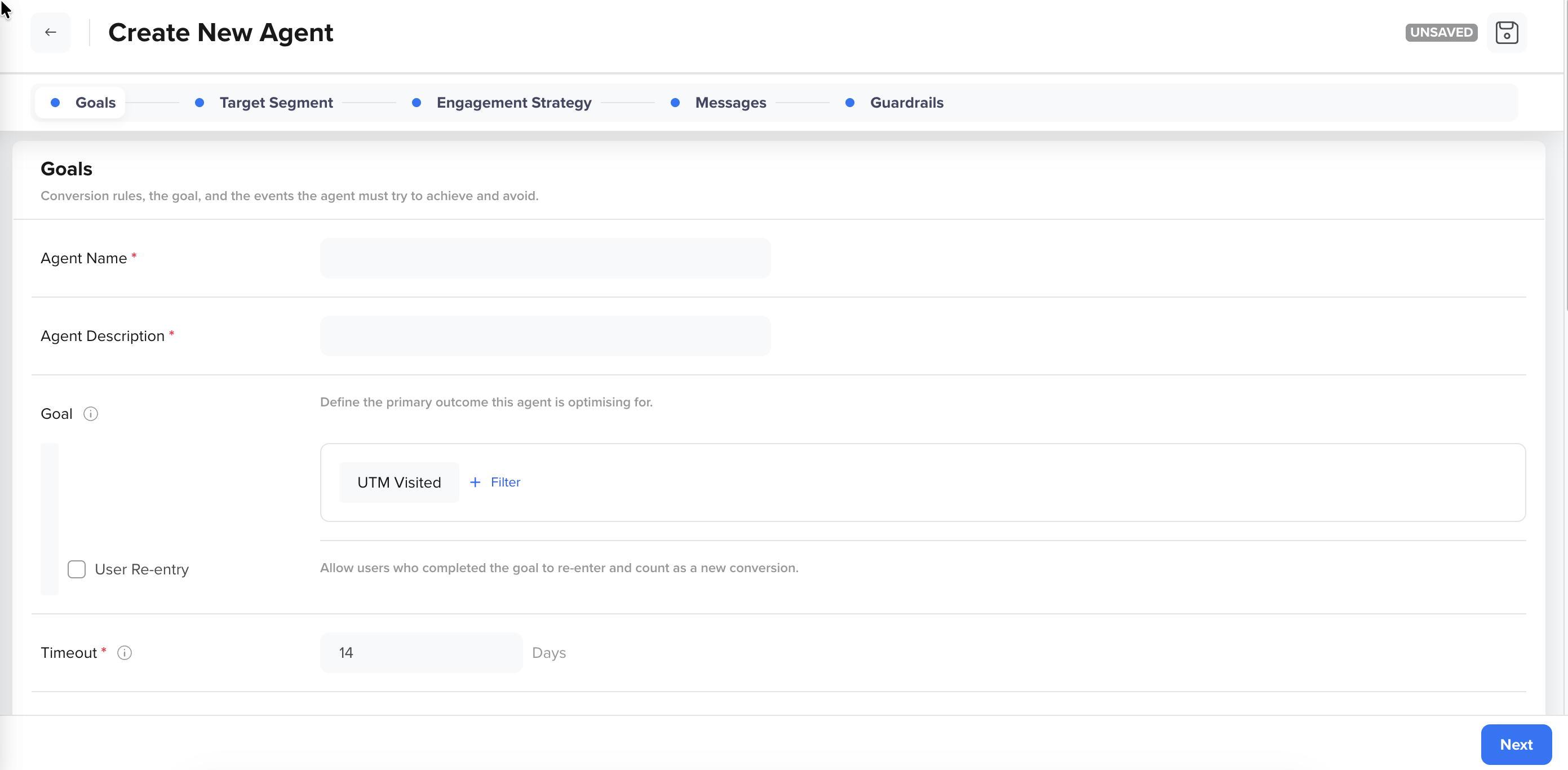
To create a Lifecycle Decisioning Agent, go to Decisioning > Agents > Create Agent.
The following image shows the Create New Agent workflow with the five-step navigation bar:
Create new LIfecycle Decisioning Agent
You can create a new agent with a five-step workflow:
| Window Section | What You Configure |
|---|---|
| Goals | The conversion goal, guiding events, and the conversion window |
| Target Segment | Which users enter the agent and the control group |
| Engagement Strategy | The engagement strategy and step rules |
| Messages | The messages across different channels available to the agent for selection |
| Guardrails | Channel limits, Frequency caps, and Do Not Disturb (DND) windows |
To view the agent performance and activity, refer to the following:
Updated about 3 hours ago