
Karix
Learn how to integrate Karix with CleverTap for WhatsApp communication.
Overview
Karix is a global mobile engagement provider with more than 20 years of mobile CRM (mCRM) experience. Its cloud-based SaaS technology enables brands to intelligently personalize mobile communications for the omnichannel consumer, across both marketing and customer care interactions.
Karix provides WhatsApp Business communication APIs that enable brands to send real-time, template-based campaign messages to their customers. By integrating Karix with CleverTap, businesses can:
- Trigger personalized WhatsApp campaigns based on customer behavior or business rules, using pre-approved WhatsApp templates configured in Karix.
- Track message delivery and customer engagement using Karix's WhatsApp delivery reports and analytics.
Support for IntegrationThis integration is completed by Karix and they are dedicated to maintaining and enhancing it. The CleverTap and Karix integration has undergone stringent testing to ensure seamless functionality. For any questions or issues, contact Karix for support and resolution. For more information about Karix's WhatsApp Business API, contact your Karix account manager or reach out to Karix support.
Prerequisites for Integration
Check that you have the following:
- The WhatsApp Campaigns feature is enabled on your CleverTap account.
- A fully configured Karix account with WhatsApp Business API (WABA) access.
- The Karix account API Access Key, whitelisted by the Karix SysEng team in your AWS instance.
- At least one approved message template registered in Karix for testing.
Configure CleverTap Dashboard
To set up Karix as your WhatsApp provider from the CleverTap dashboard:
-
Go to Settings > Channels > WhatsApp > WhatsApp Connect.
-
Click + Provider Configuration and select Generic (Other) from the Provider list.
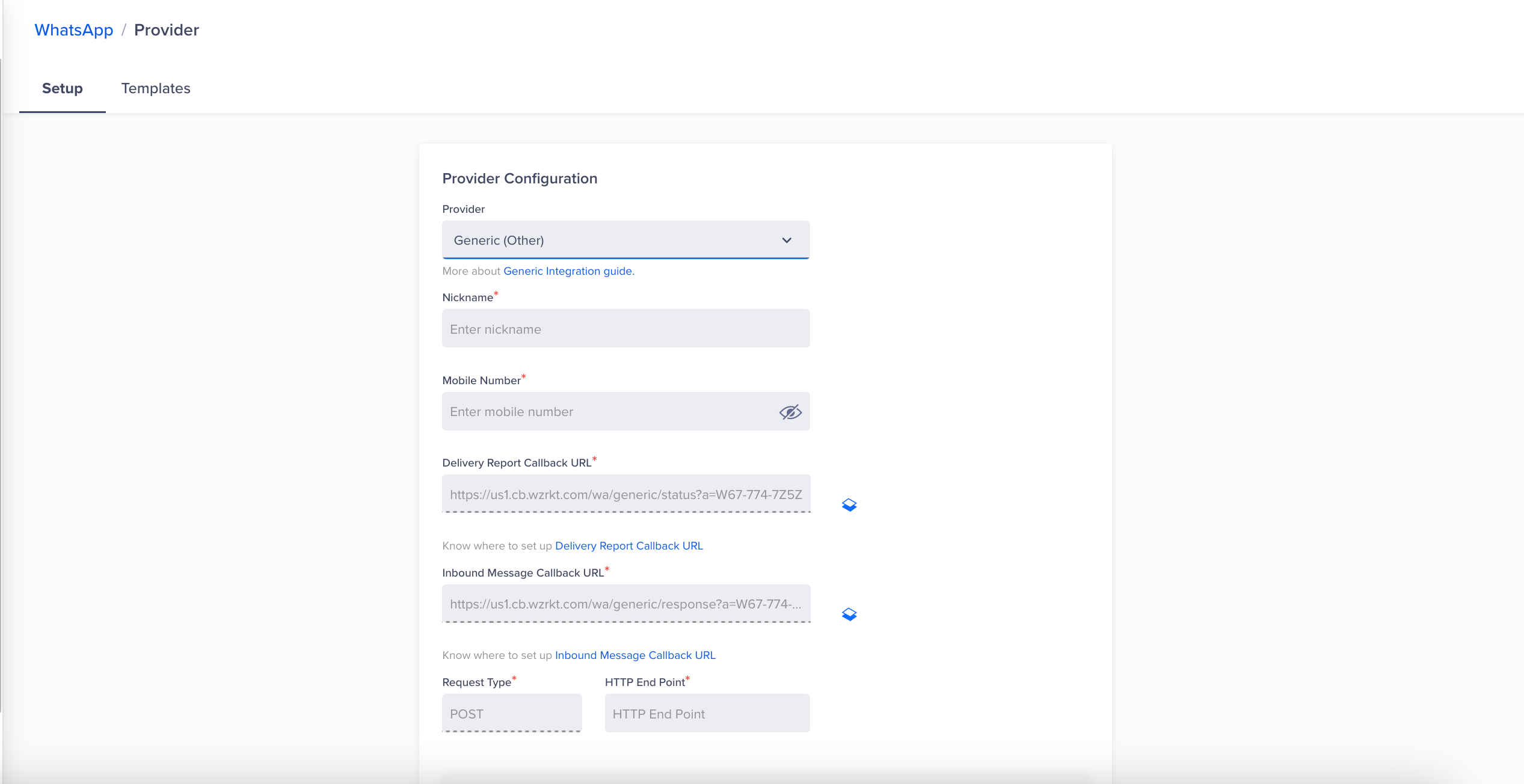
Provider Configuration
-
Enter the following details:
| Field | Description |
|---|---|
| Provider | Select Generic (Other) from the Provider dropdown. |
| Nickname | Enter a name that identifies Karix, for example, Karix or Karix Mobile. |
| Mobile Number | Add your WhatsApp-integrated number with country code (for example, 91XXXXXXXXXX for a WABA with the 91 prefix). |
| Delivery Report Callback URL | This URL is generated automatically in the CleverTap dashboard. Refer to Set Up CleverTap Callbacks in Karix. |
| Inbound Message Callback URL | This URL is generated automatically in the CleverTap dashboard. Refer to Set Up CleverTap Callbacks in Karix. |
| Request Type | Ensure the Request Type is set to POST. |
| HTTP Endpoint | Paste the following URL: https://pod1-rcmapi.instaalerts.zone/rcmreceiver/api |
| Payload Version | 0.1 (populated by default; no input required). |
| Headers | Add the authorization headers provided by Karix. Refer to the Headers section below. Ensure there are no leading or trailing whitespaces in any field. |
- (Optional) Select Mark this as default to set Karix as the default provider for sending WhatsApp messages.
- (Optional) Select Set auto-reply for users not tracked on CleverTap to automatically reply to WhatsApp users who are not tracked on the CleverTap dashboard.
- Click Save. This triggers a validation request without sending a message. A Status: 200 / Success response confirms that the provider details have been saved successfully. If an error occurs, the associated payload and error type are displayed.
Testing the IntegrationAfter saving the configuration, trigger a test campaign to a small user segment to validate the plugin. Avoid using Send Test WhatsApp, as it can produce inconsistent results. Running an actual campaign provides exact behavior and reliable output.
Set Up CleverTap Callbacks in Karix
Callbacks ensure that delivery reports and inbound user messages from WhatsApp are synced back to CleverTap, enabling accurate tracking and engagement workflows.
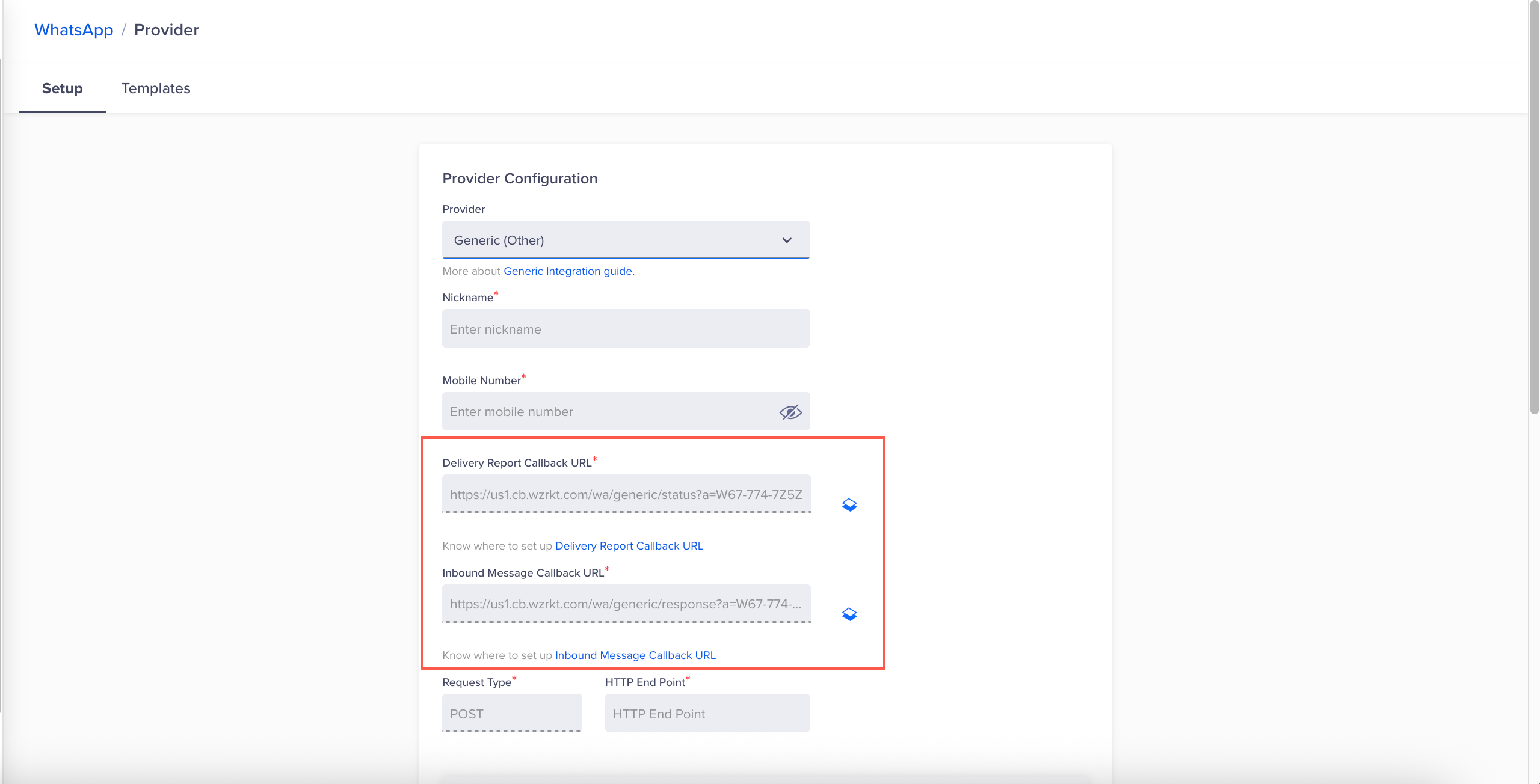
Callbacks
The Delivery Report Callback URL and Inbound Message Callback URL are automatically populated in the CleverTap dashboard under the provider configuration. Provide both URLs to the Karix provisioning team.
ImportantWhen sharing the callback URLs with the Karix provisioning team, explicitly state that these URLs are for the CleverTap integration. The backend configuration format for CleverTap differs from the standard Karix setup, and this must be noted for correct configuration.
Headers
In the CleverTap dashboard, select the Headers checkbox to expand the section, then click + Key-Value Pair to add the following:
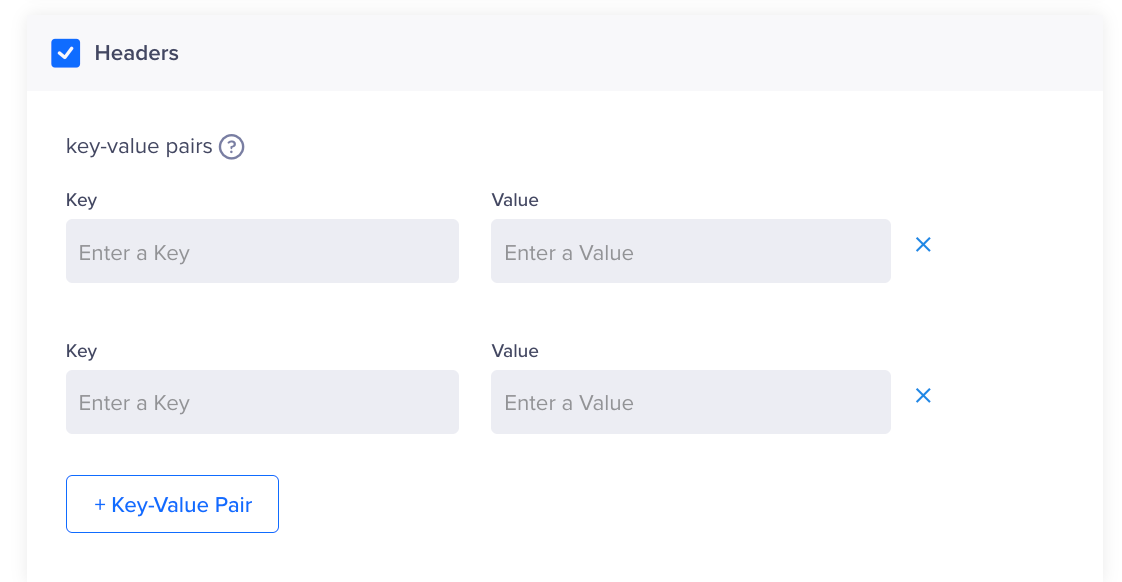
Headers
| Key | Value |
|---|---|
Authorization | Bearer <API Key> (include a space between Bearer and the API key) |
Content-Type | application/json |
To enable the URL shortener service, add the following key-value pair in headers:
| Key | Value |
|---|---|
shorten_url | true |
The following table describes how the Visualize links (VL) setting behaves based on your account-level configuration and the shorten_url header value:
| Account-Level VL Setting | Header Key Value | Final Outcome |
|---|---|---|
| On | true | VL enabled |
| On | false / (not set) | VL disabled |
Add WhatsApp Message Templates
To create WhatsApp campaigns, you must have pre-approved WhatsApp message templates saved in the CleverTap dashboard. Templates must first be approved in Karix before being added to CleverTap.
When configuring a template with a Call To Action button that uses Karix's URL shortener service, set the following in the Karix dashboard:
| Field | Value |
|---|---|
| Type | Call To Action |
| Button Text 1 | Your CTA label (maximum 25 characters) |
| Type of action 1 | Visit Website |
| URL type | Dynamic |
| Redirection URL | https://1kx.in/{[1]} — required when URL type is set to Dynamic. 1kx.in is Karix's URL shortener domain and {[1]} is a dynamic parameter replaced with the destination URL at send time. |
For detailed instructions on adding templates in CleverTap, refer to WhatsApp Message Templates.
Create a Campaign
After completing the integration and adding templates, you can create WhatsApp campaigns using Karix as the provider. For detailed instructions, refer to Create a WhatsApp Campaign.
Create a Journey
You can also use Karix as a WhatsApp provider within CleverTap Journeys to automate multi-step engagement workflows. For detailed instructions, refer to Create a WhatsApp Journey.
Updated 6 months ago