
Target Segment
Define the user segment to reach your users.
Define the Target Segment
The Target Segment tab determines which users enter the agent and defines a control group.
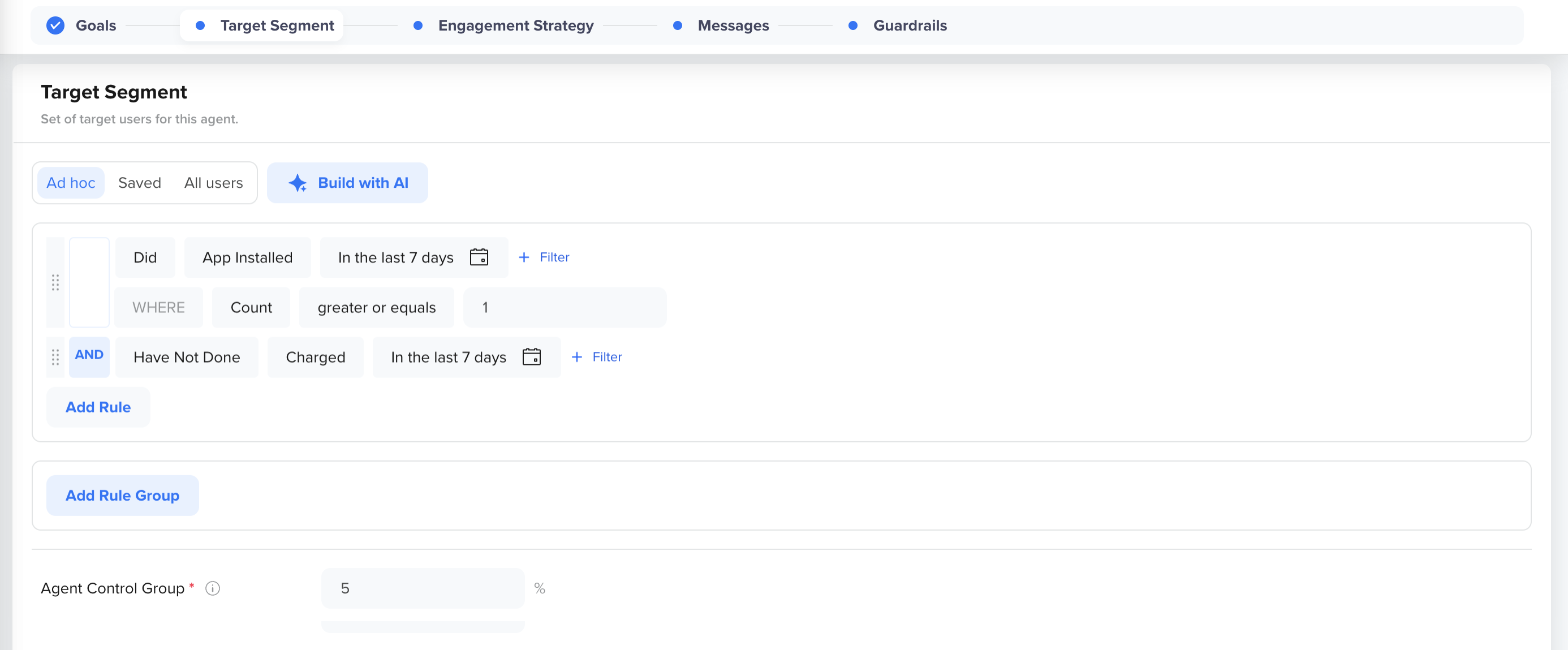
Define Target Segment
To complete the Target Segment tab:
- Select the audience type for this agent. The following options are available:
- Ad hoc - Build a one-time, custom segment using CleverTap's segment builder
- Saved - Use an existing saved segment from your CleverTap account
- All users - Target all users in your account (selected by default)
- (Optional) Click Build with AI to describe your target audience in plain language. The CleverTap Segmentation Agent generates the segment criteria for you.
- Set the Control Group percentage. The control group is a portion of your target audience that receives no messages from this agent. The default is 5%. You use the control group to measure the agent's true incremental lift to help you compare conversions in the control group against conversions in the agent-target group.
- Click Next to proceed to the Engagement Strategy tab.
Updated about 4 hours ago
Did this page help you?