
Agent Hub
Overview
CleverAITM brings AI into CleverTap in two ways.
- Built-in agents: They work directly inside your dashboard. They generate content, make optimization decisions, and automate core workflows, so you spend less time on manual setup and more time on strategy. Each agent sits in one of three layers depending on what it is doing for you: Creator Agents generate content, Intelligent Agents make optimization decisions, and Workflow Agents automate the busywork.
- CleverTap MCP: It connects Claude, ChatGPT, and Cursor directly to your CleverTap account, so you can create segments, pull analytics, and check campaign performance in natural language without switching tabs or manually exporting data. Access through MCP mirrors your dashboard permissions.
Together, the two cover both sides of working with AI in CleverTap: agents that act inside the platform when you are already there, and a connection that brings the platform to you when you are working somewhere else.
This document is the directory for everything. Use it to find the right agent for what you are trying to do.
Manage Agents
This section explains how to view and control agents from the Agents page.
Each agent, whether a Creator, Intelligent, or Workflow agent, has an enable/disable toggle in its detail panel. To view or change an agent's status, go to Settings > CleverAI > Agents, where all agents are listed. Select an agent from the list, and toggle its status on or off in the top-right corner of the detail panel. The status toggle is OFF by default.
Permissions and ScopeOnly account admins can enable or disable an agent, and the change applies only to the current account. It does not extend to other accounts in your organization.
The following image shows the status of the Image Creator Agent disabled:
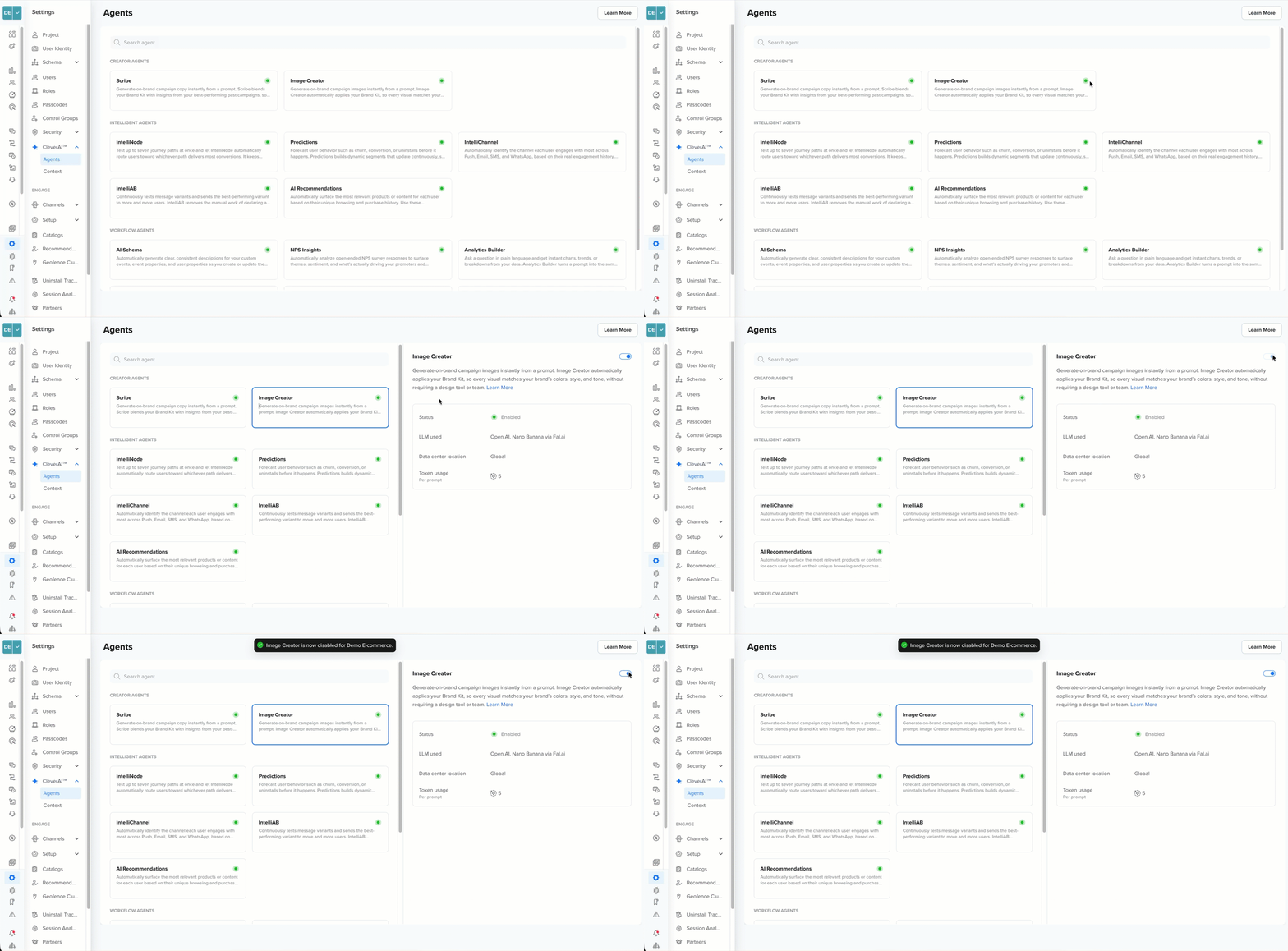
Turning Off an Agent
Disabling an agent blocks it from starting any new activity, but does not stop work already in progress. For example, if you disable IntelliNode after publishing a journey that uses it, the journey's existing nodes continue running, and jobs already dispatched by other agents complete normally. Only new invocations, such as publishing a new journey or scheduling a new job, are blocked once the agent is off.
Creator Agents
Generates on-brand, contextual content in seconds: Copy, Images, and Templates.
Intelligent Agents
Continuously evaluates and optimizes performance at the impression level: timing, channel, path, variant, and audience decisions.
Workflow Agents
Automates core platform workflows to reduce time-to-live: Segment creation, Journey building, Analytics.
Updated 23 days ago