
Manage Unused Segments
Learn how to manage unused segments by hiding them from your active view without permanently deleting them.
Overview
Manage unused segments to keep your workspace organized and efficient. This feature identifies segments no longer actively used and marks them as Inactive, so you can easily distinguish them from active ones.
Inactive segments remain available for review, reuse, or deletion, helping you focus on the segments that matter most to your campaigns and analytics.
This guide explains how segments become inactive, how to view and manage them, and how inactivity affects your account.
Advantages
Over time, your account may accumulate unused segments, cluttering your workspace and slowing navigation. Managing unused segments helps you focus on segments that drive active campaigns.
By automatically identifying unused segments, this feature provides the following advantages:
- View which segments are active and which are unused.
- Review old segments to decide whether to reuse or delete them.
- Keep your segment list organized and clutter-free.
Inactive segments remain available for reference and can be reactivated at any time. The status of the segment does not affect active campaigns or reports.
Identify When a Segment Becomes Inactive
Understanding when a segment becomes inactive helps you manage and maintain your data effectively. A segment is marked as inactive under the following conditions:
- It is not used in any live Campaign or Journey.
- It is no longer recalculated or refreshed for active Campaigns or Journeys.
Even if a segment’s rules continue to support historical reports such as Funnels or Cohorts, it becomes inactive when it is no longer linked to any active Campaign or Journey.
Inactive segments are not deleted automatically. You can review, reuse, or delete them at any time from the segment list.
Access Inactive Segments
Inactive segments are visible directly on the Segments list page.
You can identify them using the Status column, which shows whether each segment is Active or Inactive.
To filter inactive segments:
- Go to the Segments page.
- Enable the Status column (if not visible).
- Apply the filter Status > Inactive to list all inactive segments.
Inactive segments are searchable and sortable, similar to any other segment, allowing quick access without cluttering your default view.
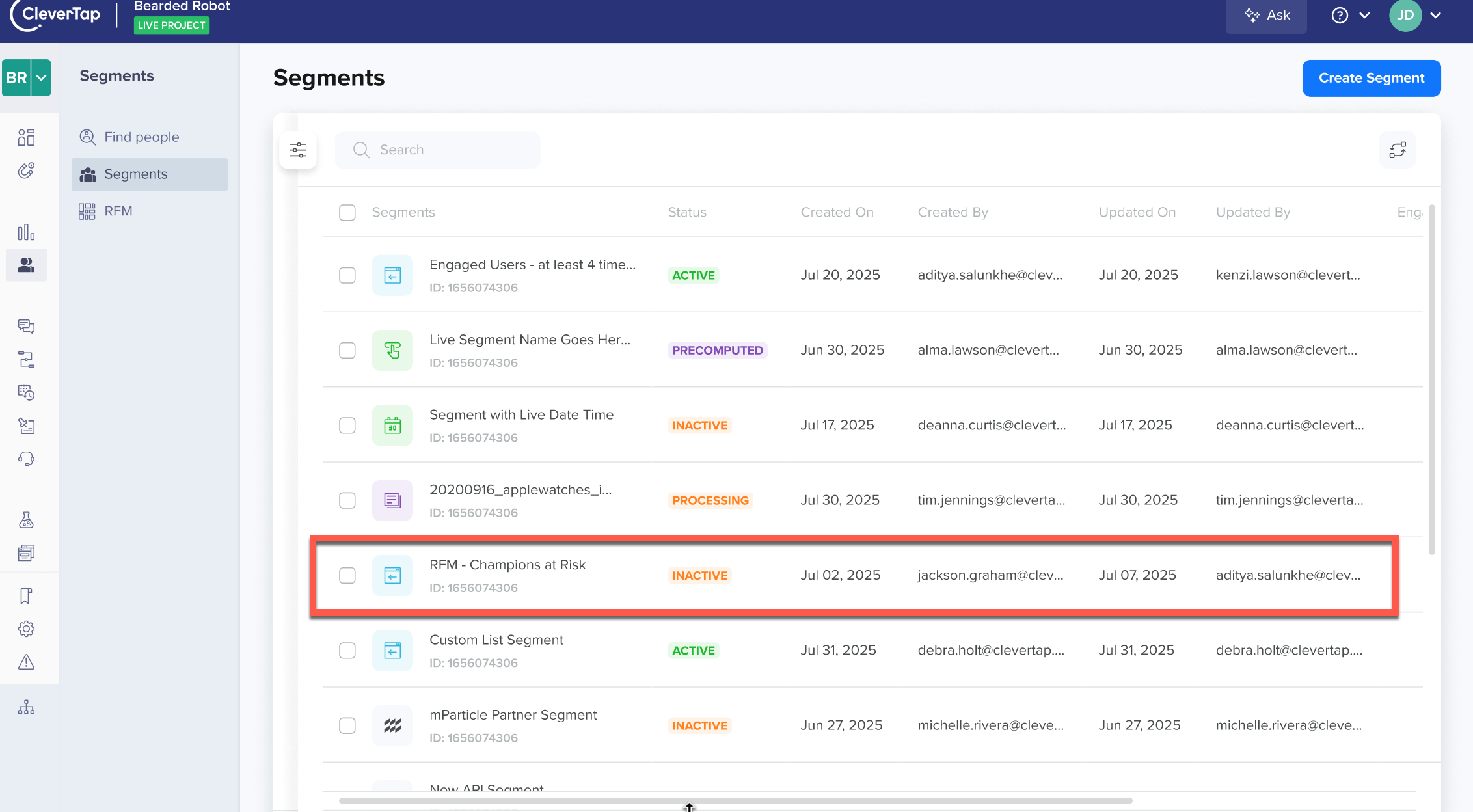
Unused Segments Marked Inactive
Compare Active and Inactive Segments
Use the following table to understand how segment status affects its behavior and available actions.
| Segment Type | Status | Used in Analytics | Used in Campaigns or Journeys | Actions Available |
|---|---|---|---|---|
| Actively Used Segment | Active | Yes | Yes | Clone, Delete |
| Unused Segment | Inactive | Yes (for reporting only) | No | Clone, Delete, Resume |
When you resume or reuse an inactive segment, it becomes Active again.
Behavior of Inactive Segments
Once a segment becomes inactive, it stays accessible but stops participating in active processes. Here’s how inactive segments behave in your workspace:
- Remain visible in the list, with filtering available by status.
- Support resuming at any time.
- Recalculate and switch to Active status when resumed, automatically.
- Keep reports and historical data unchanged.
Since inactive segments remain available until you delete them, you can keep, reuse, or remove them without impacting live campaigns.
NoteInactive segments stop updating or recalculating until they are reactivated.
Manage Inactive Segments
You can manage inactive segments from the Segments page. You can perform the following actions individually or in bulk:
| Action | Description |
|---|---|
| Clone | Create a duplicate of the segment for modification or reuse. |
| Resume | Reactivate the segment to make it active again for Campaigns or Journeys. |
| Delete | Permanently remove the segment if it's no longer needed. |
The following image shows the Resume computation option:
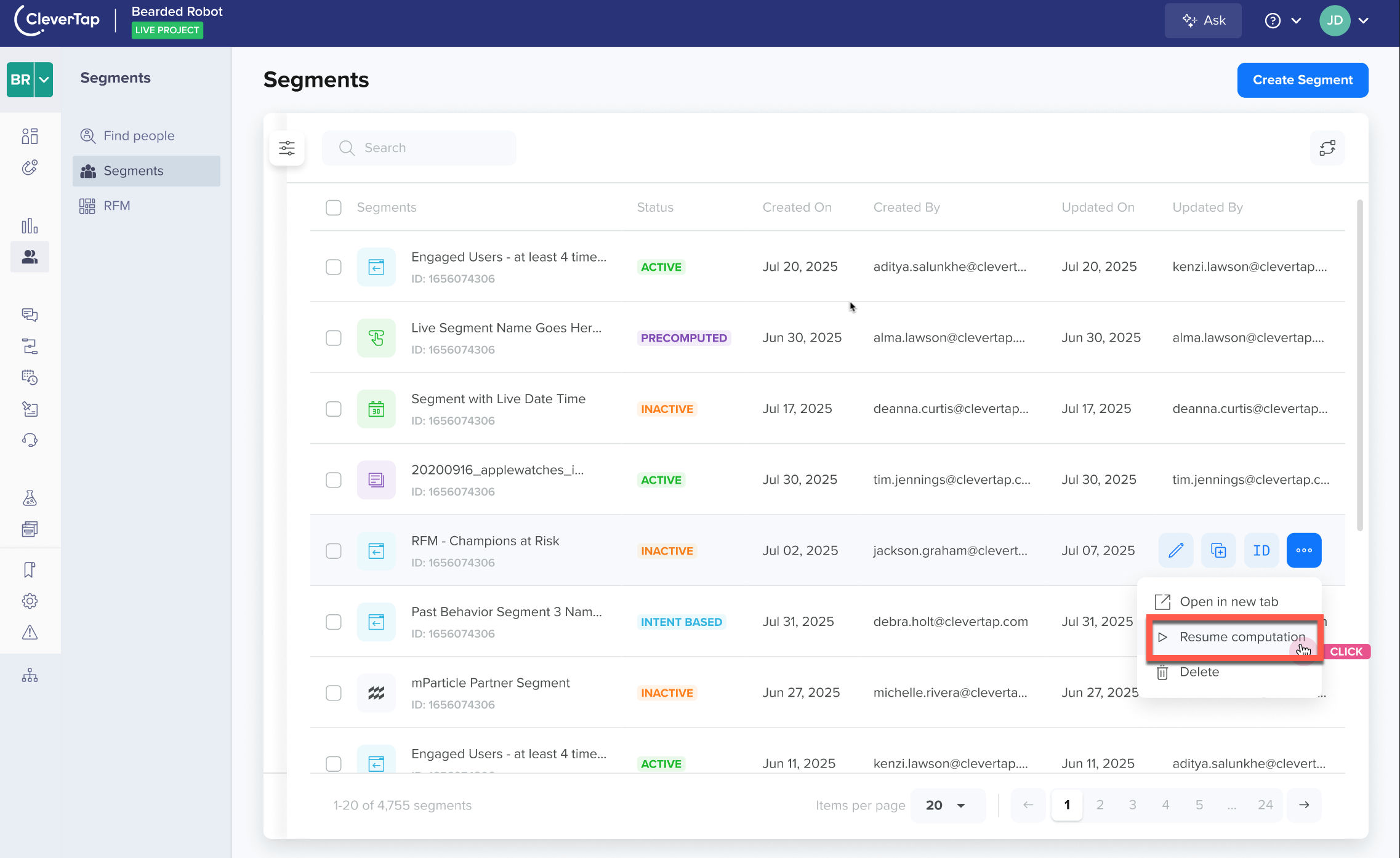
Manage Inactive Segments
To reactivate a segment, select Resume computation. Once resumed, the segment's data is recalculated and becomes active.
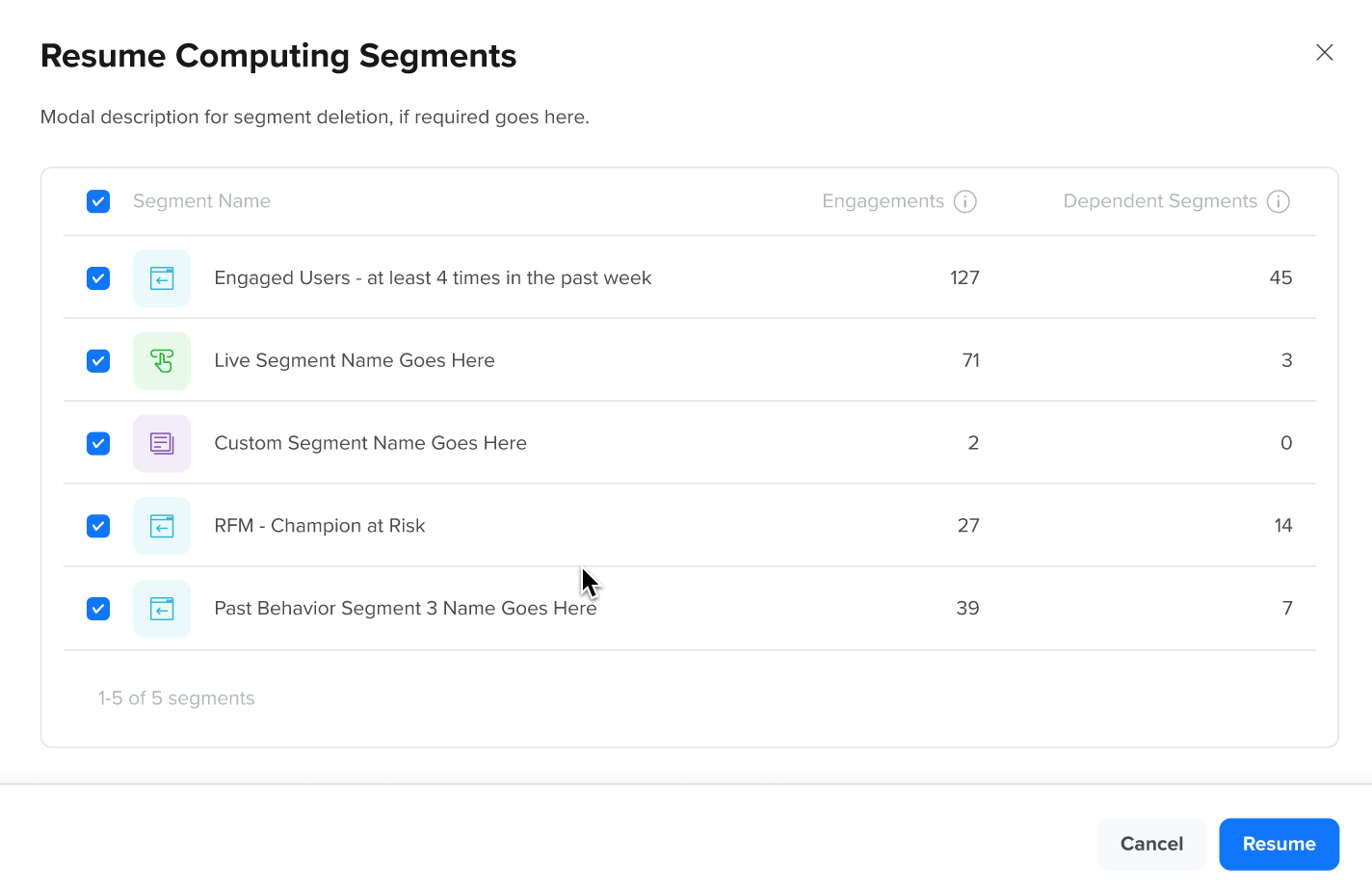
Resume Computation for Segments
FAQs
This section covers common questions to help you manage segments effectively.
What qualifies a segment as inactive?
A segment becomes inactive when it's no longer linked to any live campaign or journey. Although its rule logic may still support viewing historical data in reports such as Funnels or Cohorts, it is considered inactive for engagement purposes.
Can I reuse inactive segments?
Yes. You can reuse any inactive segment. When you resume or use the segment in a new Campaign or Journey, it becomes active again, and the system recomputes which users currently qualify for that segment according to its rule conditions.
How do I view inactive segments?
Inactive segments appear on the main Segments list. Use the Status column to check each segment's state or filter by Status > Inactive to view only unused ones.
Can I delete inactive segments?
Yes. You can safely delete inactive segments to declutter your workspace. This action does not impact your analytics or previously collected data.
Does marking a segment inactive affect reports?
No. Inactive segments do not affect any existing reports or analytics. Your historical data remains available even if a segment becomes inactive.
Updated 8 months ago