
Karix
SMS Provider
Overview
Karix is a global mobile engagement provider with more than 20 years of mobile CRM (mCRM) experience. Integrating Karix with CleverTap lets you send SMS messages directly from CleverTap's engagement dashboard for automated, event-driven communication.
This integration supports HTTP-based message delivery through the Pod3 JSON API, secure header-based authentication, and dynamic payload handling, enabling scalable, reliable campaigns.
Businesses integrate Karix with CleverTap to:
- Send Transactional Messages: Deliver essential, non-promotional information related to a user's activity or account, such as service updates, OTPs, and alerts.
- Run Promotional Campaigns: Engage users through personalized marketing messages and targeted offers.
- Send OTPs: Authenticate users and authorize transactions with secure one-time passwords.
- Share Informational Updates: Deliver non-promotional notifications such as reminders, confirmations, and status updates.
Integrating Karix with CleverTap combines Karix's global SMS reach and mCRM expertise with CleverTap's intelligent segmentation and campaign automation capabilities.
Prerequisites for Integration
Before integrating, check the following:
- You have an active CleverTap account with SMS channels enabled.
- You have completed SMS onboarding with Karix and moved your account to Pod3 (AWS open API cluster).
- You have created a Karix TM Chain.
- You have configured PE ID and templates in your Karix account.
- You have your Karix Authorization Key (AWS whitelisted key) and API Key.
Support for IntegrationKarix has fully completed this integration and is committed to its ongoing maintenance and improvements. The CleverTap Karix integration was rigorously tested for flawless performance. For any support or issue resulution, reach out to Karix Support Team.
Integrate Karix with CleverTap
To integrate Karix with CleverTap, perform the following steps:
Find Karix Account Credentials
Before configuring CleverTap, gather the following credentials from your Karix account:
- Log in to your Karix account and go to your API or account settings.
- Copy your Authorization Key (AWS whitelisted key).
- Note your API Key and registered Sender ID used for sending SMS messages.
Keep these credentials ready for configuring the CleverTap dashboard.
Set Up CleverTap Dashboard
Once you have your Karix credentials, configure CleverTap to connect with Karix:
-
Go to Settings > Channels > SMS in the CleverTap dashboard.
-
Click + Add Provider. The Add SMS provider page opens.
-
Under Provider, select Other (Generic) and enter the following details:
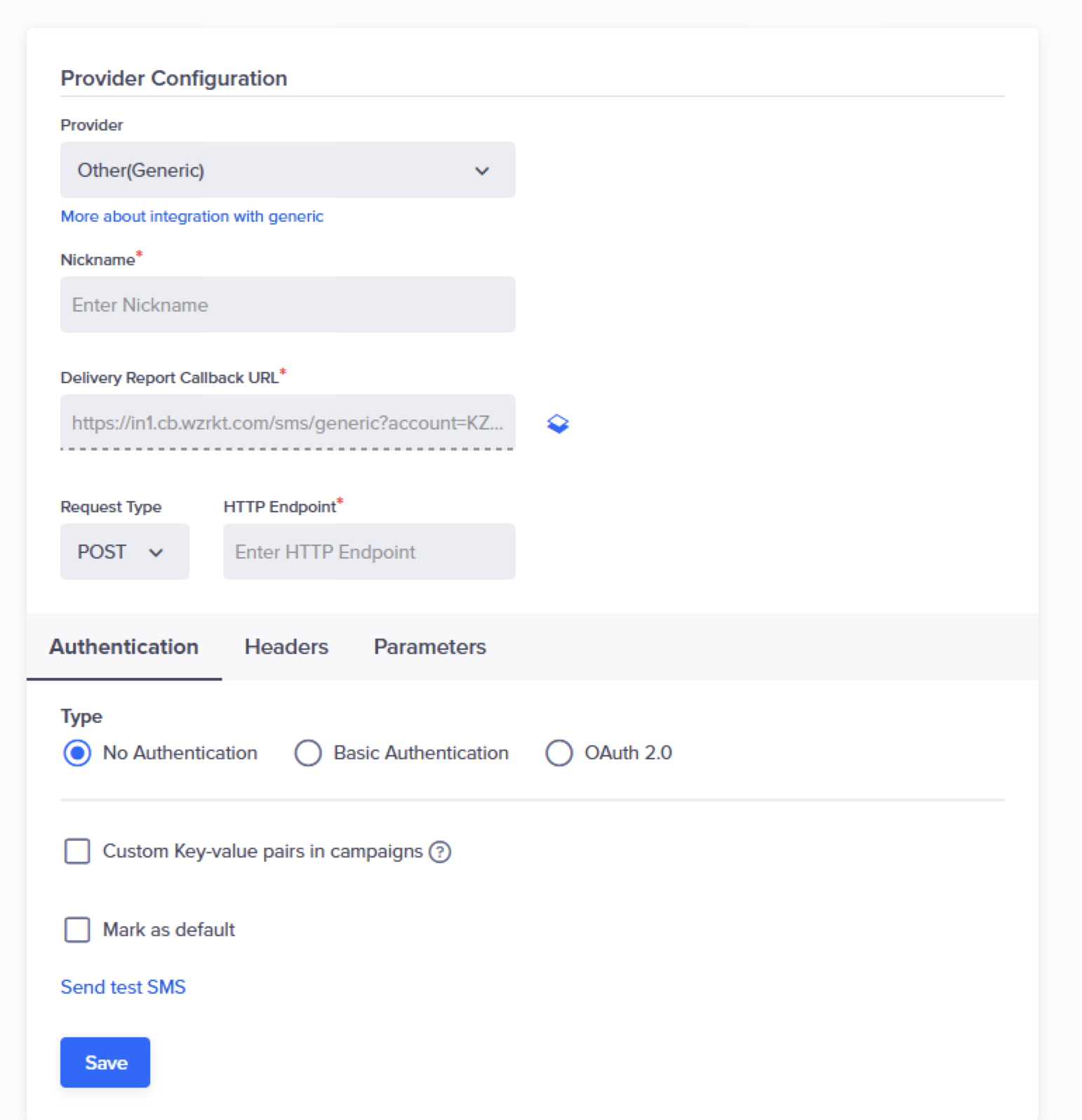
Add Provider Details
| Field | Description |
|---|---|
| Nickname | Enter a name such as Karix_SMS. |
| Delivery Report Callback URL | Enter this URL in the Karix portal to receive delivery reports. Refer to Set Up SMS Callbacks. |
| Request Type | Select POST. |
| HTTP Endpoint | Paste https://pod3-japi.instaalerts.zone/receiver/jsonapi. Ensure that the URL is in HTTPS format, that is, your URL must begin with https://. |
| Authentication | Select No Authentication (authentication is handled via headers). |
-
Under Headers, enter the following key-value pairs:
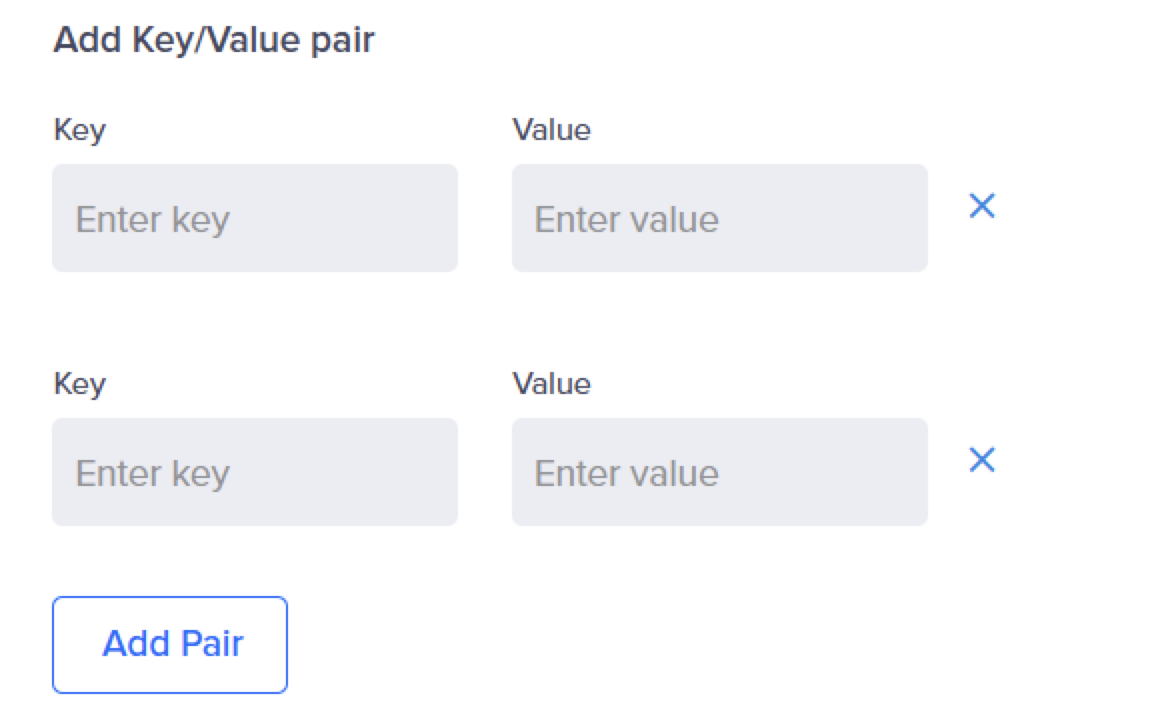
Add Key-Value Pair
| Key | Value |
|---|---|
Authorization | Your Karix AWS whitelisted key |
Content-Type | application/json |
NoteEnsure your Authorization key is copied correctly. An incorrect key will return an authentication error.
-
Under Parameters, select
JSONas the request type and paste the following JSON configuration: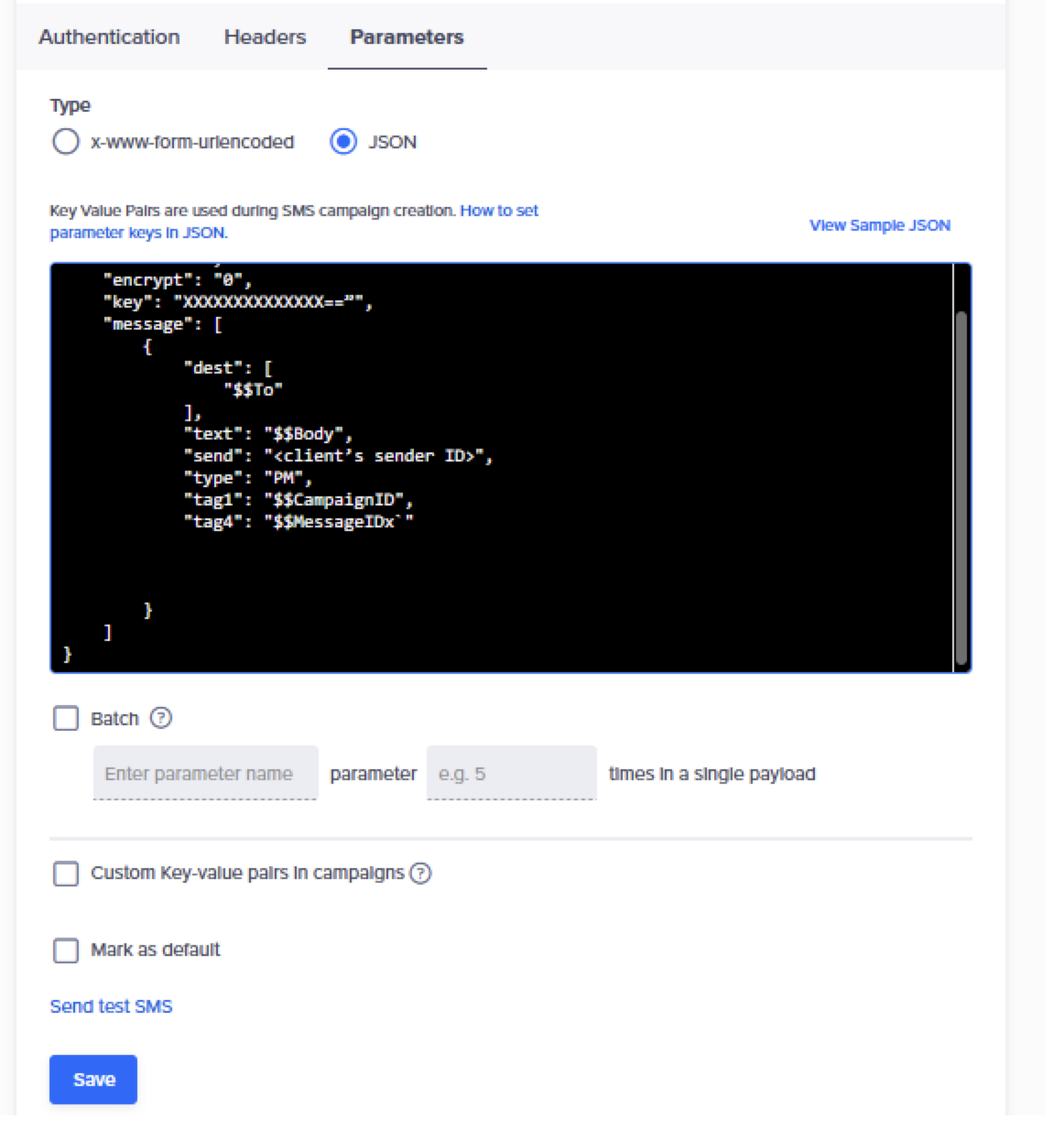
JSON Payload
Request Payload
{
  "ver": "1.0",
  "key": "XXXXXXXXXXXXXXXXXXXXXXXX",
  "encrypt": "0",
  "messages": [
    {
      "dest": [
        "$$T0"
      ],
      "text": "$$Body",
      "send": "<Client Sender ID>",
      "type": "PM",
      "tag1": "$$CampaignID",
      "tag2": "$$MessageID",
      "tag3": "tag3_test",
      "tag4": "tag4_test",
      "tag5": "tag5_test"
    }
  ]
}| Parameter | Description | Required |
|---|---|---|
dest | Recipient's mobile number. Use $$To for dynamic replacement. | Yes |
text | Message text content. Use $$Body. | Yes |
send | Sender ID registered in Karix. | Yes |
type | Message type (e.g., PM for Promotional, TM for Transactional). | Yes |
tag1 | CleverTap Campaign ID. Use $$CampaignID. | Yes |
tag4 | CleverTap Message ID. Use $$MessageID. | Yes |
tag2 | Optional additional tag. | Optional |
tag3 | Optional additional tag. | Optional |
tag5 | Optional additional tag. | Optional |
NoteReplace
<Your Karix API Key>and<Your Sender ID>with your actual Karix credentials. The parameters$$To,$$Body,$$CampaignID, and$$MessageIDare dynamically replaced by CleverTap during campaign execution. For more information about$$variables, refer to the System Dynamic Replacements section listed under Generic SMS document.Ensure that you do not select the Batch option.
- Click Save. A pop-up opens, prompting you to Send Test SMS.
Send Test SMS
Sending a test SMS helps confirm that your Karix integration is working before launching a live campaign. This ensures that the API endpoint is correctly configured, that authentication is valid, and that messages can be delivered.
To verify that the integration works, perform the following steps:
-
Click the Send Test SMS hyperlink before creating SMS campaigns and journeys.
-
Enter the following details:
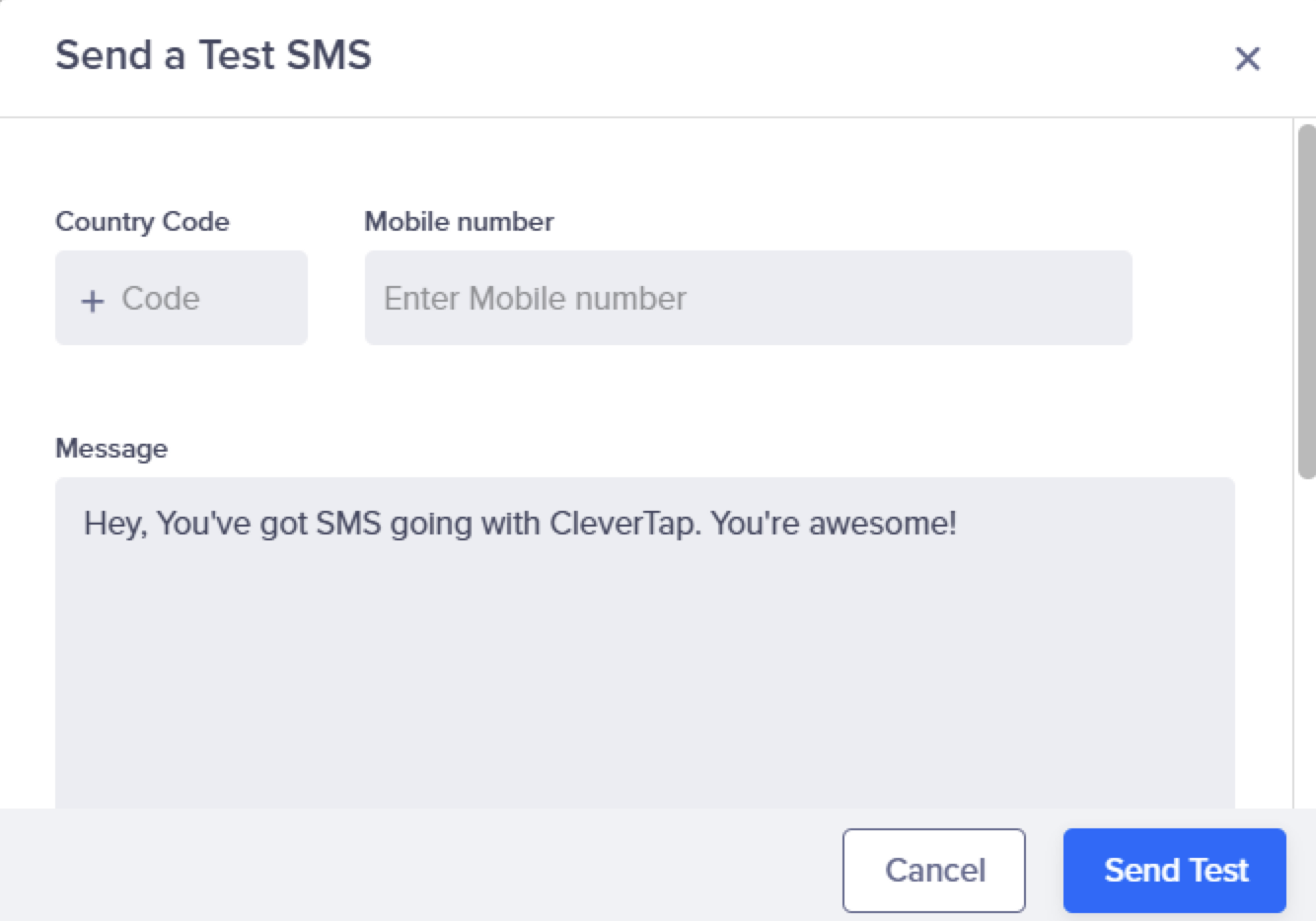
Send Test SMS
- Country Code and Mobile Number: Enter the country code and mobile number to which you want to send the message.
- Message: Enter sample text (DLT whitelisted), such as
This is a test message powered by Karix.
-
Click Send Test.
If the configuration is correct, the test message will be delivered, and Karix will return a DLR update. If there is an error (for example, incorrect credentials or endpoint), CleverTap will display a failure notification.
Set Up SMS Callbacks
To track SMS requests, perform the following steps:
- Copy the Delivery Report Callback URL from CleverTap and add it to the JSON payload. You can find this URL on the CleverTap dashboard under the Provider Setup page Settings > Channels > SMS > Provider Nickname.
- Add it to the JSON payload field
"tag4": "$$MessageID"or as the callback field in your Karix account. - Save the configuration to enable CleverTap to receive DLR updates from Karix.
NoteIn the DLR handover, ensure to use the same tag values that are used in the send API payload. The
tag1value maps to$$CampaignIDandtag4maps to$$MessageID.
Verify Successful Integration
Your integration is successful when the following criteria are met:
- The test SMS is successfully delivered to the target mobile number.
- No authentication or endpoint errors appear in CleverTap logs.
- Message delivery can be verified from your Karix dashboard.
Once verified, you can build and publish SMS campaigns or set up Journeys using Karix as your SMS provider.
Updated 6 months ago