
NPS Insights
Learn how to read NPS Insights generated by AI
NPS Insights is an enhancement to CleverTap’s Net Promoter Score (NPS) dashboard. It combines quantitative data (such as NPS scores and response volumes) with qualitative insights (including AI summaries, sentiment analysis, and theme clustering).
In addition to standard NPS metrics, NPS Insights applies AI-powered analysis to free-text responses, helping you quickly interpret customer feedback. This gives marketers and product teams a more complete view of customer satisfaction and the key factors influencing it.
AvailabilityNPS Insights is available in Pro and Ultimate plans. To access this feature, contact your Customer Success Manager.
To view NPS Insights:
Go to Dashboard > Boards > NPS. Select the AI Insights tab to view the detailed analysis of all user reviews.
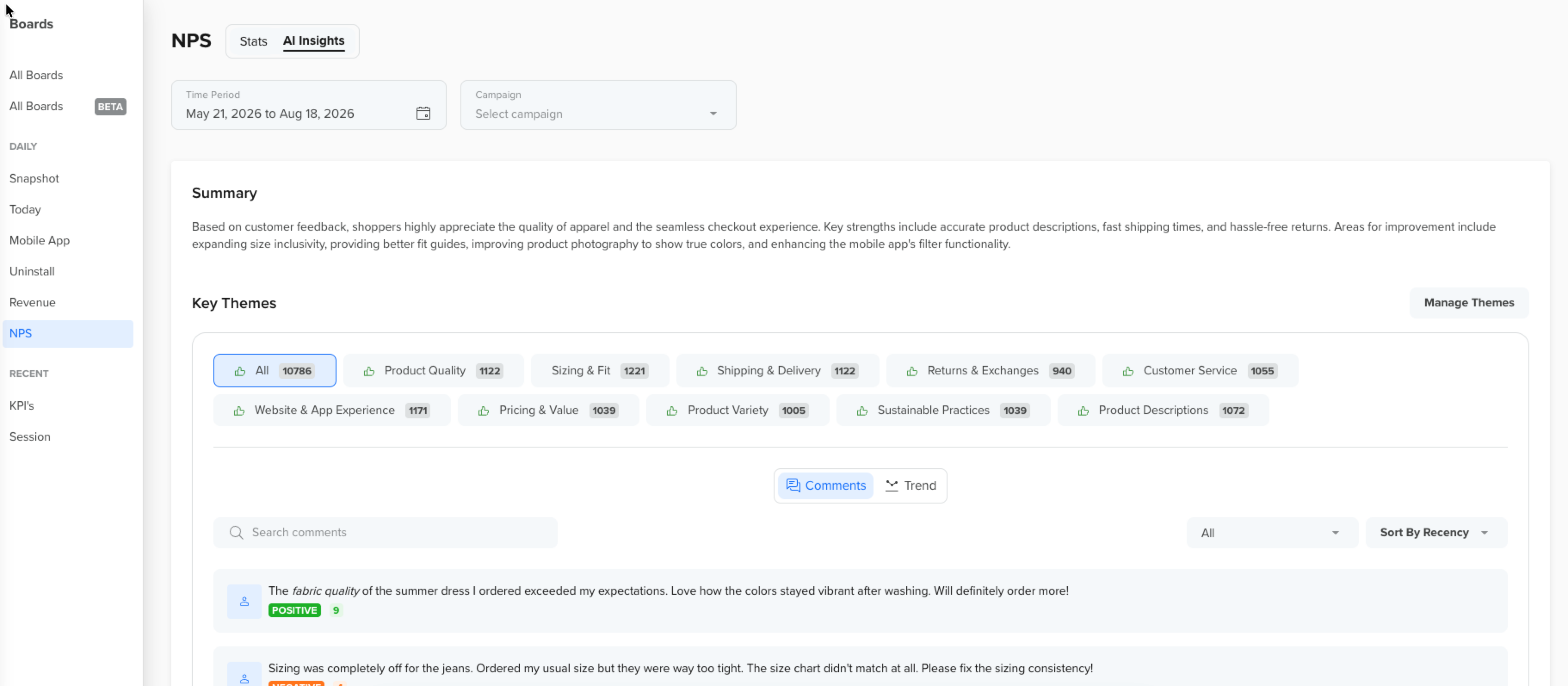
AI Insights
Refer to the following AI Insights tabs:
AI Generated Summary
You can view the AI Summary for a quick overview of the comments. This summary automatically summarizes large volumes of comments into key takeaways, which helps marketers avoid manually scanning every response.
Key Themes
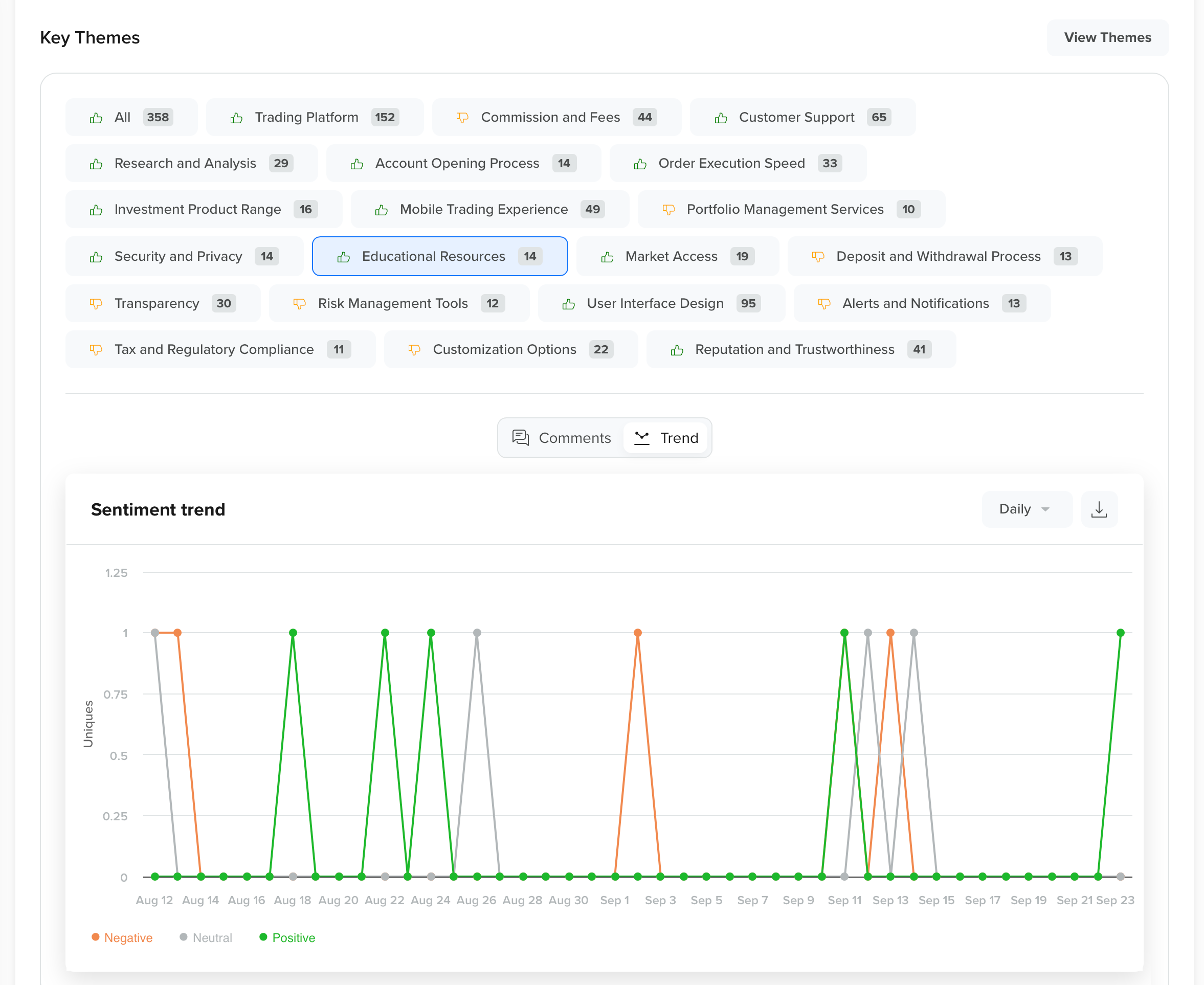
CleverTap groups user comments into recurring topics such as User Experience, Billing, or Onboarding. It also provides counts to highlight common pain points or strengths. Under Key Themes, you can hover over each theme to get a % breakdown of comments, based on negative and positive sentiment per theme.
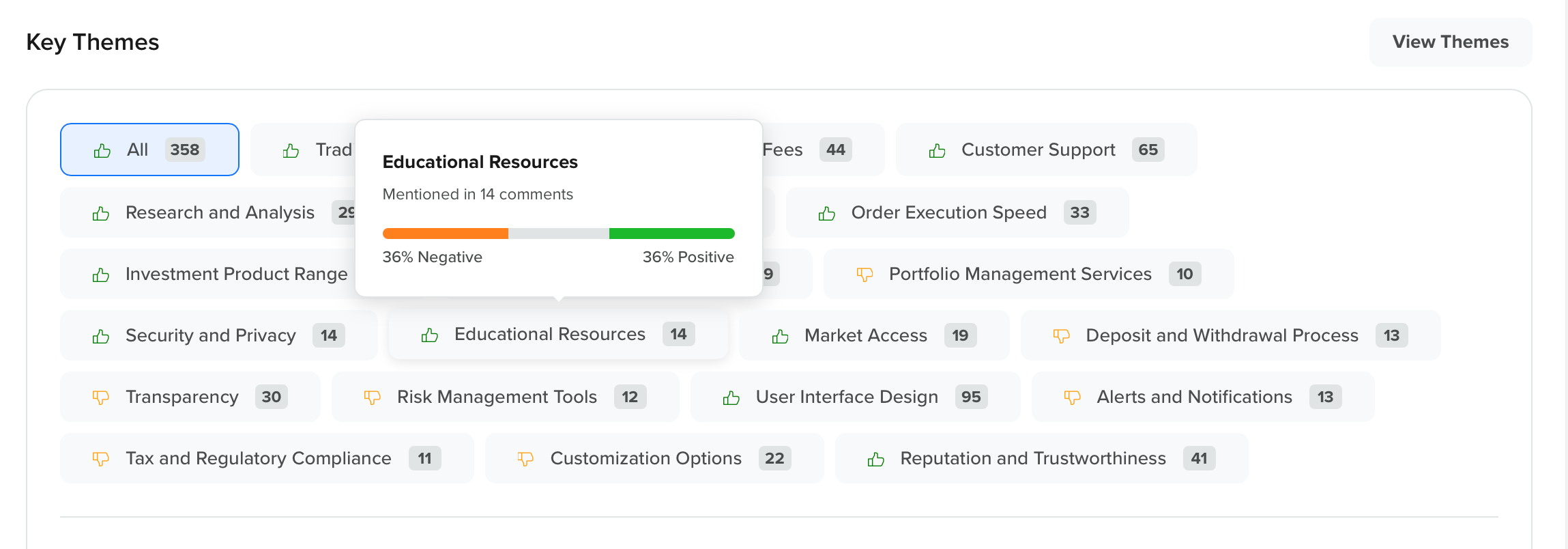
You can apply filters to display only comments for a selected key theme by clicking on a theme. This is especially useful for deep dives into user concerns.
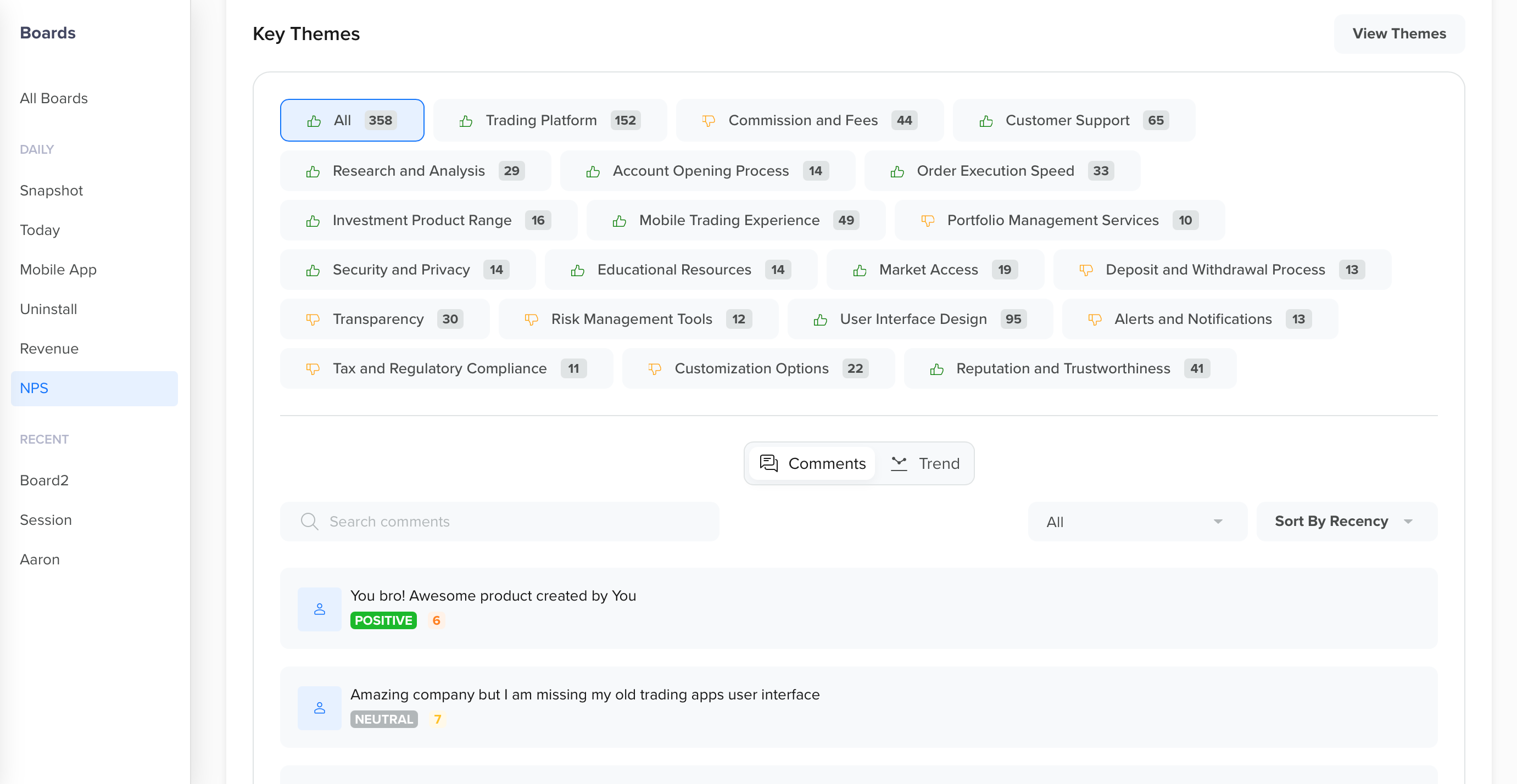
Comments
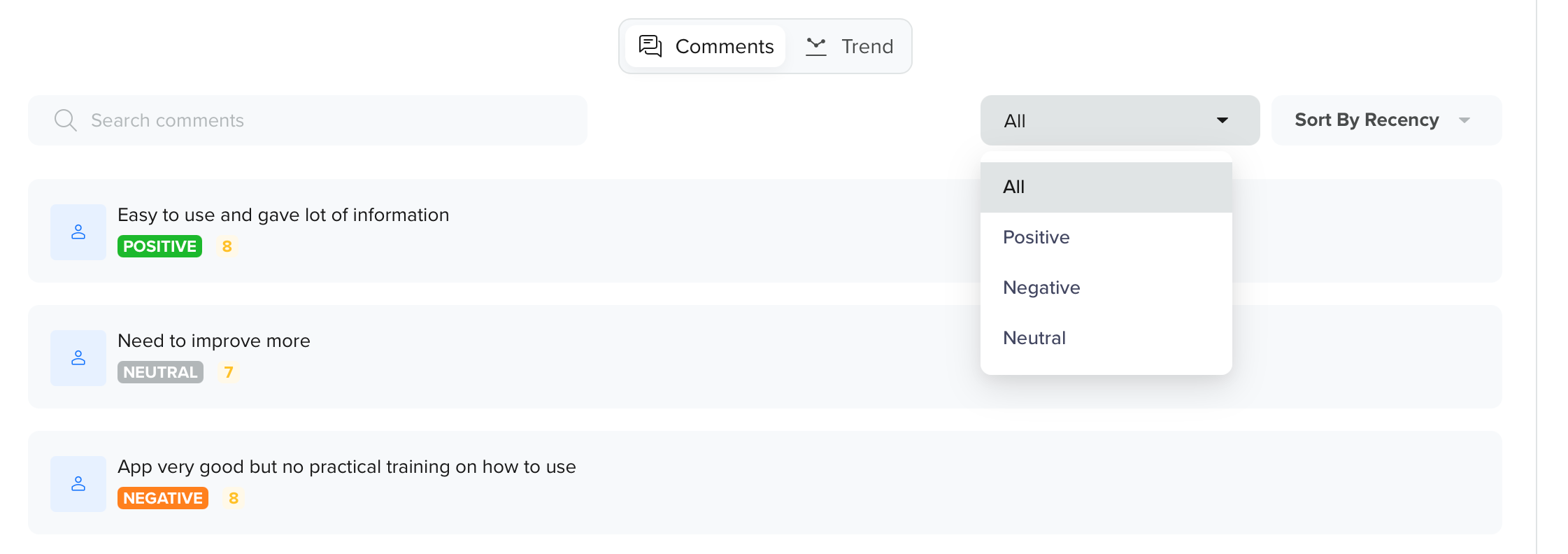
You can sort the comments based on chronology or ratings, in an ascending or descending order.
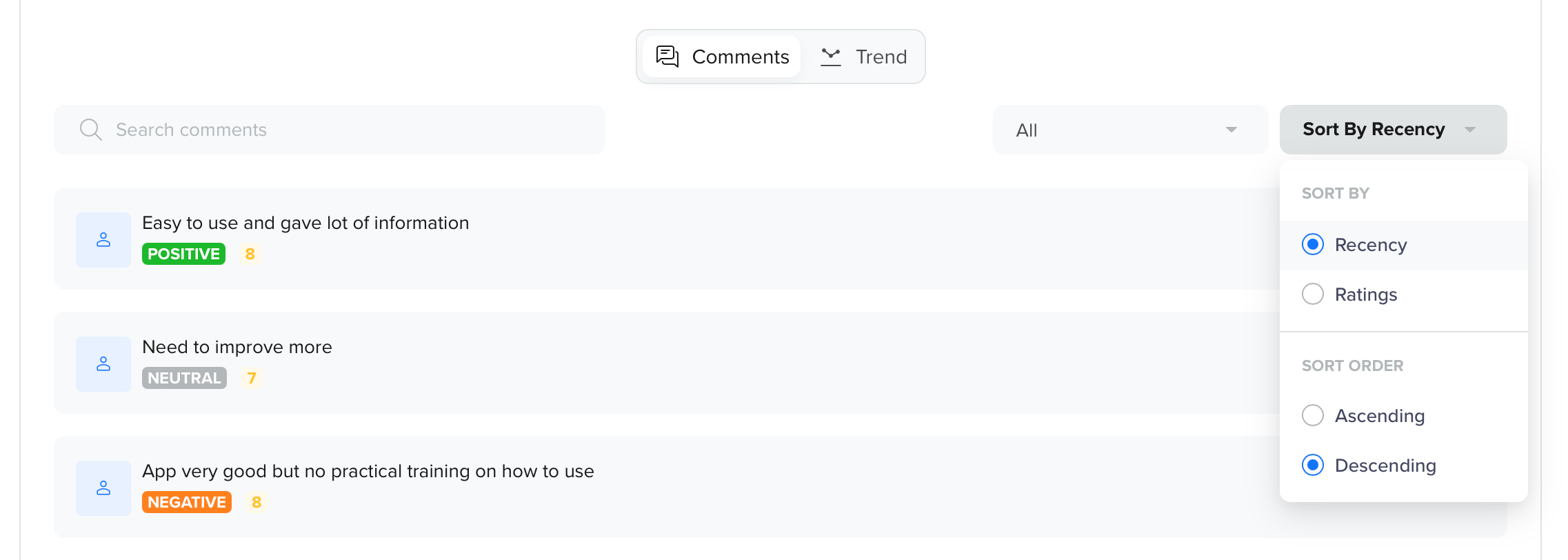
You can filter the user comments based on their key sentiments: Positive, Negative, or Neutral.
Trend
Sentiment trends provide an aggregate view of positive, neutral, and negative sentiment across all comments. Click the dropdown to see a daily, weekly, or monthly trend chart.
Smart Word Cloud
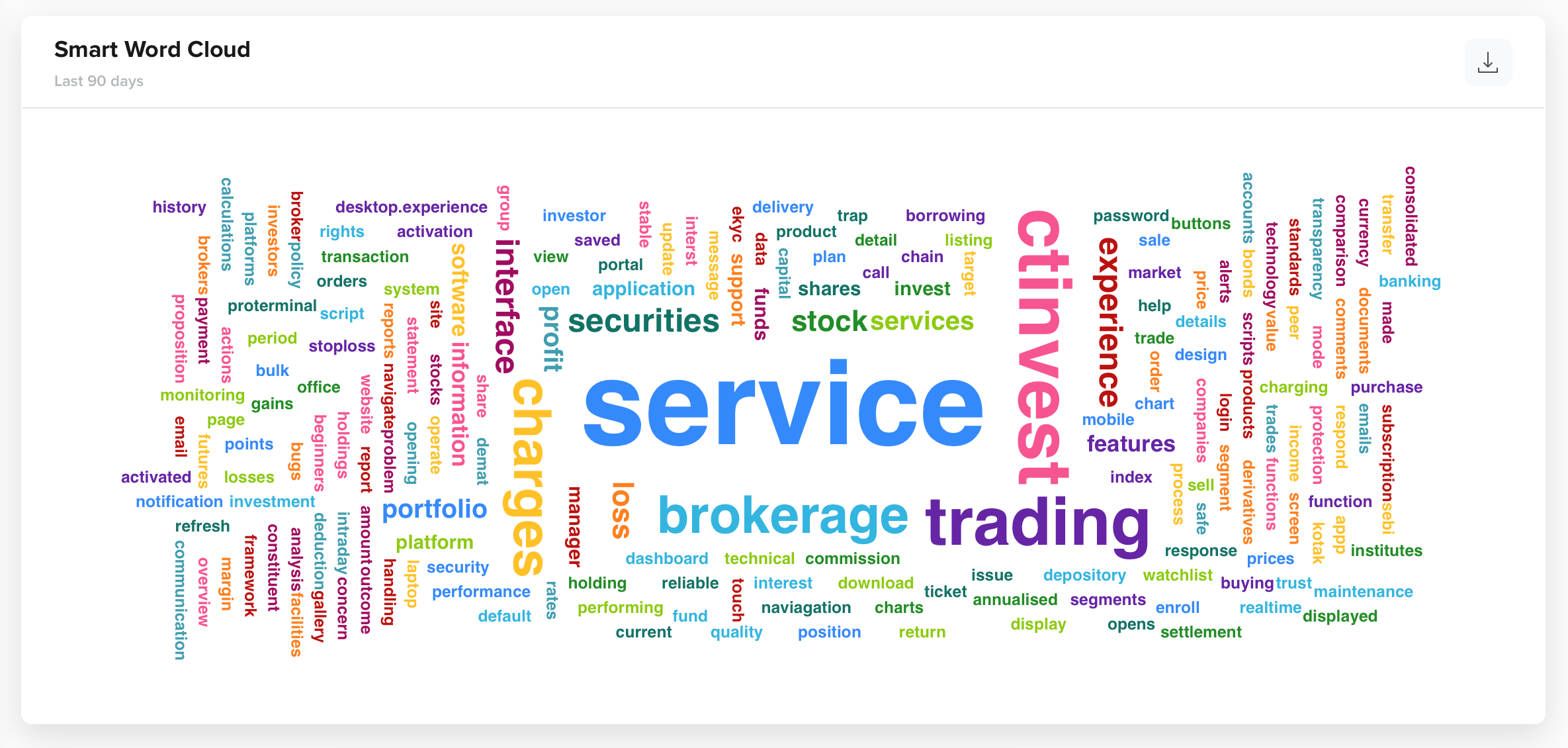
Smart Word Cloud helps with the visualization of the most frequently used words in user comments. It helps quickly identify trending topics and provides actionable insights for deeper analysis.
Updated about 2 months ago