
Message Central
SMS Provider
Overview
Message Central is a global messaging platform that enables brands to send transactional and promotional SMS messages worldwide. Integrating Message Central with CleverTap allows you to deliver messages directly from CleverTap’s engagement dashboard while leveraging Message Central’s connectivity.
This integration supports HTTP-based message delivery, secure header authentication, and event-based campaign triggers to deliver high-quality engagement experiences.
Businesses use Message Central with CleverTap to:
- Send Transactional Messages: Send OTPs, alerts, and notifications in real time.
- Run Promotional Campaigns: Deliver personalized offers and marketing messages to targeted audience segments.
- Automate User Engagement: Reconnect with inactive users through reminders and feedback messages.
Integrating Message Central with CleverTap combines CleverTap’s intelligent user segmentation and automation capabilities with Message Central’s scalable messaging infrastructure.
Prerequisites for Integration
Before integrating, ensure the following:
- You have an active CleverTap account with SMS channels enabled.
- You have a Message Central account with SMS permissions.
Support for IntegrationThis integration is managed and continuously improved by Message Central. For any questions or issues, contact Message Central for support and resolution.
Integrate Message Central with CleverTap
To integrate Message Central with CleverTap, perform the following steps:
Find Message Central Account Details
To retrieve your Message Central credentials, perform the following steps:
-
Log in to your Message Central Dashboard.
-
Note the following details from your account home page:
- Customer ID: Available on the Message Central home page.
- Email: The registered email used to create your account.
- Password: The password you use to log in.
You will need these credentials when configuring CleverTap.
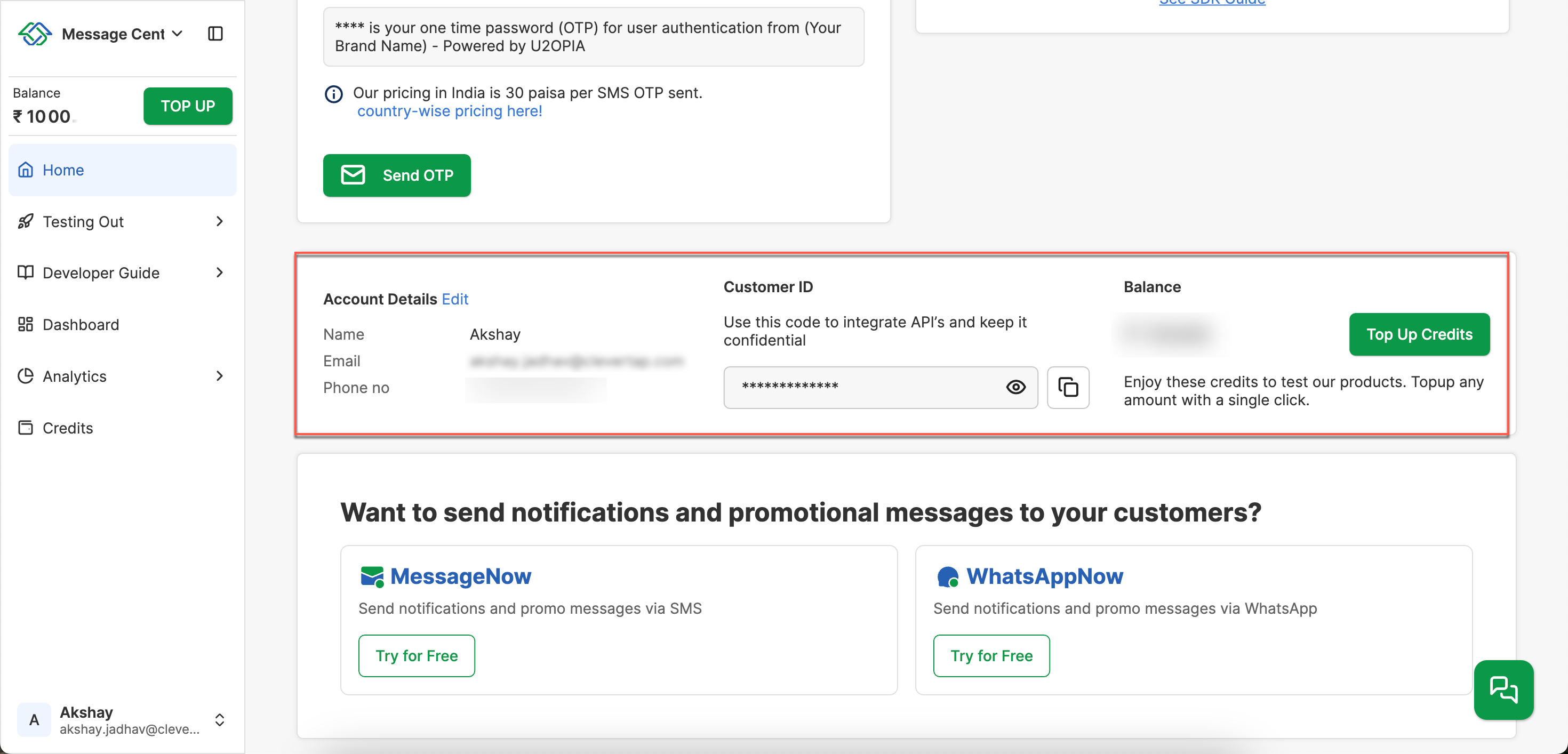
Message Central Dashboard
Set Up CleverTap Dashboard
Once you have your Message Central credentials, set up the CleverTap dashboard to connect and authenticate your SMS provider.
- Go to Settings > Engage > Channels > SMS in the CleverTap dashboard.
- Click + Add Provider. The Add SMS provider page opens.
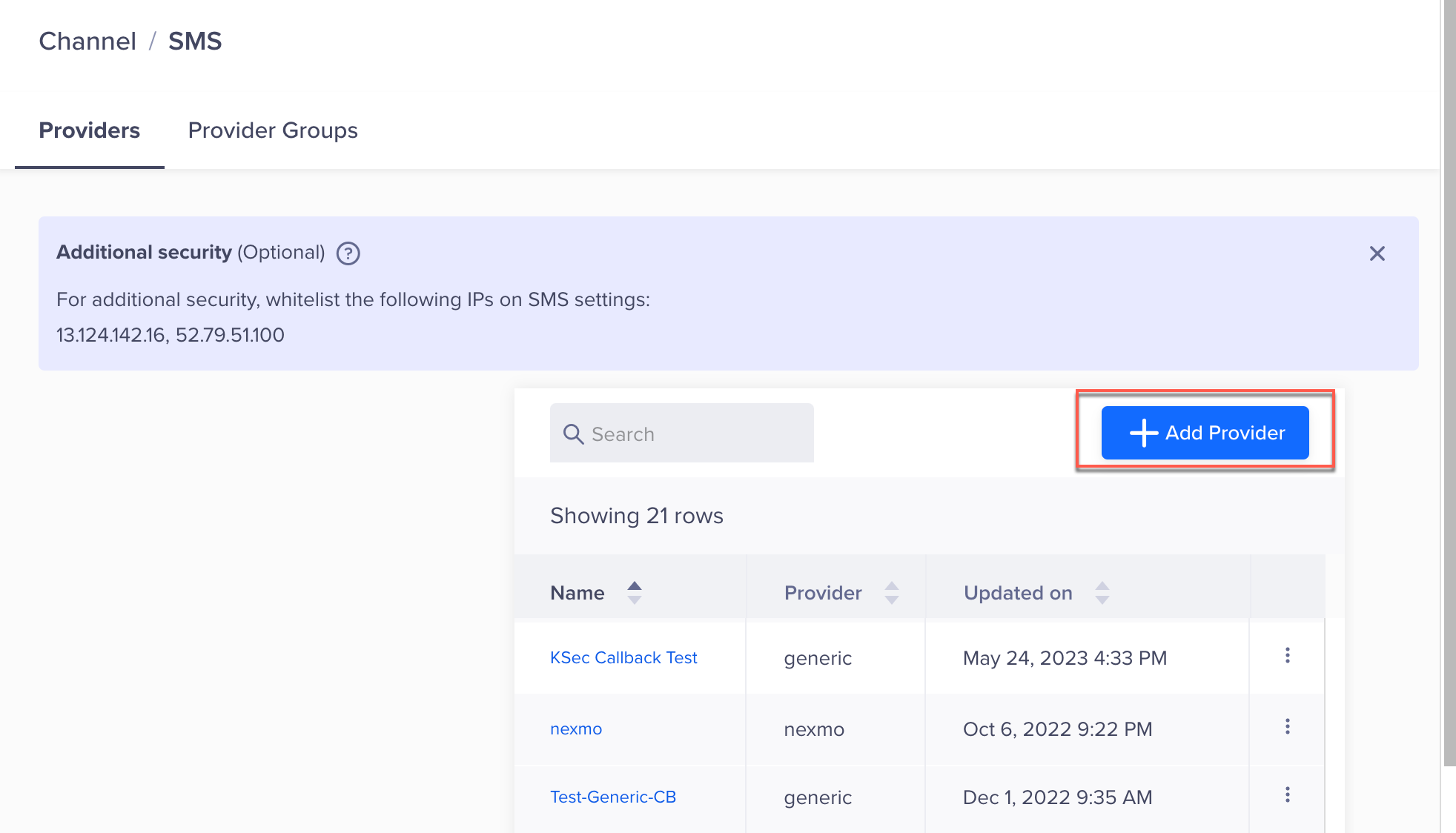
Add Provider
- Under Provider, select Other (Generic) and enter the following details:
| Field | Description |
|---|---|
| Nickname | Enter a name such as MessageCentral_SMS. |
| Request Type | Select POST. |
| HTTP Endpoint | Paste the Auth URL from the Message Central account. Ensure that the URL is in HTTPS format; that is, your URL must begin with https://. |
- Under Headers, click Add Pairs to add the following required key-value pairs:
| Key | Value |
|---|---|
customerId | Your Customer ID (from the Message Central dashboard) |
email | Your Email (used for Message Central login) |
password | Your Password (used for Message Central login) |
Content-Type | application/json |
account | Your CleverTap Account ID (for example, 6K9-***-**7Z) |
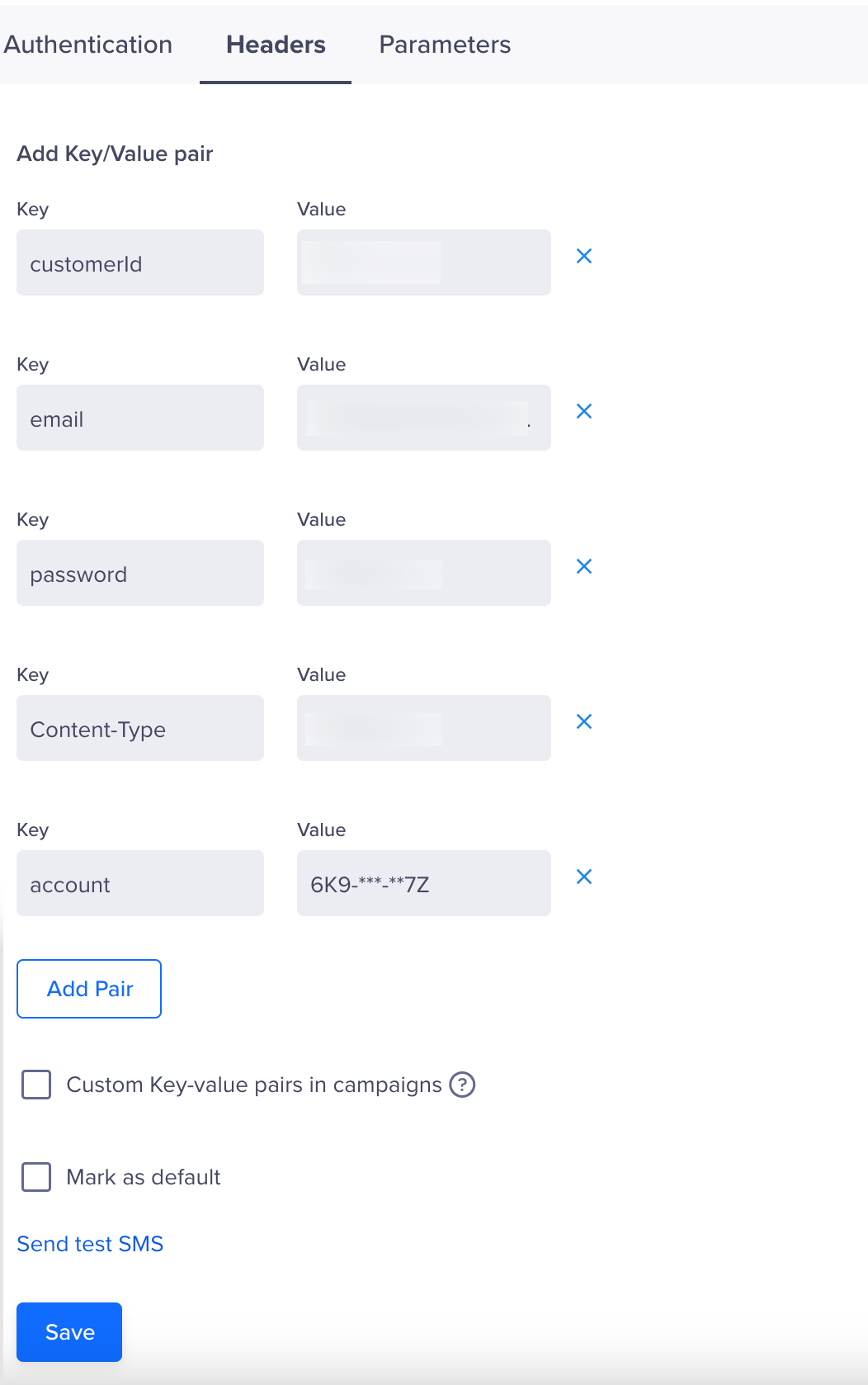
Set Headers
- Under Parameters, select JSON as the request type and paste the following code:
{
  "to": "$$To",
  "text": "$$Body"
}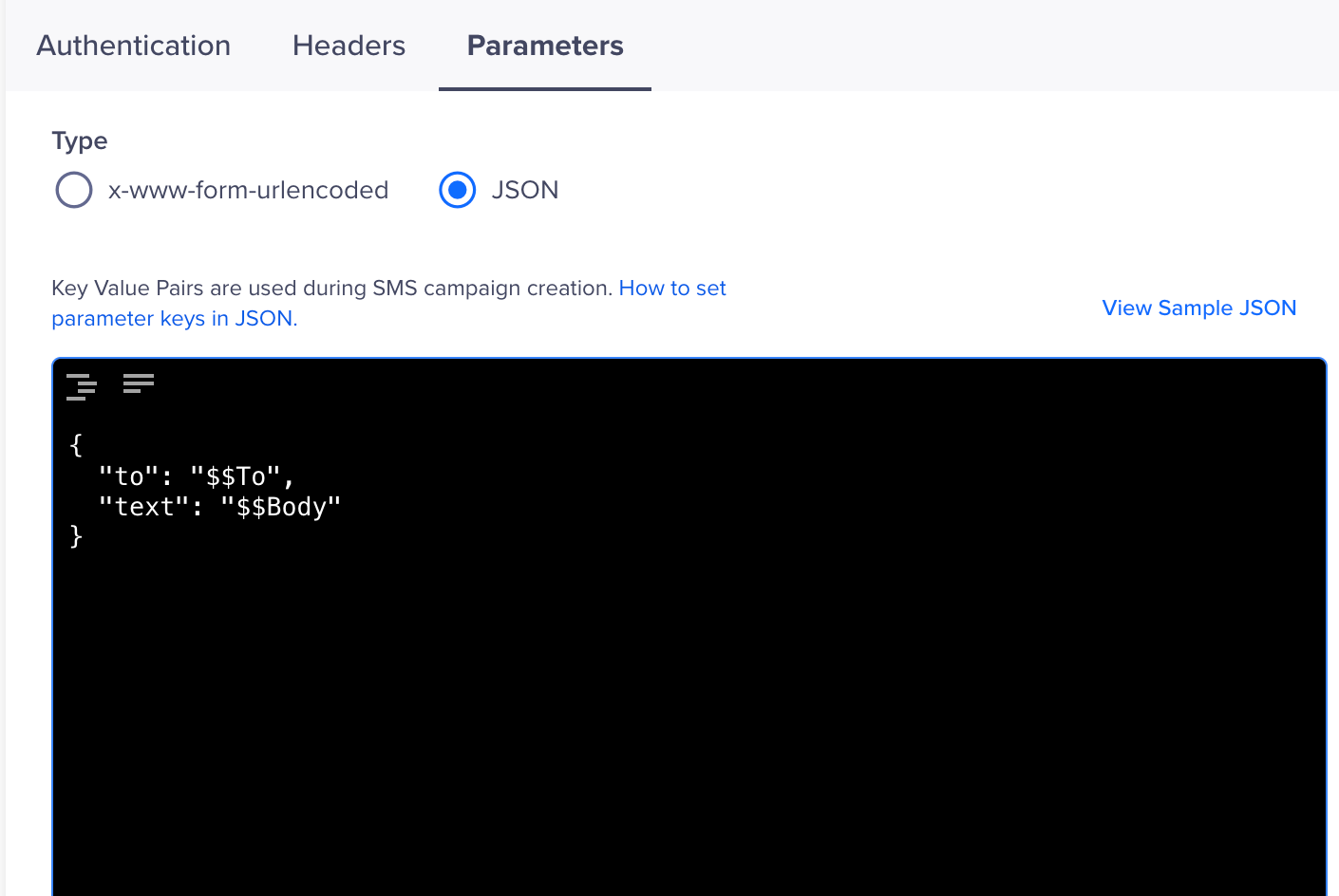
Add Parameters
- (Optional) Select the Batch option, then enter the required details to send multiple SMS messages in a single API request.
- Click Save. A pop-up box will appear, prompting you to Send Test SMS.
ErrorIf you see the message “Dynamic Variable cannot be added or deleted”, wait a few minutes and click Save again.
Send Test SMS
Sending a test SMS helps ensure that your integration is set up correctly before launching campaigns.
To verify that the integration works, perform the following steps:
- Click the Send Test SMS hyperlink before creating SMS campaigns and journeys.
- Enter the following details:
- Country Code and Mobile Number: Enter the country code and mobile number to which you want to send the message.
- Message: Enter sample text, such as
Welcome to Message Central. We are delighted to have you here! - Powered by U2opia
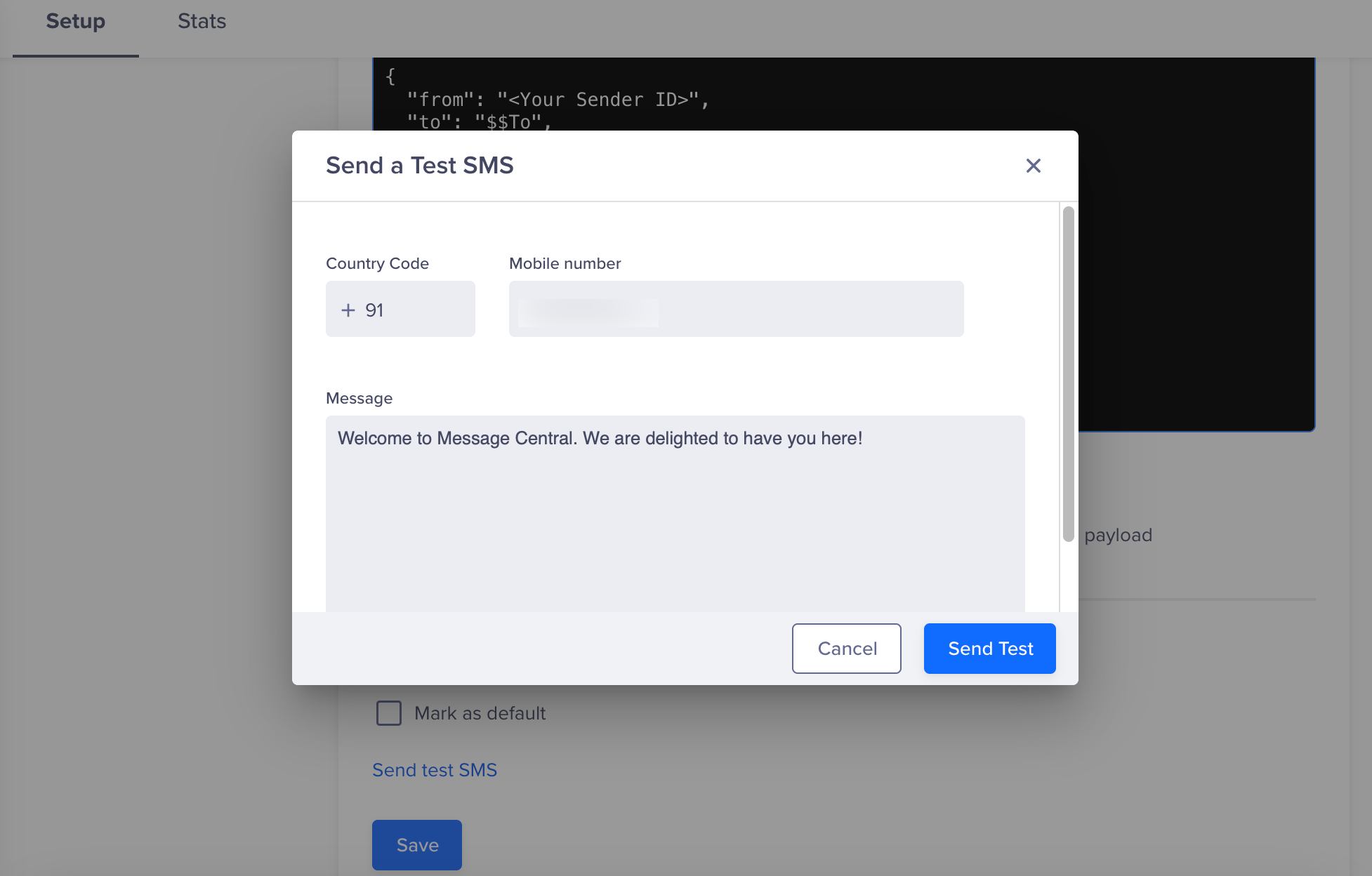
Send Test SMS
NoteMessage Central’s current CleverTap integration does not support DLR (Delivery Report) callbacks. You should reach out to Message Central team for setting up CleverTap callback.
If the test SMS is delivered successfully, your integration is complete. You can now create and publish SMS campaigns or build Journeys in CleverTap using Message Central as your SMS provider.
Updated 6 months ago