
MessageWhiz
SMS Provider
Overview
MessageWhiz is a global cloud communication platform that enables businesses to deliver SMS, WhatsApp, and voice messages worldwide. Integrating MessageWhiz with CleverTap allows you to send transactional and promotional SMS messages directly from CleverTap’s engagement dashboard.
This integration supports HTTP-based message delivery, DLR (Delivery Receipt)-based delivery status tracking, and event-based campaign triggering.
Businesses integrate MessageWhiz with CleverTap to:
- Send OTPs and Notifications: Trigger instant messages for authentication or alerts.
- Run Promotional Campaigns: Deliver targeted offers to user segments based on behavioral triggers.
- Re-engage Customers: Automate reminders and follow-ups for inactive or dropped-off users.
Integrating MessageWhiz with CleverTap combines real-time messaging power with intelligent segmentation and journey orchestration.
Prerequisites for Integration
Before integrating, ensure the following:
- You have an active MessageWhiz account with access to Account ID, API Key, and Sender ID (approved by MessageWhiz).
- You have a CleverTap account with SMS setup enabled.
- Your account and templates comply with local regulations (for example, DLT in India).
Support for IntegrationThis integration is managed and continuously improved by MessageWhiz. For any questions or issues, contact MessageWhiz for support and resolution.ma
Integrate MessageWhiz with CleverTap
To integrate MessageWhiz with CleverTap, perform the following steps:
Find MessageWhiz API Credentials
To set up the integration, gather your credentials from the MessageWhiz portal as follows:
- Go to Settings > API Settings in the MessageWhiz dashboard.
- Copy the following credentials:
- API Key: Used for authentication in the request header.
- Account ID: Unique identifier for your MessageWhiz account.
- Sender ID: The alphanumeric name or number registered for sending SMS.
For more information, refer to the MessageWhiz API Documentation where you can view authentication setup, request parameters, and usage examples.
Set Up CleverTap Dashboard
Set up the CleverTap dashboard to connect and authenticate the MessageWhiz SMS provider. To configure the CleverTap dashboard, perform the following steps:
- Go to Settings > Engage > Channels > SMS in the CleverTap dashboard.
- Click + Add Provider. The Add SMS provider page opens.
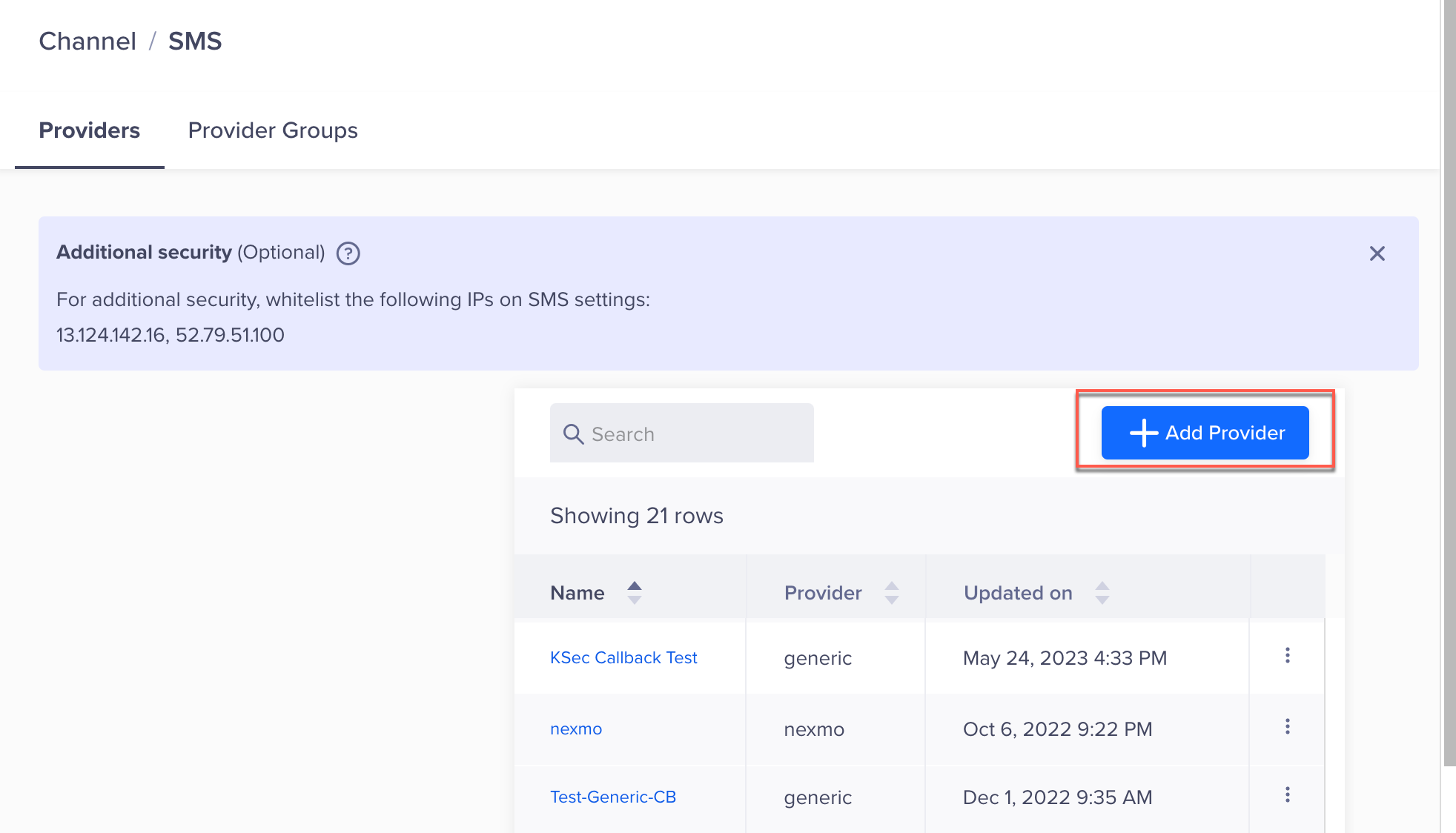
Add Provider
- Under Provider, select Other (Generic) and enter the following details:
| Field | Value |
|---|---|
| Nickname | Enter a unique name, such as MessageWhiz_SMS. |
| Callback URL | Enter this URL in the MessageWhiz portal to receive delivery reports. Refer to Set Up SMS Callbacks. |
| Request Type | Select POST. |
| HTTP Endpoint | Paste the MessageWhiz API endpoint: https://sms.messagewhiz.com/smsEnsure that the URL is in HTTPS format, that is, your URL must begin with https://. |
| Authentication | Select No Authentication (authentication will be handled via headers). |
- Enter the following details under the Headers section.
| Key | Value |
|---|---|
| Authorization | <YOUR_MESSAGEWHIZ_API_KEY> |
| Content-Type | application/json |
NoteEnsure the API key is copied exactly as shown in your MessageWhiz dashboard. Incorrect keys will result in a
401 Unauthorizedresponse.
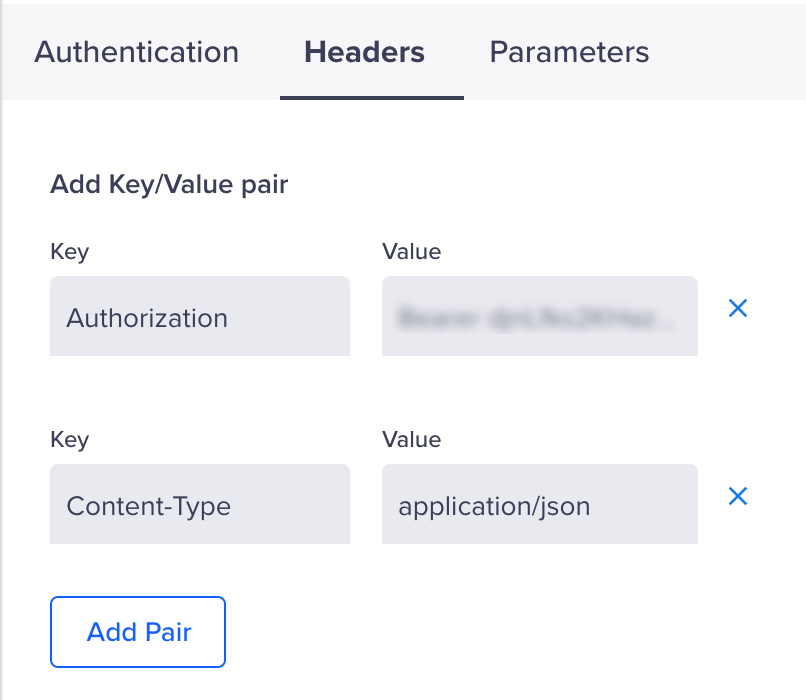
Set Headers
-
Under Parameters, select JSON as the request type for the
POSTrequest. Refer to the following sample payload for the expected structure.Sample JSON Payload
{
  "from": "<Your Sender ID>",
  "to": "$$To",
  "text": "$$Body",
  "client_ref": "$$MessageID",
  "callback": "<CleverTap Callback URL>"
}| Parameter | Description | Required |
|---|---|---|
from | Sender ID registered in MessageWhiz. | Yes |
to | Recipient’s mobile number. Use $$To for dynamic replacement. | Yes |
text | Message text content. Use $$Body. | Yes |
client_ref | Unique message ID (CleverTap dynamically replaces this). | Yes |
callback | CleverTap Delivery Report Callback URL. | Optional |
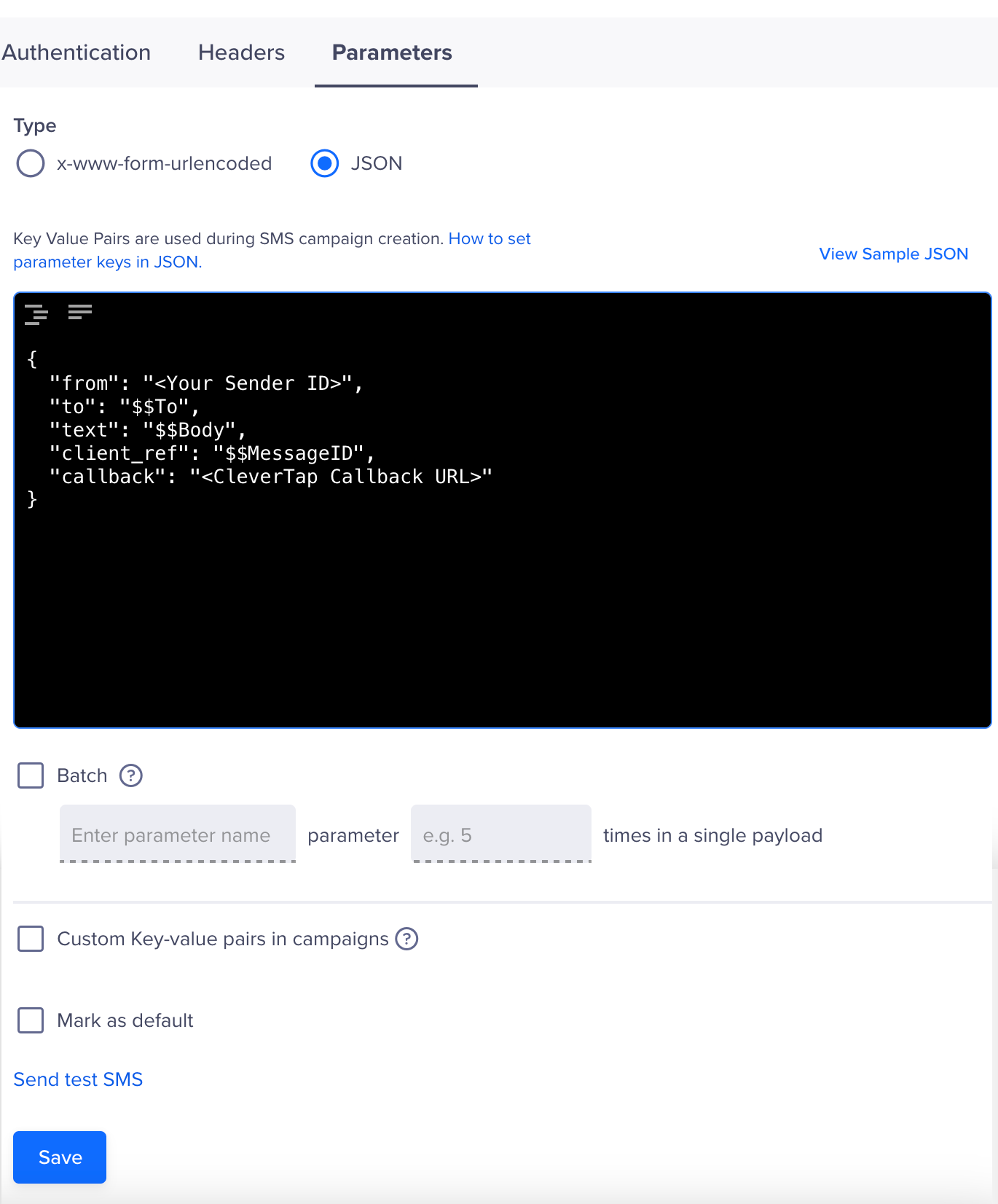
Set Parameters
- (Optional) Select the Batch option, then enter the required details to send multiple SMS messages in a single API request.
- Click on Save. A pop-up opens, prompting you to Send Test SMS.
Send Test SMS
Sending a test SMS helps confirm that your MessageWhiz integration is working before launching a live campaign. This ensures that the API endpoint is correctly configured, that authentication is valid, and that messages can be delivered.
To verify that the integration works perform the following steps:
- Click the Send Test SMS hyperlink before creating SMS campaigns and journeys.
- Enter the following details:
- Country Code and Mobile Number: Enter the country code and mobile number to which you want to send the message.
- Message: Enter sample text, such as
This is a test message powered by MessageWhiz.
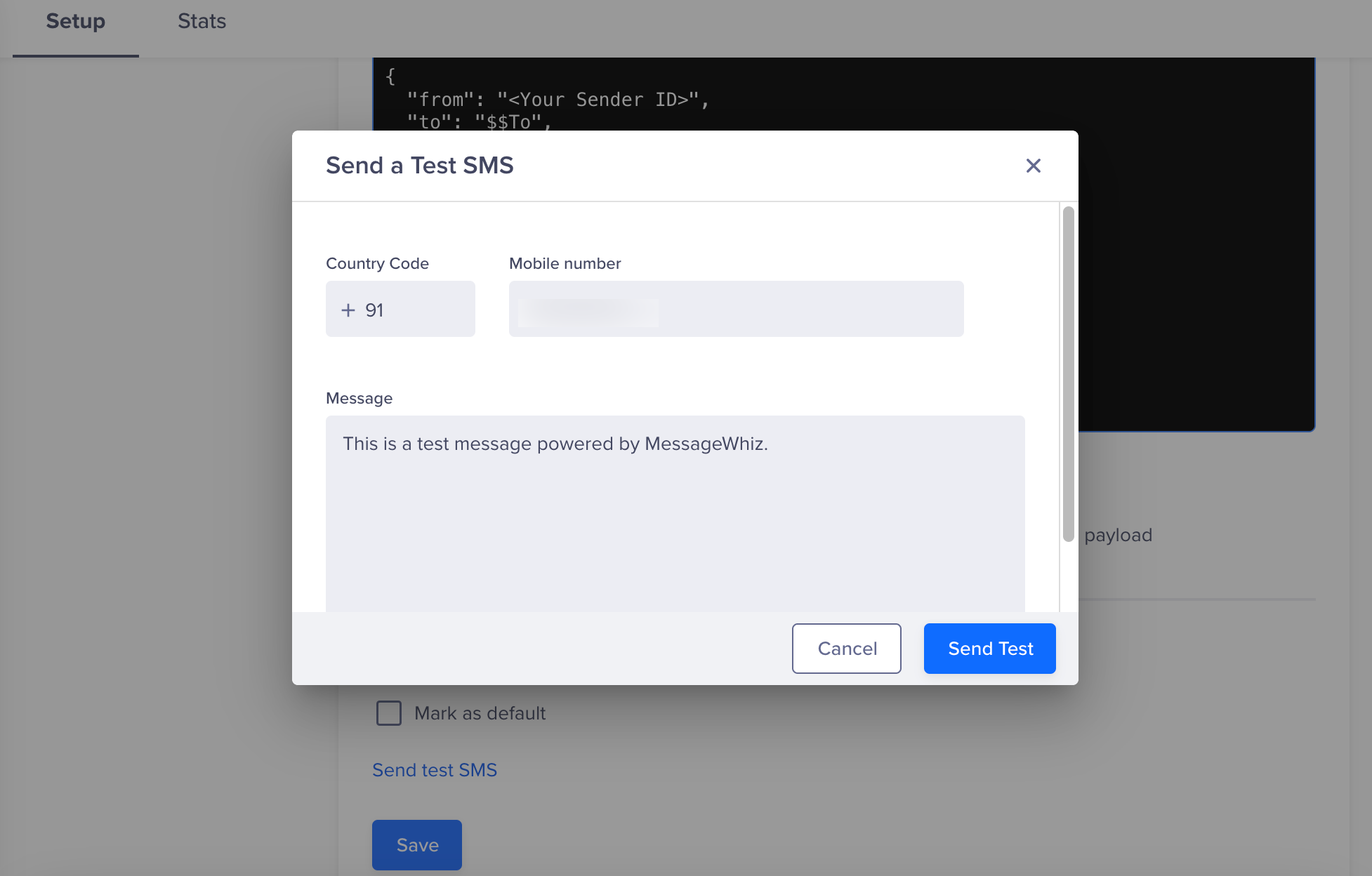
Send a Test SMS
- Click Send Test.
If the configuration is correct, the test message will be delivered, and MessageWhiz will return a DLR update. If there is an error (for example, incorrect credentials or endpoint), CleverTap will display a failure notification.
Set Up SMS Callbacks
To track SMS requests,
- Copy the Delivery report callback URL from CleverTap and add it to the JSON payload. You can find the Delivery report callback URL on the CleverTap dashboard under the Provider Setup page Settings > Channels > SMS > Provider Nickname.
- Add it to the JSON payload.
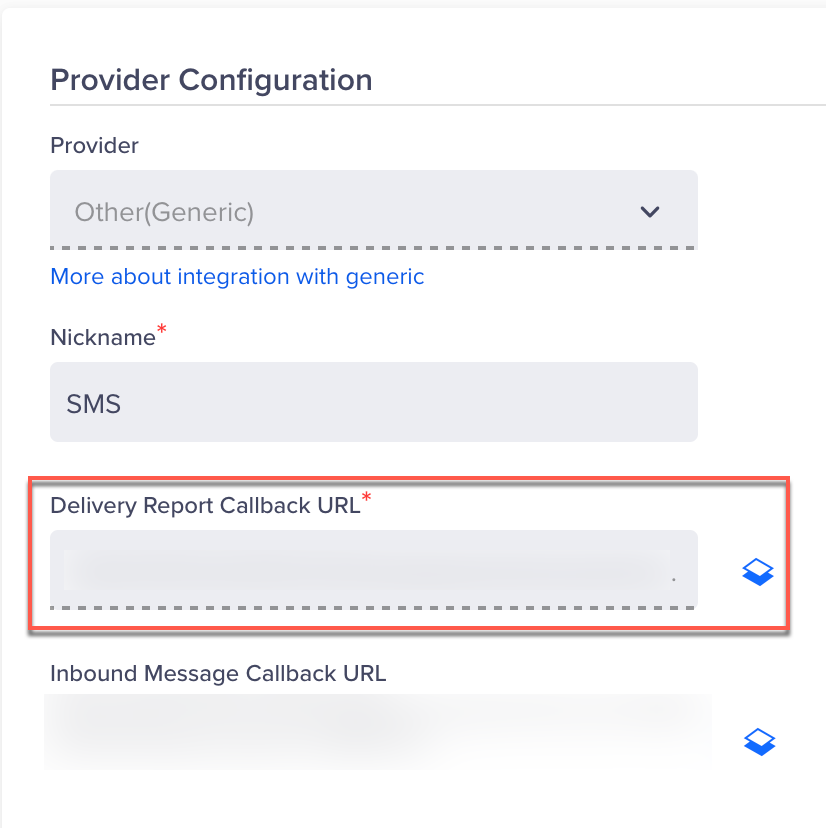
Set Up SMS Callbacks
Verify Successful Integration
Your integration is considered successful when the following criteria are met:
- The test SMS is delivered to the intended mobile number.
- You receive a DLR (Delivery Report) callback from MessageWhiz at the configured CleverTap callback URL, indicating delivery, failure, or queue status.
- CleverTap logs show no errors related to authentication, payload structure, or message transmission.
Once these conditions are met, you can proceed to build and publish SMS campaigns or set up Journeys using MessageWhiz as your SMS provider.
Updated 6 months ago