
BIK
WhatsApp Provider
Overview
BIK is a conversational commerce and WhatsApp engagement platform that enables businesses to interact with customers using the WhatsApp Business API. Integrating BIK with CleverTap allows you to send WhatsApp campaigns directly from the CleverTap dashboard while leveraging BIK’s WhatsApp infrastructure.
With this integration, businesses can:
- Send WhatsApp campaigns using Meta-approved templates.
- Trigger transactional and promotional messages based on CleverTap segments and user behavior.
- Track delivery status and inbound user messages using CleverTap callbacks.
Support for IntegrationBIK manages and continuously improves this integration. The CleverTap and BIK integration has undergone stringent testing to ensure seamless functionality. For any questions or issues, contact [email protected] for support and resolution.
Prerequisites for Integration
Check that you have the following:
- The WhatsApp Campaigns feature is enabled on your CleverTap account.
- You have an active BIK account with WhatsApp Business API (WABA) access.
- A WhatsApp Business number has been provisioned and is active in BIK.
- Meta-approved WhatsApp message templates in the BIK dashboard.
BIK Onboarding and WhatsApp SetupThis is applicable only if you are new to BIK or have not yet completed WhatsApp onboarding, refer to the following guides:
These steps are required only to provision your WhatsApp Business number in BIK. Once completed, you can proceed with the CleverTap integration.
Integrate BIK with CleverTap
This integration involves the following three key steps:
Configure CleverTap Dashboard
To configure BIK as your WhatsApp provider in CleverTap:
- Go to Settings > Channels > WhatsApp > WhatsApp Connect on the CleverTap dashboard.
- Click + Add Provider and select Generic (Other) from the Provider list.
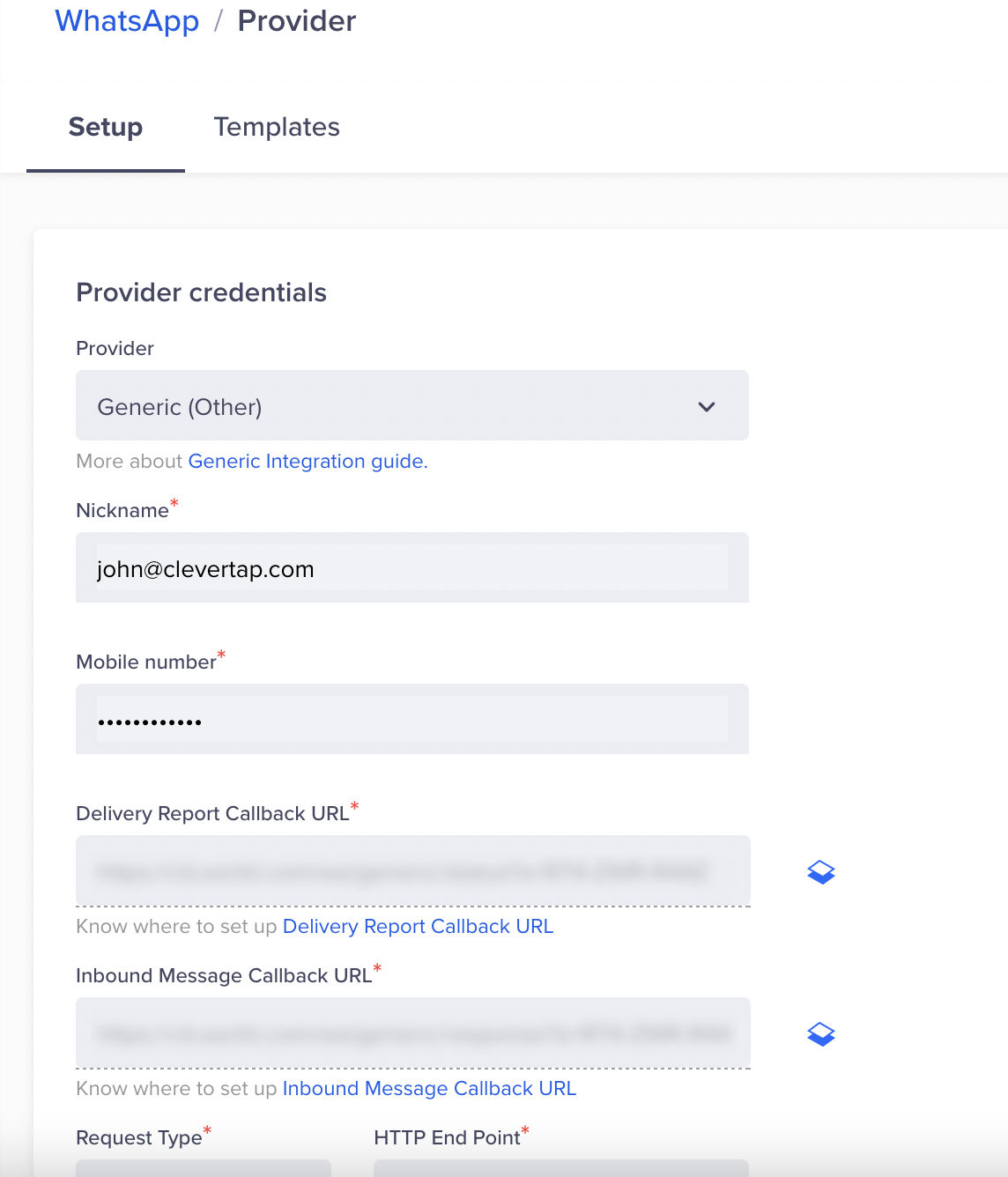
WhatsApp Provider Setup
- Enter the following details:
| Field | Details |
|---|---|
| Nickname | Enter a name such as BIK_WA. |
| Mobile Number | Enter your WhatsApp Business number with the country code. For example, +918889500122. |
| Request Type | Select POST. |
| HTTP Endpoint | Paste the WhatsApp endpoint provided by BIK during onboarding. Check that the URL is in HTTPS format, that is, your URL must begin with https://. |
| Delivery Report Callback URL | This URL is generated automatically in the CleverTap dashboard. For more information, refer to Set Up CleverTap Callbacks in BIK. |
| Inbound Message Callback URL | This URL is generated automatically in the CleverTap dashboard. For more information, refer to Set Up CleverTap Callbacks in BIK. |
-
Under Headers, add the authorization headers shared by BIK during onboarding, as follows:
Key Value Authorization Basic [BIK API Key]Content-Type application/json -
(Optional) Select Mark this as default to make this service provider the default provider to send a WhatsApp message via BIK.
-
(Optional) Select Set auto-reply for users not tracked on CleverTap to automatically reply to users who message on WhatsApp but are not tracked on the CleverTap dashboard.
-
(Optional) Set the Maximum Concurrent API requests between 30 and 1000. Consider your requirements and the provider's limitations when defining this value.
-
Send a Test WhatsApp notification (refer to the following image).
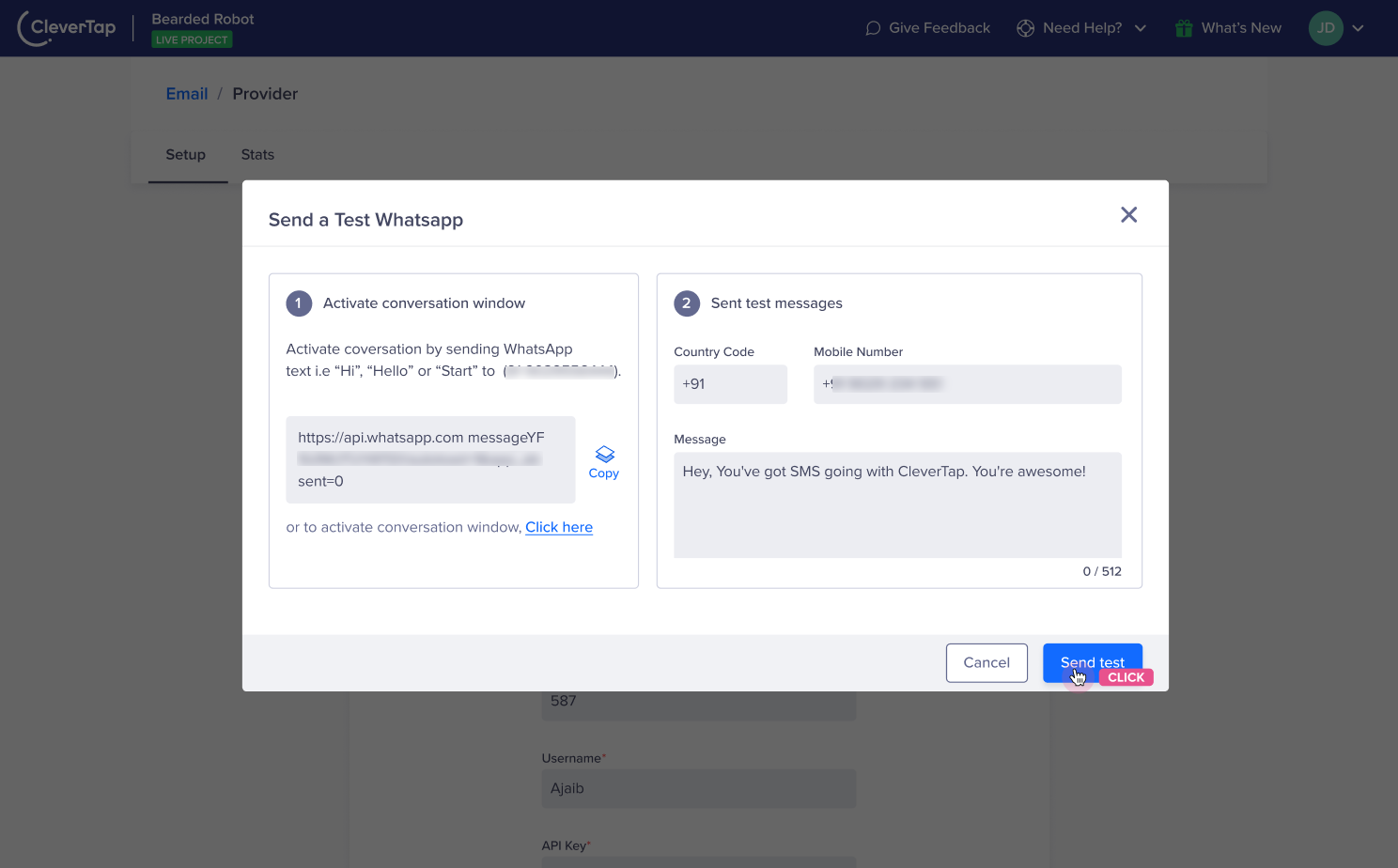
Send a Test Message on WhatsApp
Set Up CleverTap Callbacks in BIK
Callbacks allow BIK to send delivery reports and inbound WhatsApp messages back to CleverTap. To set up callbacks in the BIK dashboard, perform the following steps:
-
In CleverTap, go to Settings > Channels > WhatsApp > WhatsApp Connect > Provider Nickname.
-
Copy the following URLs:
- Delivery Report Callback URL
- Inbound Message Callback URL
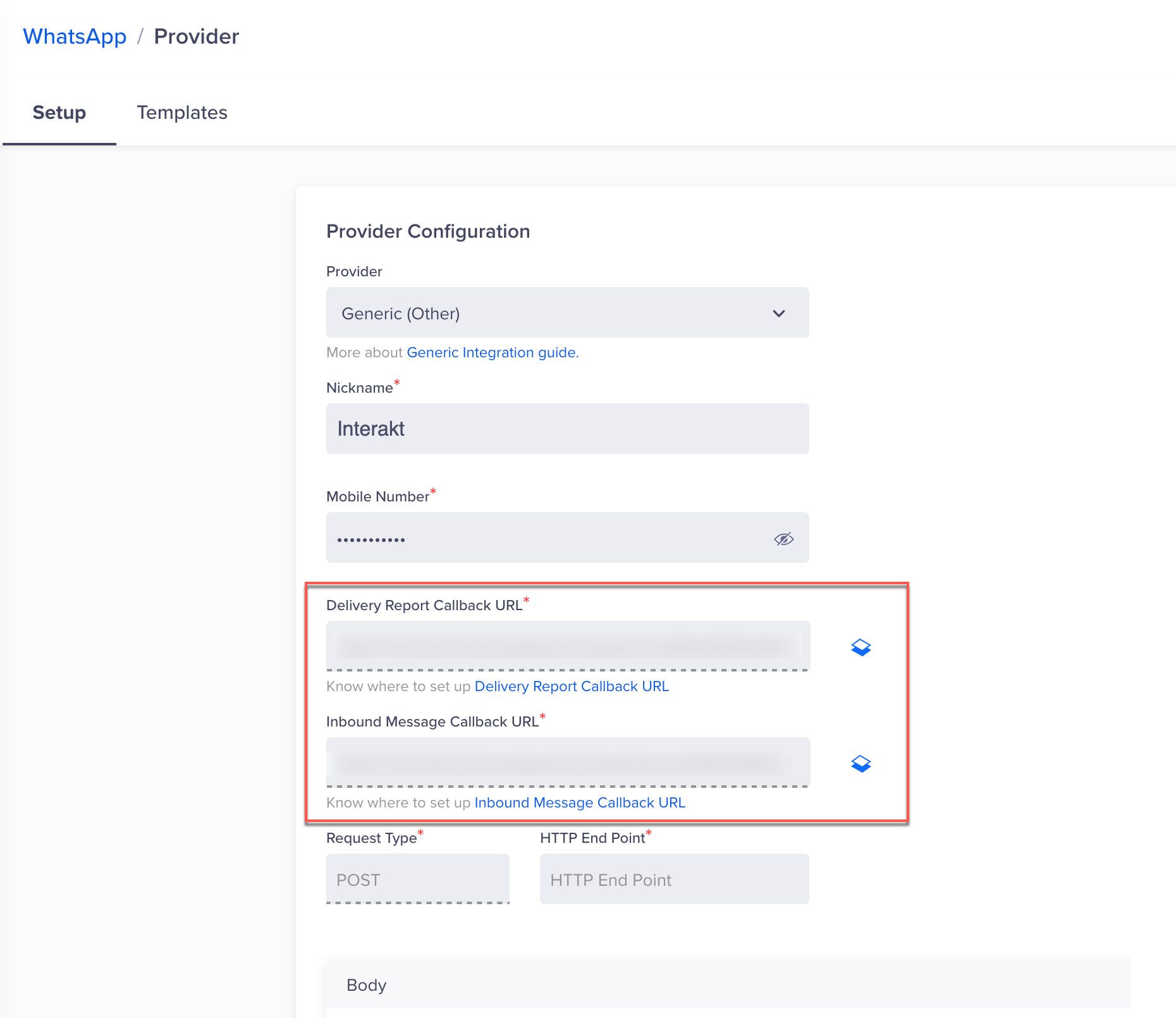
CleverTap Callback URLs
-
Log in to your BIK Dashboard and go to the CleverTap integration configuration section.
-
Paste both callback URLs and save the configuration.
Once configured, message delivery updates and inbound WhatsApp messages sync correctly between CleverTap and BIK. You can now broadcast WhatsApp messages directly from the CleverTap dashboard using BIK.
Add WhatsApp Message Templates
WhatsApp message templates are reusable, pre-approved messages you can send to users at scale, such as alerts, reminders, or promotional campaigns. For detailed instructions on creating and testing WhatsApp message templates, refer to WhatsApp Message Templates.
Create Campaign
For detailed instructions on creating a WhatsApp campaign using BIK as the provider, refer to Create WhatsApp Campaign.
Create Journey
For detailed instructions on creating a WhatsApp journey using BIK as the provider, refer to Create WhatsApp Journey.
Updated 3 months ago