
More Like These
Learn how to recommend products or content that closely match a user’s interests based on similar items.
Overview
More Like These recommendations surface catalog items most similar to a specific item, based on content similarity computed from catalog attributes and product images. Unlike user-based strategies, such as Based on What You Viewed, More Like These does not require any user interaction history; it takes a catalog item as the reference point and returns the most similar items from the catalog.
Because recommendations are item-based rather than user-based, they work for all users regardless of interaction history, making this strategy suitable for any context where a specific item is already in focus, such as a product detail page.
NoteSimilarity is computed from the catalog attributes and product images you select when configuring the strategy. Including a description for each catalog item is strongly recommended, as it serves as an additional signal for the model. This is especially important for catalogs where images are less distinctive, such as streaming or OTT content.
Use Cases
More Titles Like This recommendations work best when item-context recommendations are needed, as follows:
- Title detail pages: Surfaces similar titles on the page of a title a user is currently viewing. For example, a "More Like These" section below a documentary the user is watching, recommending other titles with similar themes, genre, or tags.
- Post-viewing recommendations: Drives continued engagement after a session ends. For example, recommending titles similar to the last show a user completed watching.
- Email and push campaigns: Anchors recommendations to a specific title. For example, an email campaign featuring titles similar to a recently released documentary to drive discovery of related content.
- Reliable fallback for personalized strategies: Provides relevant item-level recommendations when user history is unavailable.
Strategy Logic
More Like These recommendations surface catalog items most similar to a selected item, based on the attributes and images configured in your catalog.
At the time of strategy creation, no interaction events or user data are configured; only the catalog is selected. The system uses pre-computed product embeddings to measure similarity between catalog items.
At serving time, you provide the identity of the seed item, the specific title the user is currently viewing or the campaign is anchored to. The system queries the catalog using vector similarity to identify and return the items most similar to that seed, ranked by similarity score.
Common use cases by industry:
| Industry | Seed Item | What it surfaces |
|---|---|---|
| OTT | Title currently being viewed | Similar titles by genre, tags, or theme |
| ECommerce | Product currently being viewed | Similar products by attributes |
Required Inputs
The following input is required:
| Input | Description |
|---|---|
| Catalog | The active catalog from which similar items are retrieved. The system uses the catalog's product embeddings to compute item similarity. |
Create More Like These Strategy
This section helps you set up a strategy that surfaces catalog items similar to a specified seed title.
Prerequisites
Before you begin, check if the following are in place:
- A catalog is uploaded and active.
- The catalog contains sufficient items for similarity computation.
Set Up More Titles Like This Recommendation
This section walks you through the steps to create a More Titles Like This strategy. Let us take an example: an OTT platform wants to recommend titles similar to whichever title a user is currently viewing.
Select Strategy Type
Select Content Recommendation Strategy from the list of strategy types.
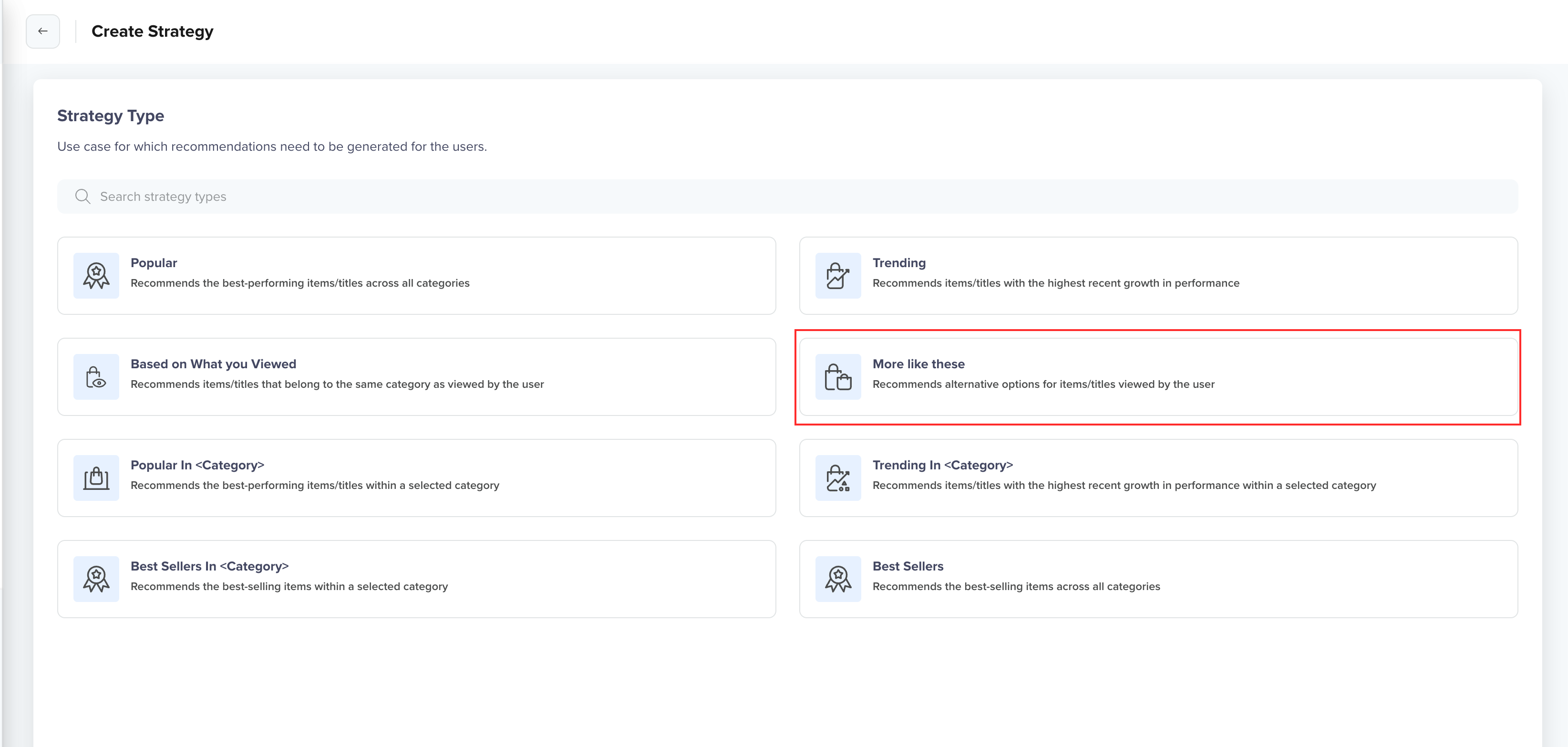
Select Strategy Type
Select Catalog
Select the catalog to use. The catalog must be active and contain the items you want to recommend. For example, select the catalog containing your streaming library.
Unlike engagement-based strategies, More Like These does not require an interaction event. Similarity is computed entirely from your catalog data, the attributes, and images you select in the next step.
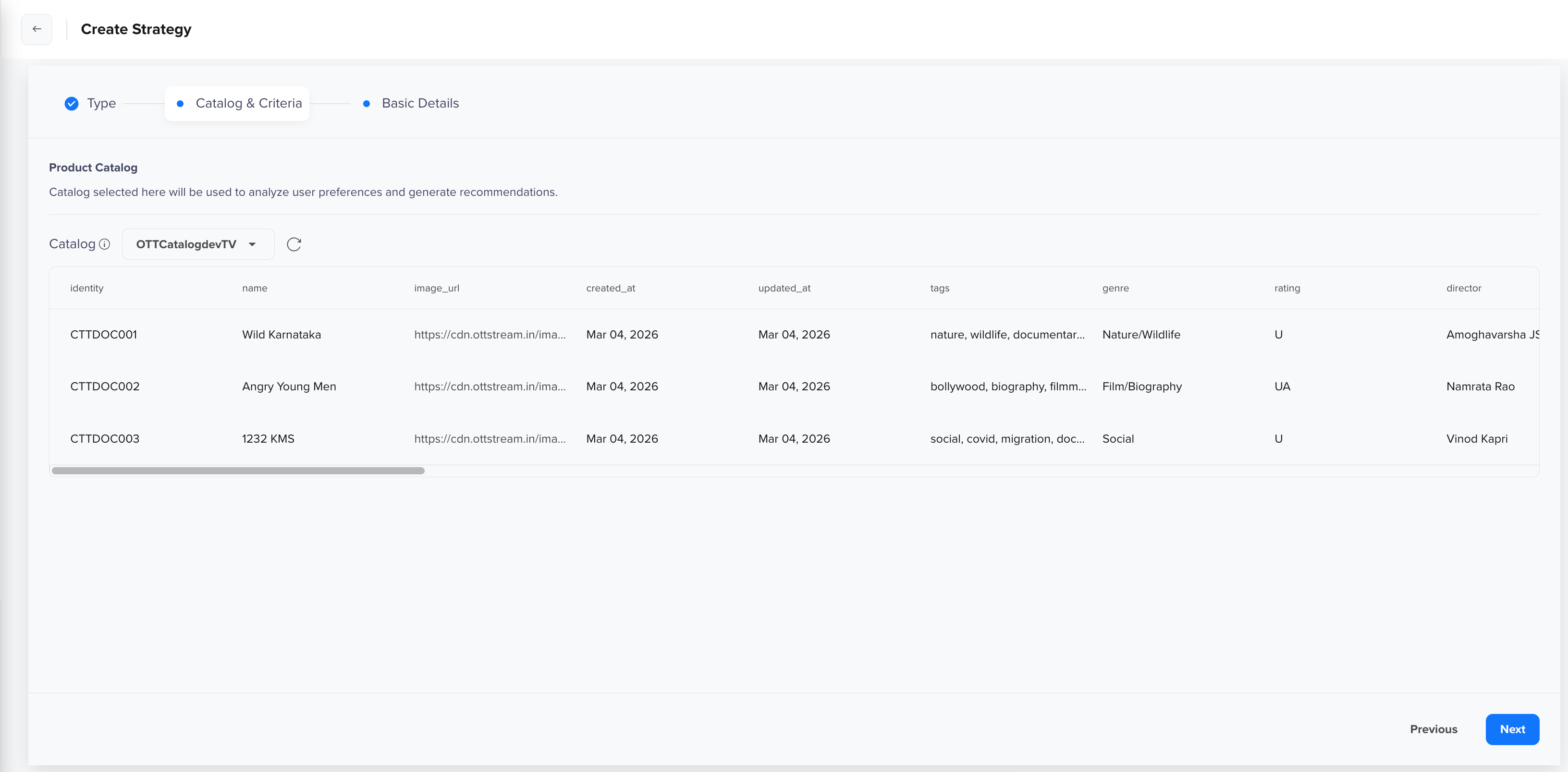
Select Catalog
Enter Basic Details
After selecting the catalog, click Next to enter the following basic details:
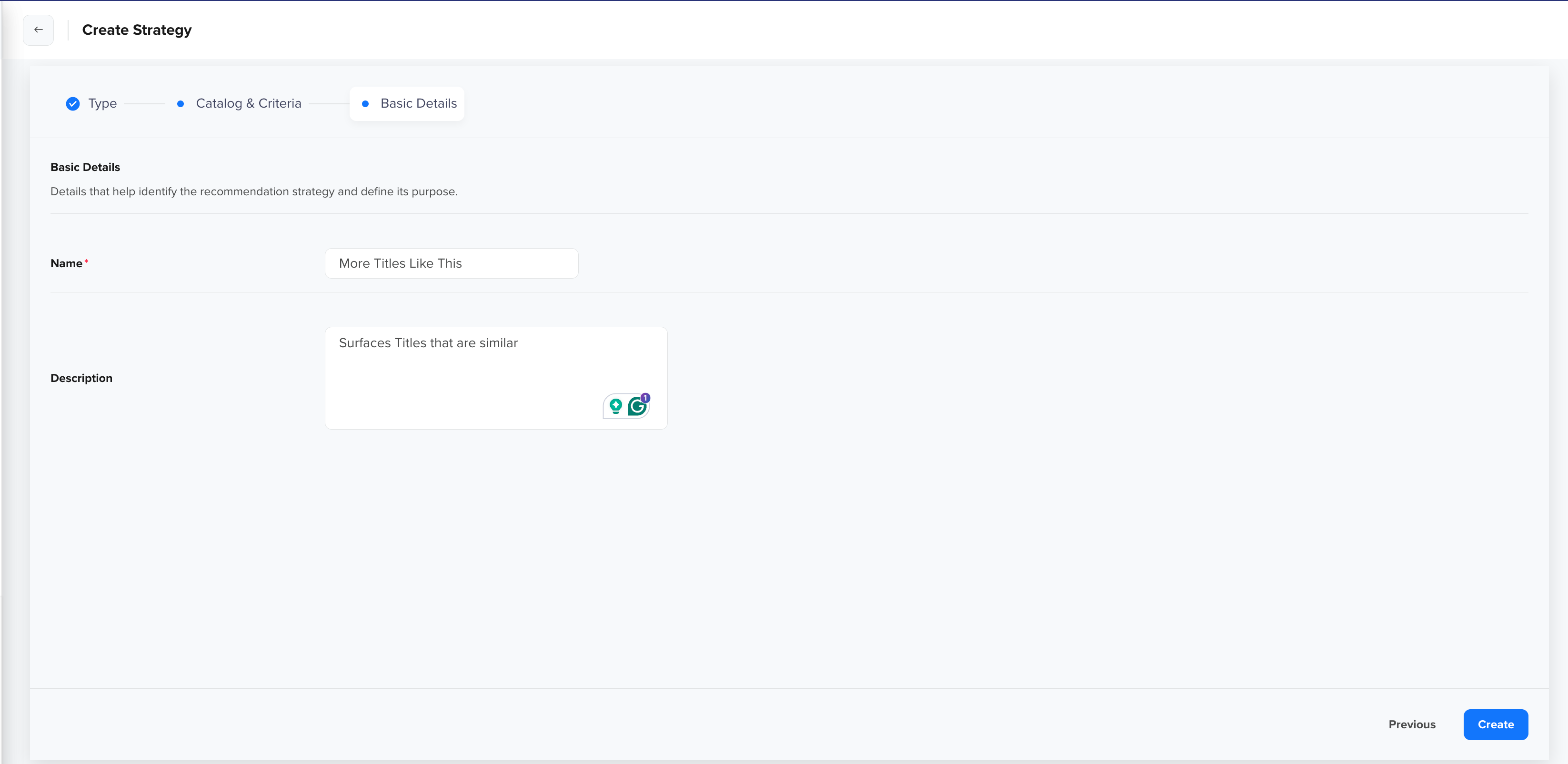
Enter Basic Details
Personalize Campaign Using More Like These Recommendation
Once the strategy is active, you can use it to personalize recommendations in your campaigns. To configure recommendations within a campaign, click Personalize to open the Set up Personalization panel, then select the Recommendations tab.
Configure the following:
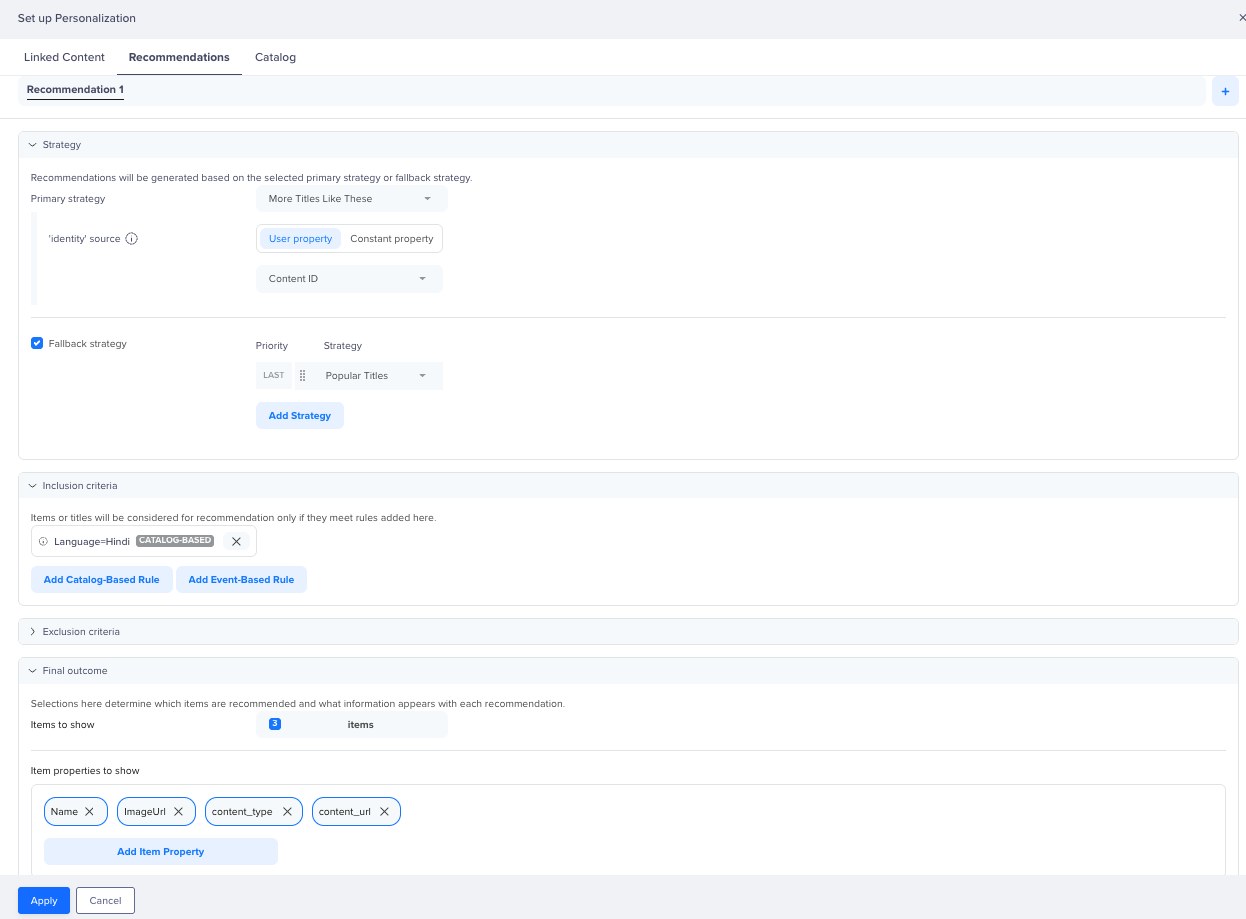
Personalize Campaign Using More LIke These Strategy
Strategy
Select the primary strategy to use for recommendations. For example, select More Titles Like This to surface titles similar to a specific seed title.
After selecting the strategy, configure how the reference title is resolved at serve time:
| Option | Description | |
|---|---|---|
| User Property | Returns titles similar to a seed item resolved from each user's profile attribute. | Map Content ID so that the strategy uses the content stored on each user's profile as the reference at serve time. |
| Constant Property | Returns titles similar to the same fixed seed item for all users. Enter a specific content identity so that the strategy always surfaces titles similar to that title, regardless of who receives the recommendation. | Select User property and map it to Content ID so the strategyuses the content stored on each user's profile as the reference at serve time. |
| Event Property |
| Map to Content ID from the VideoWatched event so that the strategy surfaces titles similar to what the user viewed. |
For our use case, select Profile Property and map it to Content ID so that the system uses the content identity stored on each user's profile as the reference at serve time.
Optionally, enable Fallback Strategy to specify one or more fallback strategies that activate when the primary strategy cannot return enough items, for example, when no Content ID is set on a user's profile. Fallback strategies are evaluated in order of priority, with the last fallback used only if all preceding strategies return insufficient results. Fallback items are deduplicated against results before being returned.
For example, set Popular Titles as a fallback so recommendation slots remain filled when no reference identity is available.
Inclusion Criteria
Define rules to restrict which catalog items are eligible for recommendation. You can add Catalog-Based Rules to filter by catalog attributes or Event-Based Rules to filter by user behavior. For example, adding a catalog-based rule Language = Hindi ensures only Hindi-language titles appear in the recommendation output.
Exclusion Criteria
Define rules to explicitly remove certain catalog items from recommendations. For example, adding an event-based rule to exclude titles that a user has Already Watched ensures previously viewed content does not reappear in recommendations.
Final Outcome
Specify how many items to recommend and which catalog attributes to return for each item. For example, set Items to Recommend to 3 and select Name, ImageUrl, content_type, and content_url as the Item Attributes to Recommend, so the campaign can render each title with its name, thumbnail, content type, and content link. Once configured, click Apply to save the personalization setup for the campaign.
FAQs
What makes More Like These different from Based on What You Viewed?
Based on What You Viewed personalizes recommendations using each user's viewing history, surfacing titles similar to what a user has recently watched. The More Like These strategy takes a single title as the reference and returns the most similar titles to that item, regardless of who is viewing. Use Based on What You Viewed for personalized discovery; use More Like These when recommendations should be anchored to a specific title in context.
Does More Like These require user interaction history?
No. More Like These is item-based, not user-based. It requires only the identity of a seed item at serve time and returns similar items from the catalog using content similarity. No user interaction data is needed.
How are items selected for More Like These recommendations?
The strategy uses product embeddings to measure content similarity between catalog items. At serve time, the system takes the seed item's identity, queries the catalog for items with the highest vector similarity to that seed, and returns the top-ranked results.
What happens if there are not enough similar items?
If the primary strategy returns fewer items than requested, the configured Fallback Strategy fills the remaining slots. Fallback items are deduplicated against the primary results, so you will not see the same title recommended twice.
The fallback dropdown only shows strategies that meet all the following requirements:
- Must be a Popular or Trending strategy
- Must use the same catalog as the primary strategy
- Must not itself be category-scoped
If you have not yet created a plain Popular/Trending strategy in the same catalog, the Add Strategy option remains empty even after selecting Fallback Strategy.
When should I use More Like These recommendations?
Use this strategy when recommendations should be anchored to a specific item rather than to a user's history, for example, on title detail pages, in post-viewing follow-up campaigns, or in any context where a specific title is already in focus, and you want to surface similar content.
Updated about 2 months ago