
Manage Email Tracking
Learn how to control email open and click tracking for individual recipients using two profile properties.
Overview
Regulators in some countries, including France's CNIL and Italy's Garante, require separate, upfront consent from the recipient before any kind of tracking, such as tracking email opens or clicks, is applied. This consent is independent of marketing consent: a recipient can agree to receive your emails while still opting out of having their opens or clicks tracked.
CleverTap lets you control open and click tracking per recipient using two profile attributes, so tracking only happens for recipients who have consented.
Consider a fashion retailer sending weekly promotional emails to customers across the EU. Their own consent management platform collects tracking consent at signup, separately from the newsletter opt-in, and writes that consent status to each customer profile in CleverTap. CleverTap then applies it on every subsequent send.
How Tracking Consent Works
CleverTap checks two profile properties to decide whether to apply tracking to a given email send:
| Property | Description |
|---|---|
| Email Open Tracking | Indicates whether email open tracking is turned on for the recipient. Stored as a profile property, and visible on the recipient Profile page under this name. |
| Email Click Tracking | Indicates whether email click tracking is turned on for the recipient. Stored as a profile property and visible on the recipient Profile page under this name. |
Each property accepts true or false. Setting an attribute to false turns off the tracking for the recipient accordingly.
NoteThese properties are separate from
MSG-email, which governs whether a recipient receives marketing email at all. Email Open Tracking and Email Click Tracking only control whether CleverTap tracks opens and clicks on emails that are already being sent. A recipient can be subscribed to your emails and still opt out of tracking.
Default Behavior
If the attribute is not set or is set to something other than true or false, tracking stays on for that recipient by default.
To turn off tracking for a recipient, you must explicitly set both attributes to false ; CleverTap does not block tracking by default.
WarningCleverTap does not automatically apply tracking rules based on a recipient country. It only applies the value set on Email Open Tracking and Email Click Tracking. If your consent requirements vary by country, you need to identify which recipients require consent and set these properties for them accordingly.
Setting Consent
You can set Email Open Tracking and Email Click Tracking using the keys ct_email_open_tracking and ct_email_click_tracking. through any of the following methods:
View and Use Consent in Engagement
These properties are visible on the recipient Profile page.
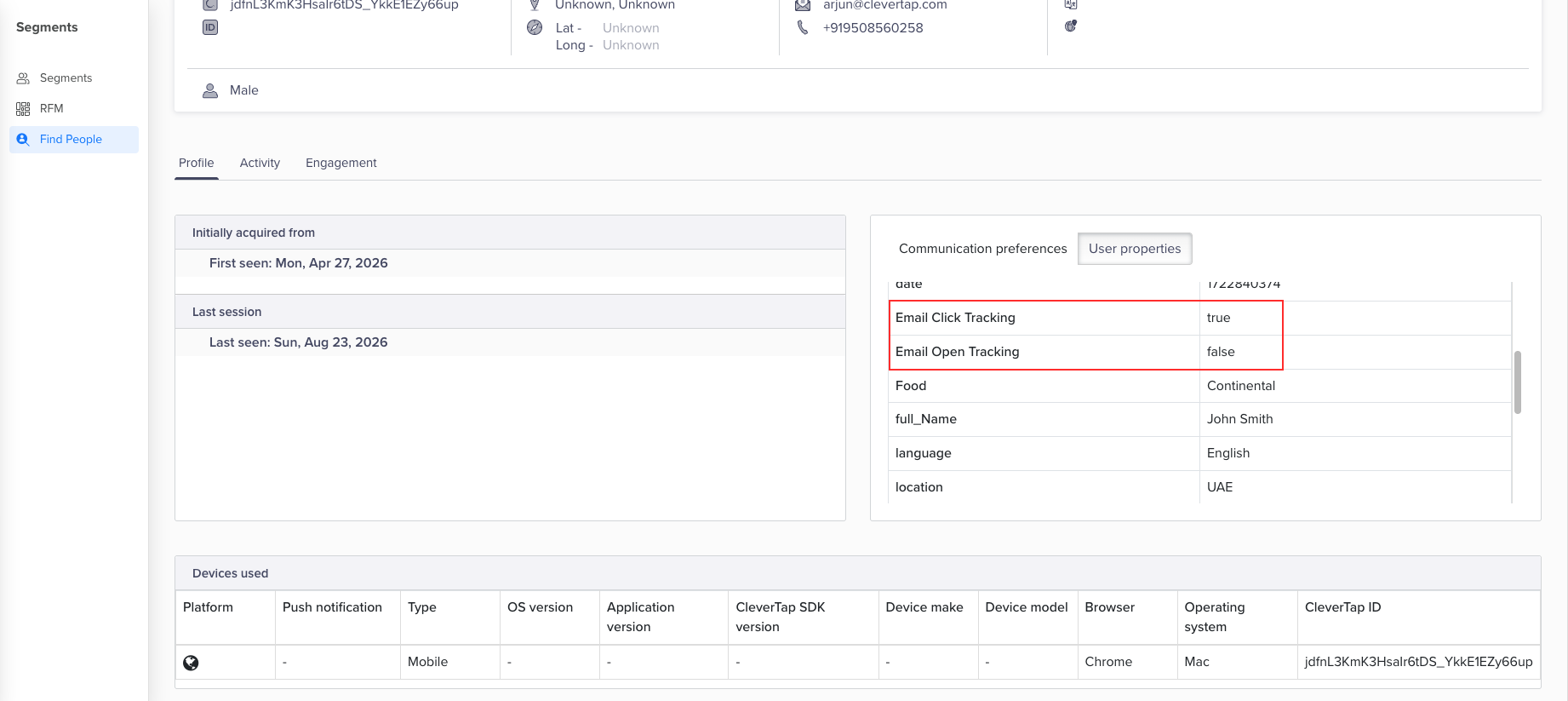
View Email Open Tracking and Email Click Tracking Properties
You can filter on both properties the same way you'd filter on any other profile property, to find or report on recipients, for example, to see how many recipients have opted out of open tracking. You need not add either property as a campaign targeting criterion; CleverTap automatically applies each recipient tracking setting at send time.
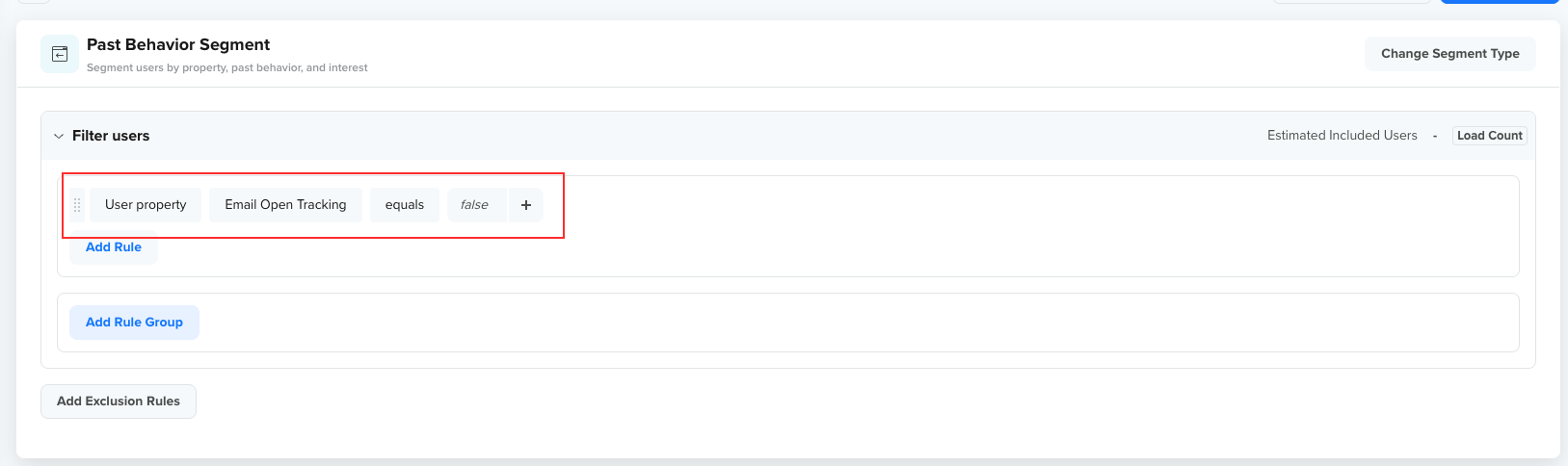
Segment Users Based on Tracking Consent User Properties
Updated 25 days ago