
Bot Activity Filter
Filter automated bot opens and clicks so email campaign and journey stats accurately reflect real user engagement.
Overview
Email engagement metrics can be impacted by non-human interactions, such as:
- Security scanners and email gateways triggering automated clicks.
- Anti-phishing systems prefetching links immediately after delivery.
- Apple Mail Privacy Protection (MPP) generating automatic opens.
These interactions can inflate engagement metrics and may incorrectly trigger journey flows.
CleverTap's Bot Activity Filter feature detects and excludes automated interactions, ensuring the following:
- Accurate engagement metrics.
- Users move through journeys only when they actually engage with emails.
- Better targeting and segmentation.
- Improved decision-making based on real user behavior.
Sign of Bot Activity
The following patterns in your campaign data may indicate automated engagement:
- Clicks within seconds of delivery: Genuine users need time to open and read an email before clicking. Clicks within 0–2 seconds of delivery are a strong indicator of automated link scanning.
- All links clicked in rapid succession: Security scanners (such as Mimecast, Proofpoint, and Barracuda) check every link in an email for malware. If all links are clicked within a short window, it is very likely automated.
- High engagement from corporate email domains: Business email addresses are often protected by corporate gateways that automatically scan email content before it reaches the recipient.
- Identical open and click timestamps: When open and click events for the same user occur at the exact same timestamp, it suggests automated simulation rather than real interaction.
- Rapid opens immediately after delivery: Opens recorded within seconds of send are often caused by Apple Mail Privacy Protection (MPP), which automatically pre-fetches email content on behalf of users.
- Clicks without downstream conversions: A spike in clicks with no corresponding purchases, sign-ups, or other follow-on actions may indicate bot traffic rather than genuine user intent.
These patterns often indicate automated systems interacting with your emails rather than real users.
Bot Activity Filtering Workflow
When enabled, CleverTap analyzes each email interaction and classifies it as:
- Human interaction, a genuine user action
- Suspected bot interaction, an automated or non-human action
Based on this classification, only human interactions count toward campaign metrics and journey paths, ensuring that email campaign performance and journey behavior are based only on real user engagement.
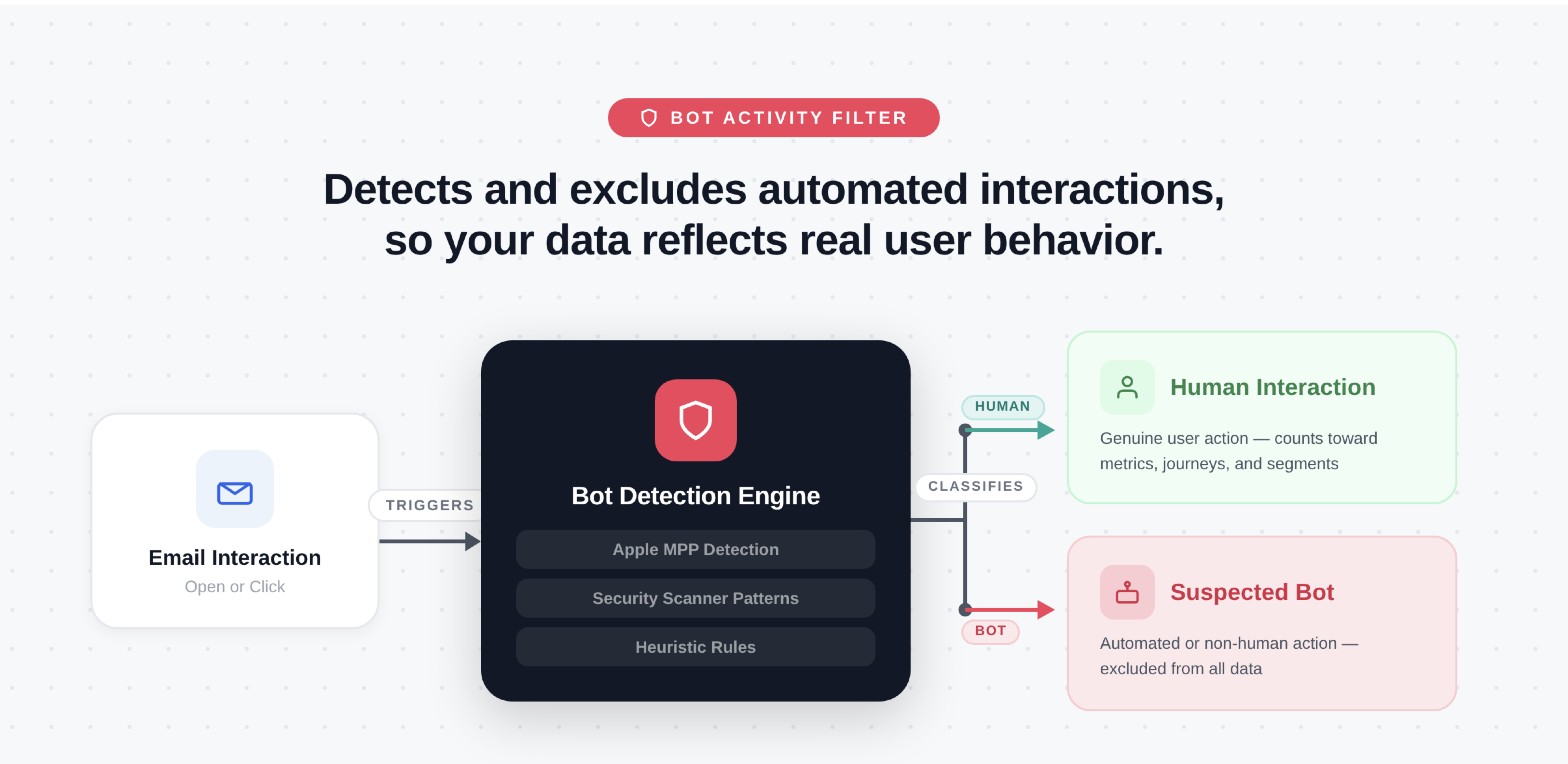
Bot Activity Filter Workflow
Enable Bot Activity Filter
To enable the Bot Activity Filter feature, perform the following steps:
- Go to Settings > Channels > Email and select the Advanced Setup tab.
- Toggle ON the Bot Activity Filter feature. The feature is disabled by default.
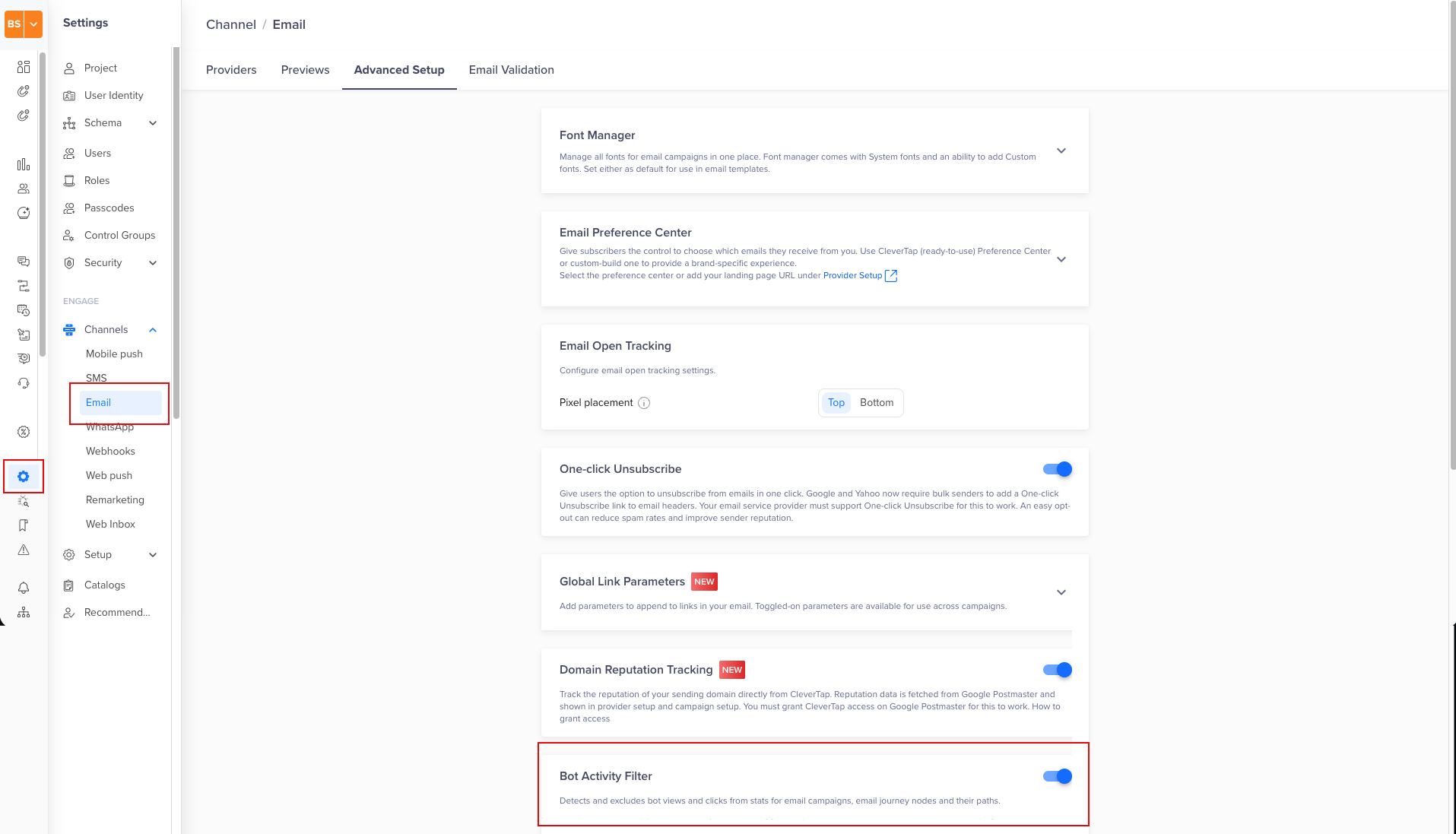
Enable Bot Activity Filter
Once enabled, CleverTap reports human-only engagement across the following:
- Email Campaign Stats
- Viewed
- Clicks and Click Rate
- Click Through Rate (CTR)
- Link-level performance and click heatmaps
- Journeys
- Email nodes evaluate only human opens and clicks
- Users move through paths based on real engagement:
- Viewed
- Clicked
Non-Impacted MetricsBot Activity Filter does not impact delivery-related metrics, including Sent, Delivered, Bounced, Dropped, Unsubscribed, and Spam reported.
Event Properties
When the Bot Activity Filter is enabled, CleverTap adds the following properties to Notification Clicked and Notification Viewed events, allowing you to distinguish human interactions from suspected bot activity at the event level:
| Event Property | Type | Description |
|---|---|---|
User Agent | String | Indicates the user agent associated with the click. |
machine click | Boolean | When true, the click is flagged as suspected bot activity and excluded from campaign click metrics and journey evaluations. When false, the click is attributed to a human user. |
machine open | Boolean | When trueThe open is flagged as suspected bot activity and excluded from Notification Viewed metrics. When false, the open is attributed to a human user. |
These properties are available across the following sections on the CleverTap dashboard:
-
User Profiles: Visible under the User activity details section of the Activity tab on the individual User Profile page.
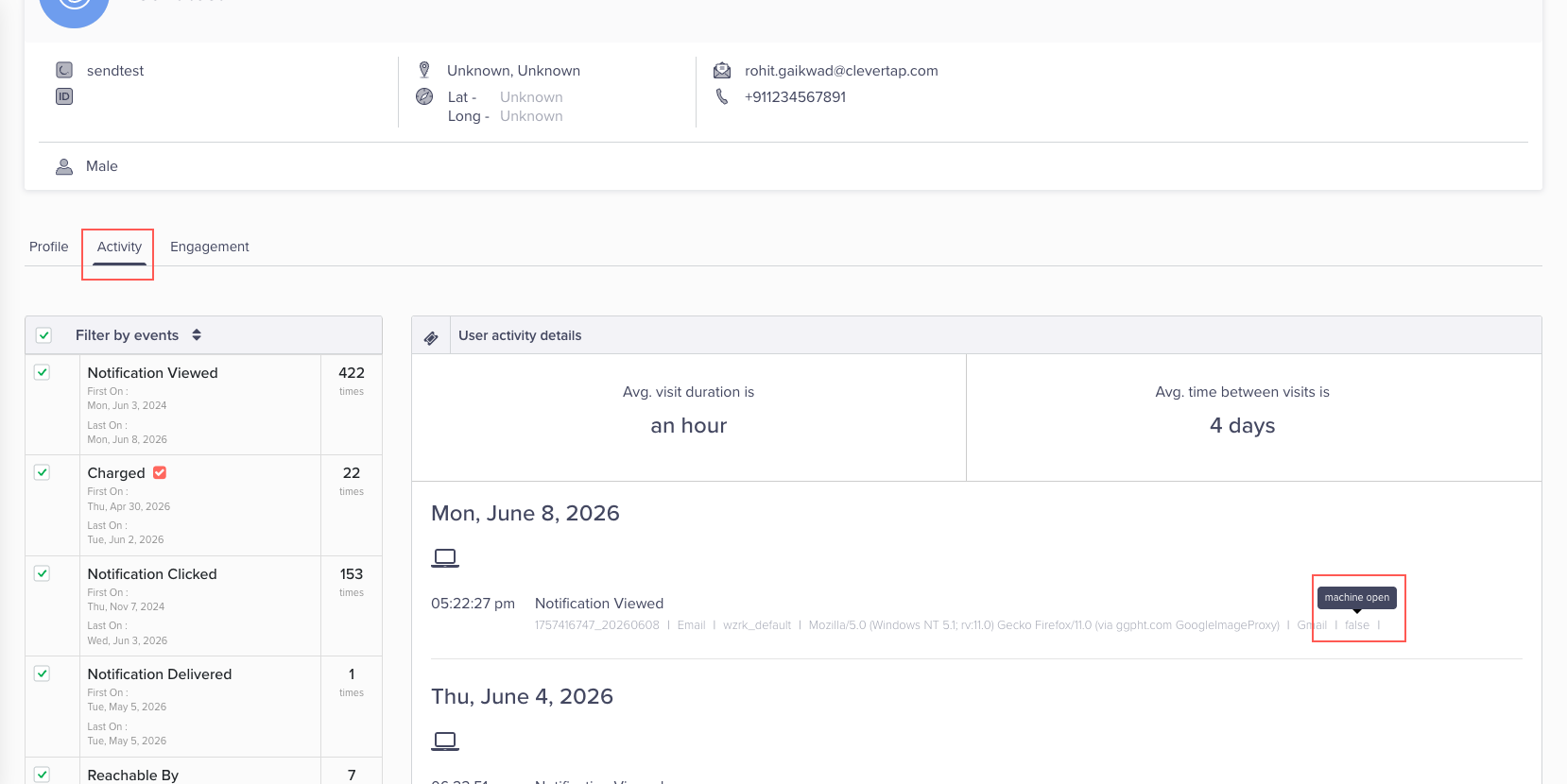
Machine Open under Activity tab of the User Profile Page
-
Segmentation: You can filter users by
machine openormachine clickas event property filters to build segments of users with confirmed human engagement, or to isolate users whose interactions appear automated. -
Analytics: Apply these properties as filters in Funnels, Events, and Cohorts to scope analysis to human-only engagement.
FAQs
Does the Bot Activity Filter block or stop bots from interacting with my emails?
No. The Bot Activity Filter does not block bot requests or prevent automated systems from interacting with your emails. Instead, CleverTap detects these interactions, flags them using the machine open and machine click properties, and excludes them from your campaign metrics and journey paths. The events are still recorded, just reported as bot activity rather than counted as genuine engagement.
Will the Bot Activity Filter prevent bots from clicking the unsubscribe link and unsubscribing users?
CleverTap's System Hosted subscription management pages use a two-step confirmation flow by default. A bot clicking the unsubscribe link cannot complete the confirmation step and will not trigger an unsubscribe. If you are using a custom unsubscribe URL or a one-click unsubscribe setup, consider adding a confirmation step to prevent bot-triggered unsubscribes.
How will the Bot Activity Filter impact the campaign performance?
The Bot Activity Filter does not affect metrics for any previously sent campaigns. When enabled, CleverTap filters suspected bot opens and clicks from your campaign stats going forward. You may notice a drop in open and click rates, but these numbers are a more accurate reflection of real user engagement with your emails.
How can branded link tracking help reduce bot activity in my email campaigns?
By default, CleverTap uses its own domains for click tracking links and open-tracking pixels in email campaigns. Branded link tracking lets you use your own custom domain instead, so recipients see your brand name in links rather than a CleverTap tracking domain.
Using a branded domain that matches your sender domain builds trust with mailbox providers and email filtering services, making your links appear more recognizable and authentic to recipients. It can improve inbox placement and increase the likelihood that recipients will engage with your links.
Key benefits of branded link tracking:
- Builds trust with inbox providers and email filtering services
- Makes your tracking links more recognizable and credible to recipients
- Reduces the likelihood of security scanners flagging your tracking links
Should I use HTTPS links in my email campaigns?
Yes. All email links should be HTTPS-based. HTTP links are more likely to be rewritten or scanned by security systems, which can trigger automated interactions and inflate your click metrics.
Updated 4 months ago