---
updatedAt: 2026-04-09T07:12:19.000Z
agentTools:
  projectIndex: https://docs.clevertap.com/llms.txt
---

# Release Notes (2025)

Explore CleverTap’s newest capabilities, designed to optimize engagement and retention at scale.

Stay updated with CleverTap's latest feature releases, cutting-edge feature enhancements, and performance enhancements to help you optimize your experience.

View previous updates in [What's New: 2024](https://docs.clevertap.com/docs/release-notes-2024).

<HTMLBlock>{`
<style>
    .card-container {
        display: flex;
        gap: 20px;
    }

    .card {
        display: flex;
        align-items: center;
        gap: 15px;
        border: 1px solid #B2B7B9;
        border-radius: 10px;
        padding: 20px 25px;
        background-color: #fff;
        box-shadow: 0 4px 8px rgba(0, 0, 0, 0.1);
        width: 300px;
        transition: box-shadow 0.3s ease;
        text-decoration: none;
        color: inherit;
    }

    .card:hover {
        box-shadow: 0 6px 12px rgba(0, 0, 0, 0.15);
        cursor: pointer;
    }

    .card-icon {
        display: flex;
        justify-content: center;
        align-items: center;
        width: 50px;
        height: 50px;
    }

    .card-icon img {
        width: 100%;
        height: 100%;
    }

    .divider {
        border-left: 1px solid #B2B7B9;
        height: 40px;
    }

    .card-content {
        display: flex;
        flex-direction: column;
        gap: 4px;
    }

    .card-title {
        font-size: 15px;
        font-weight: bold;
        color: #222;
    }

    .card-description {
        font-size: 14px;
        color: #B2B7B9;
    }
</style>
</head>
<body>
    <div class="card-container">
        <a href="https://docs.clevertap.com/docs/events-changelog" class="card" target="_blank">
            <div class="card-icon">
                <img src="https://files.readme.io/b2a942b44fb9852a74dd10f4d503100a127e6853ad209936d52bfb6e3ea61bd8-Schema.svg" alt="Changelog Icon">
            </div>
            <div class="divider"></div>
            <div class="card-content">
                <div class="card-title">Events Changelog</div>
                <div class="card-description">System Event Additions & Updates</div>
            </div>
        </a>

        <a href="https://developer.clevertap.com/docs/changelog" class="card" target="_blank">
            <div class="card-icon">
                <img src="https://files.readme.io/4d7a89d59bce8d11fe6851082a3db311e3f627e572530136edfa89ebb4d334d9-fi_16627473.svg" alt="SDK Changelog Icon">
            </div>
            <div class="divider"></div>
            <div class="card-content">
                <div class="card-title">SDK Changelog</div>
                <div class="card-description">Platform SDK Changelog</div>
            </div>
        </a>
    </div>
</body>
`}</HTMLBlock>

# Release Type Legend

| Release                                                                                                                    | Description                                                                                                    |
| :------------------------------------------------------------------------------------------------------------------------- | :------------------------------------------------------------------------------------------------------------- |
| ![Private-beta](https://files.readme.io/dad35e9ed3e63d1b2db25e4e25f7cfb647e873ef25e24ad88cd34579d89498d9-Private_beta.svg) | A limited release rolled out to selected customers as an early preview for use case validation and feedback.   |
| ![Beta](https://files.readme.io/fab011953c202b27b95fd0f97df19498a076127d4084c899ed53254cea832f06-Beta.svg)                 | A broader release available to a wider set of customers for comprehensive testing and feedback.                |
| ![New Feature](https://files.readme.io/b3f72329196a0c4da83fab63005f442ca3b7726685e789289b18d1219e53166a-New_feature.svg)   | A new functionality introduced to expand product capabilities or solve new use cases.                          |
| ![Enhancement](https://files.readme.io/fb86539693d5e5f3940d0baf6374d233d55b081d5d49e983550517c5691a6f17-Enhancement.svg)   | Improvements to existing product capabilities, focusing on performance, usability, or minor feature additions. |
| ![Update](https://files.readme.io/54c82d55b0cebe6f9c1afeec5207d22be67445ccd456fa30ab8c04b25bd87be8-Update.svg)             | Bug fixes, performance improvements, and security enhancements to refine the existing product.                 |

\*\*Any new feature, enhancement, or update without a Beta or Private Beta tag is released to all customers as part of our publicly available (GA) feature set.

<HTMLBlock>{`
<style>
  .filters {
    margin-top: 40px;
  }

  .filters h1 {
    font-size: 24px;
    font-weight: 600;
    margin-bottom: 16px;
  }

  .filter-box {
    background-color: #f8f9fc;
    border: 1px solid #e2e8f0;
    border-radius: 8px;
    padding: 24px 32px;
    box-shadow: 0 1px 4px rgba(0, 0, 0, 0.04);
  }

  .filter-options {
    display: grid;
    grid-template-columns: repeat(auto-fit, minmax(200px, 1fr));
    gap: 16px 32px;
  }

  .filter-option {
    display: flex;
    align-items: center;
    gap: 8px;
    font-size: 14px;
    font-weight: 500;
  }

  .filter-option img {
    width: 20px;
    height: 20px;
  }
</style>

<div class="filters">
  <h1>Filter By Feature</h1>
  <div class="filter-box">
    <div class="filter-options">
      <label class="filter-option">
        <input type="checkbox" id="filter-security-project-settings" />
        <span class="security-project-settings">
          <img src="https://files.readme.io/01053ed2e833c5e6bb242a86b84f304b7499ff0b0a26f422c3cc846d70530658-Settings.svg" alt="Settings" />
          Security & Project Settings
        </span>
      </label>

      <label class="filter-option">
        <input type="checkbox" id="filter-data-and-integrations" />
        <span class="data-and-integrations">
          <img src="https://files.readme.io/bf86621cc6be2995b3a9323ccfcaae0e172d6da76b2bfedc7983c5be75eb179d-Partners_Icon_Outlined.svg" alt="Data & Integrations" />
          Data & Integrations
        </span>
      </label>

      <label class="filter-option">
        <input type="checkbox" id="filter-analytics" />
        <span class="analytics">
          <img src="https://files.readme.io/f57aa9f8ef374b2652d21d86c7251de0e10d2f8661a4828202bcced4cb299d5f-Analytics.svg" alt="Analytics" />
          Analytics
        </span>
      </label>

      <label class="filter-option">
        <input type="checkbox" id="filter-segments" />
        <span class="segments">
          <img src="https://files.readme.io/04fe24c1114cef41af4a4e0224cab88f5be4c31160eca491d67942c689cb79c0-Segmentation.svg" alt="Segments" />
          Segments
        </span>
      </label>

      <label class="filter-option">
        <input type="checkbox" id="filter-campaigns" />
        <span class="campaigns">
          <img src="https://files.readme.io/370216d2a5ec47fd419bc47a95762d51295730db345b40f825b3de7115e6e667-Campaigns.svg" alt="Campaigns" />
          Campaigns
        </span>
      </label>

      <label class="filter-option">
        <input type="checkbox" id="filter-journeys" />
        <span class="journeys">
          <img src="https://files.readme.io/51dc269788d03bb7bc0482fbc020414bedd96b6c778ac37b71884095493b93c8-Journeys.svg" alt="Journeys" />
          Journeys
        </span>
      </label>

			<label class="filter-option">
        <input type="checkbox" id="filter-promotions" />
        <span class="promotions">
          <img src="https://files.readme.io/c65a9fbb8af21c3a8f01c546faa2089d52a3bf54c2efecc740879b1ea681242e-Property_1Selected.svg" alt="Promotions" />
          Promotions
        </span>
      </label>

      <label class="filter-option">
        <input type="checkbox" id="filter-conversations" />
        <span class="conversations">
          <img src="https://files.readme.io/ae95d26dd8714ac2522e7a2b39166d95ace62433496df35d5dcc4d90414527bd-Conversations.svg" alt="Conversations" />
          Conversations
        </span>
      </label>

      <label class="filter-option">
        <input type="checkbox" id="filter-product-experiences" />
        <span class="product-experiences">
          <img src="https://files.readme.io/d7de531a1060998537a4e71a078198cf28076d99e1aed3e3c1bdcb5509e29d95-Product_experiences.svg" alt="Product Experiences" />
          Product Experiences
        </span>
      </label>

      <label class="filter-option">
        <input type="checkbox" id="filter-content-manager" />
        <span class="content-manager">
          <img src="https://files.readme.io/0ed57ff4730974458d74d2a34ec4cf285aa5e84f59075a6b32550b9d1fd60ae8-Content_Manager.svg" alt="Content Manager" />
          Content Manager
        </span>
      </label>
    </div>
  </div>
</div>
`}</HTMLBlock>

# 2025

## September

<HTMLBlock>{`
<div class="release-note article" data-category="security-project-settings" id="restore-discarded-custom-events-event-properties-and-user-properties">
  <div class="release-note-header">
    <div class="anchor-link-icon">
      <a href="#restore-discarded-custom-events-event-properties-and-user-properties"><i class="fa-light fa-anchor"></i></a>
    </div>
    <div>
      <img src="https://files.readme.io/01053ed2e833c5e6bb242a86b84f304b7499ff0b0a26f422c3cc846d70530658-Settings.svg" alt="Settings" />
    </div>
    <h3 class="release-note-heading">Restore Discarded Custom Events, Event Properties, and User Properties</h3>
    <div class="badge new-feature">NEW FEATURE</div>
    <div class="badge ga">GA</div>
  </div>

  <div class="release-note-body">
    <p>Admins can now restore discarded Custom Events, Event Properties, and User Properties within 24 hours of deletion. This safeguard prevents accidental removals from impacting analytics, segmentation, and campaign workflows.</p>
     <p>With this feature, you can:</p>
    <p>
      <ul>
        <li><strong>Protect Your Data:</strong> Recover deleted Custom Events, Event Properties, and User Properties within 24 hours.</li>
        <li><strong>Ensure Business Continuity:</strong> Restore accidentally removed items to avoid disruptions in campaigns and reporting.</li>
        <li><strong>Maintain Control:</strong> Restrict restore access to Admins to ensure security and accountability.</li>
      </ul>
    </p>
    <p>For more information, refer to <a href="https://docs.clevertap.com/docs/schema" target="_blank">Schema</a>.</p>
</div>
  <hr/>
</div>
`}</HTMLBlock>

<HTMLBlock>{`
<div class="release-note article" data-category="security-project-settings" id="updated-audit-logs-coverage-for-authentication-and-authorization">
  <div class="release-note-header">
    <div class="anchor-link-icon">
      <a href="#updated-audit-logs-coverage-for-authentication-and-authorization"><i class="fa-light fa-anchor"></i></a>
    </div>
    
<div>
  <img 
src="https://files.readme.io/01053ed2e833c5e6bb242a86b84f304b7499ff0b0a26f422c3cc846d70530658-Settings.svg" alt="Settings" />
    </div>
    <h3 class="release-note-heading">Updated Audit Logs Coverage for Authentication and Authorization</h3>
    <div class="badge enhancement">ENHANCEMENT</div>
    <div class="badge ga">GA</div>
  </div>
<div class="release-note-body">
    <p><p>We are excited to announce enhanced coverage of Audit Logs, expanding visibility into authentication and authorization events. This update strengthens compliance, audit readiness, and security monitoring across user management activities.</p>
    <p>The following are the new events captured in Audit Logs:</p>
    <p>
      <ul>
        <li><strong>User Invited:</strong> A new user was invited.</li>
        <li><strong>User Revoked:</strong> Access was revoked for an existing user.</li>
        <li><strong>User Deleted:</strong> A user was removed from the dashboard.</li>
        <li><strong>User Role Updated:</strong> The role of an active user was updated.</li>
        <li><strong>Role Created:</strong> A new role was created with specific permissions.</li>
        <li><strong>Role Edited:</strong> An existing role was modified.</li>
        <li><strong>Role Deleted:</strong> A role was removed from the account.</li>
        <li><strong>Password Reset:</strong> A user’s password was reset from the profile page.</li>
        <li><strong>Account Locked:</strong> Triggered after 20 consecutive failed login attempts.</li>
      </ul>
  </p>
<p>For more information, refer to <a href="https://docs.clevertap.com/docs/audit-logs"target="_blank">Audit Logs</a>.</p
</div>
  <hr/>
</div>
`}</HTMLBlock>

<HTMLBlock>{`
<div class="release-note article" data-category="campaigns" id="Attachments-in-Email-Campaigns">
  <div class="release-note-header">
    <div class="anchor-link-icon">
      <a href="#Attachments-in-Email-Campaigns"><i class="fa-light fa-anchor"></i></a>
    </div>
    <div>
      <img src="https://files.readme.io/370216d2a5ec47fd419bc47a95762d51295730db345b40f825b3de7115e6e667-Campaigns.svg" " alt="Campaigns" class="release-note-heading-icon"/>
    </div>
    <h3 class="release-note-heading">Attachments in Email Campaigns</h3>
  	<div class="badge private-beta">PRIVATE BETA</div>  
		<div class="badge new-feature">NEW FEATURE</div>
  </div>

  <div class="release-note-body">
    <p>You can now add attachments directly to your email campaigns, whether created from the dashboard or via API. This feature allows you to securely deliver files to your recipients without depending on external links.</p>
     <p>With this feature, you can:</p>
    <p>
      <ul>
        <li>Attach up to 10 files (PDF, JPG, PNG, GIF).</li>
        <li>Upload via local file picker, HTTPS URLs, or Content Manager.</li>
        <li>Preview attachments in the campaign overview.</li>
        <li>Send test emails with attachments.</li>
        <li>Deliver to CC/BCC recipients.</li> 
      </ul>
    </p>
    <p>For more information, refer to <a href="https://docs.clevertap.com/docs/using-attachments-in-email" target="_blank">Using Attachments in Email</a> and <a href="https://developer.clevertap.com/docs/create-campaign-api-with-email-attachment" target="_blank">Add Attachments via Campaign API</a>.</p>
</div>
  <hr/>
</div>
`}</HTMLBlock>

<HTMLBlock>{`
<div class="release-note article" data-category="Campaigns" id="Improved-Anonymous-to-Identified-Profile-Merge-Behavior">
  <div class="release-note-header">
    <div class="anchor-link-icon">
      <a href="#Improved-Anonymous-to-Identified-Profile-Merge-Behavior"><i class="fa-light fa-anchor"></i></a>
    </div>
    <div>
      <img src="https://files.readme.io/370216d2a5ec47fd419bc47a95762d51295730db345b40f825b3de7115e6e667-Campaigns.svg" alt="Campaigns" class="release-note-heading-icon"/>
    </div>
    <h3 class="release-note-heading">Improved Anonymous-to-Identified Profile Merge Behavior</h3>
    <div class="badge enhancement">ENHANCEMENT</div>
    <div class="badge ga">GA</div>
  </div>
  <div class="release-note-body">
    <p>We are excited to announce how CleverTap handles anonymous-to-identified profile merges. From now on, any anonymous events from a second device or later ingested after the feature is enabled seamlessly flow into the corresponding identified profile upon a merge, unlocking richer insights, more accurate segmentation, and complete funnel analytics across all devices.</p>

    <p>With this enhancement, the following changes are implemented:</p>

    <ul>
      <li><strong>Complete Transfer of Anonymous Events:</strong> All anonymous events created on second, third, or later devices merge directly into the identified profile on login.</li>
      <li><strong>Inclusive Segmentation & Funnels:</strong> Transferred events are fully usable in segmentation, funnels, flows, and engagement targeting, with no more greyed-out or “blacklisted” data points.</li>
      <li><strong>No Initial Event Limits:</strong> For this initial release, the number of post-rollout events that can be transferred is unlimited. (A generous lookback period may be introduced in future iterations.)</li>
      <li><strong>Historical Data Remains Unchanged:</strong> Events generated before the feature rollout remain the same, so customer historical data stays stable and reliable.</li>
    </ul>
  </div>
  <hr/>
</div>
`}</HTMLBlock>

<HTMLBlock>{`
<div class="release-note article" data-category="security-project-settings" id="automated-expiry-alerts-for-sso-saml-certificate">
  <div class="release-note-header">
    <div class="anchor-link-icon">
      <a href="#automated-expiry-alerts-for-sso-saml-certificate"><i class="fa-light fa-anchor"></i></a>
    </div>
    <div>
      <img src="https://files.readme.io/01053ed2e833c5e6bb242a86b84f304b7499ff0b0a26f422c3cc846d70530658-Settings.svg" alt="Settings" />
    </div>
    <h3 class="release-note-heading">Automated Expiry Alerts for SSO SAML Certificate</h3>
    <div class="badge enhancement">ENHANCEMENT</div>
    <div class="badge ga">GA</div>
  </div>

  <div class="release-note-body">
    <p>SSO now sends automated expiry alerts that notify Admins as SAML certificates near expiry—enabling timely updates, preventing login disruptions, and removing reliance on manual reminders.</p>
    <p>With this enhancement, you can:</p>
    <p>
      <ul>
        <li>Receive proactive alerts starting 30 days before expiry, sent weekly until updated.</li>
        <li>Stay informed via Email and the CleverTap dashboard.</li>
        <li>Restrict visibility to Admins for precise actioning.</li>
        <li>Stop alerts automatically once the SAML certificate is updated.</li>
      </ul>
    </p>
  <p>For more information on updating the SAML certificate, refer to <a href "https://docs.clevertap.com/docs/single-sign-on-sso#update-renewed-sso-certificate" target="_blank">Single Sign On (SSO)</a>.</p>
 </div>
  <hr/>
</div>
`}</HTMLBlock>

<HTMLBlock>{`
<div class="release-note article" data-category="Campaigns" id="email-alerts-for-nearing-fair-usage-policy-fup-limits">
  <div class="release-note-header">
    <div class="anchor-link-icon">
      <a href="#email-alerts-for-nearing-fair-usage-policy-fup-limits"><i class="fa-light fa-anchor"></i></a>
    </div>
    <div>
      <img src="https://files.readme.io/370216d2a5ec47fd419bc47a95762d51295730db345b40f825b3de7115e6e667-Campaigns.svg" alt="Campaigns" class="release-note-heading-icon"/>
    </div>
    <h3 class="release-note-heading">Email Alerts for Nearing Fair Usage Policy (FUP) Limits</h3>
    <div class="badge new-feature">NEW FEATURE</div>
  </div>
<div class="release-note-body">
    <p>We’re introducing automated email alerts to help Admins proactively manage event consumption and avoid service interruptions.</p>
    <p>Alerts trigger as usage approaches defined thresholds, enabling timely action and keeping teams informed to maintain business continuity.</p>
    <p>With this feature, you can:</p>
    <p>
      <ul>
        <li>Receive alerts at 75%, 90%, and 100% of allocated capacity.</li>
        <li>Keep stakeholders informed in real time to prevent overages and ensure continuity.</li>
      </ul>
    </p>
</div>
  <hr/>
</div>
`}</HTMLBlock>

<HTMLBlock>{`
<div class="release-note article" data-category="campaigns" id="Email-Subscription-Status-in-Get-User-Profile-API">
  <div class="release-note-header">
    <div class="anchor-link-icon">
      <a href="#Email-Subscription-Status-in-Get-User-Profile-API"><i class="fa-light fa-anchor"></i></a>
    </div>
    <div>
      <img src="https://files.readme.io/370216d2a5ec47fd419bc47a95762d51295730db345b40f825b3de7115e6e667-Campaigns.svg" " alt="Campaigns" class="release-note-heading-icon"/>
    </div>
    <h3 class="release-note-heading">Email Subscription Status in Get User Profile API</h3>
    <div class="badge enhancement">ENHANCEMENT</div>
    <div class="badge private-beta">PRIVATE BETA</div>                              
  </div>
  <div class="release-note-body">
    <p>The Get User Profile API now returns a user’s email subscription status, providing a unified and real-time consent check for both the overall email channel and individual subscription groups.</p>
<p>For more information, refer to <a href="https://developer.clevertap.com/docs/email-subscription-details-via-api"target="_blank">Get User Profiles</a>.</p>
  </div>
  <hr/>
</div>
`}</HTMLBlock>

<HTMLBlock>{`
<div class="release-note article" data-category="campaigns" id="Single-Image-Annotations-for-Gmail-Promotions-Tab">
  <div class="release-note-header">
    <div class="anchor-link-icon">
      <a href="#Single-Image-Annotations-for-Gmail-Promotions-Tab"><i class="fa-light fa-anchor"></i></a>
    </div>
    <div>
      <img src="https://files.readme.io/370216d2a5ec47fd419bc47a95762d51295730db345b40f825b3de7115e6e667-Campaigns.svg" " alt="Campaigns" class="release-note-heading-icon"/>
    </div>
    <h3 class="release-note-heading">Single Image Annotations for Gmail Promotions Tab</h3>
    <div class="badge enhancement">ENHANCEMENT</div>
    <div class="badge private-beta">PRIVATE BETA</div>                              
  </div>
  <div class="release-note-body">
    <p>You can now add a single image to your marketing email preview in Gmail’s Promotions tab, making it more visual, discoverable, and engaging.

With this enhancement, you can:</p>
    <ul>
      <li>Add a standalone image or pair it with deal annotations, such as coupon codes, discounts, expiry dates, and badges.</li>
      <li>Stand out in crowded inboxes with a simple setup and flexible options.</li>
			<li>Use a single image for brand impact or showcase multiple products through the existing Product Carousel annotations feature.</li>
</ul>
<p>For more information, refer to <a href="https://docs.clevertap.com/docs/gmail-annotations-promotion-cards"target="_blank">Gmail Promotional Annotations</a>.</p>
  </div>
  <hr/>
</div>
`}</HTMLBlock>

<HTMLBlock>{`
<div class="release-note article" data-category="promotions" id="Promotions-Add-on-for-CleverTap-Essentials-Plan">
  <div class="release-note-header">
    <div class="anchor-link-icon">
      <a href="#Promotions-Add-on-for-CleverTap-Essentials-Plan"><i class="fa-light fa-anchor"></i></a>
    </div>
    <div>
      <img src="https://files.readme.io/c65a9fbb8af21c3a8f01c546faa2089d52a3bf54c2efecc740879b1ea681242e-Property_1Selected.svg" alt="Promotions" class="release-note-heading-icon"/>
    </div>
    <h3 class="release-note-heading">Promotions Add-on for CleverTap Essentials Plan</h3>
    <div class="badge enhancement">ENHANCEMENT</div>
  </div>
  <div class="release-note-body">
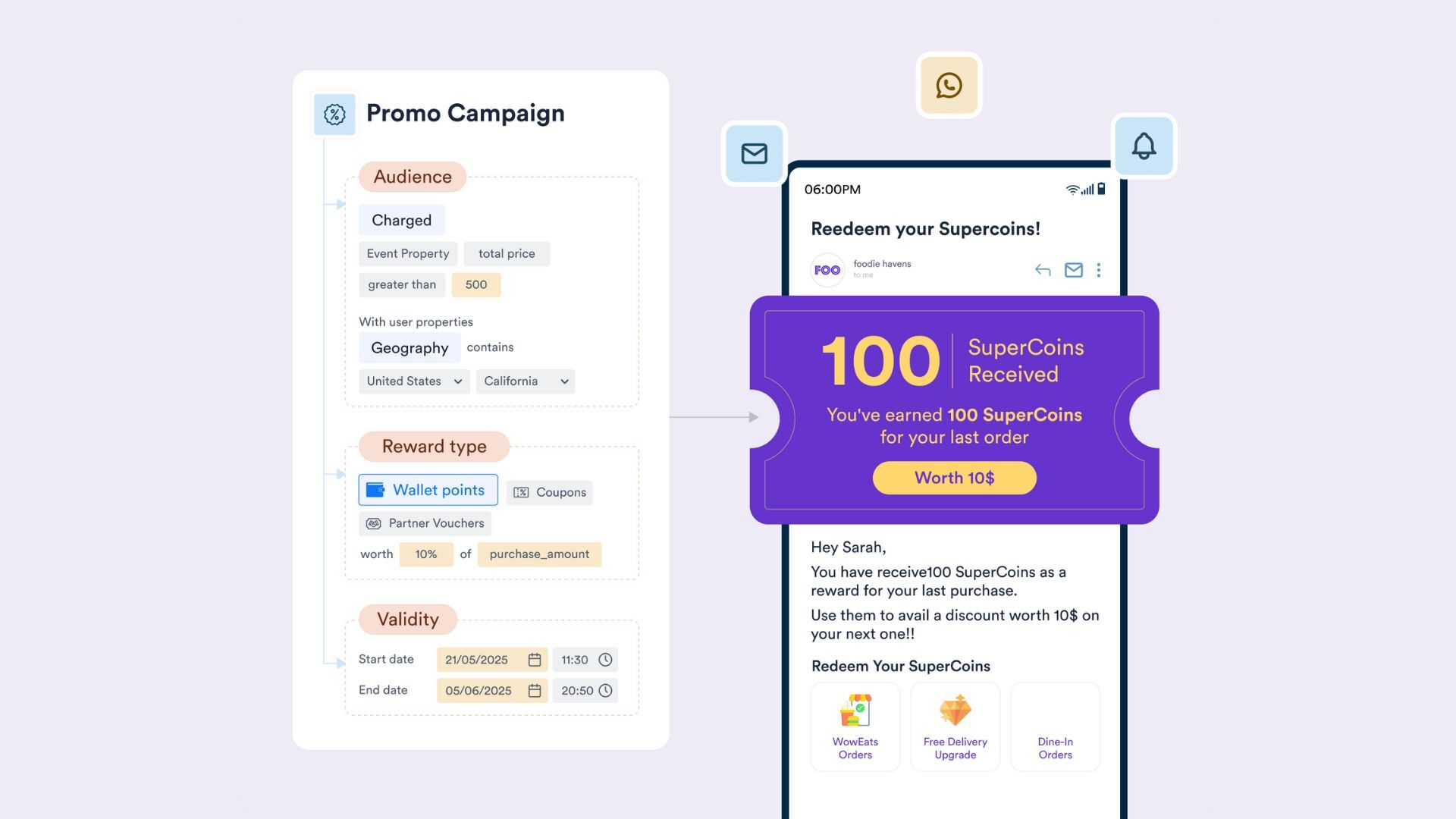
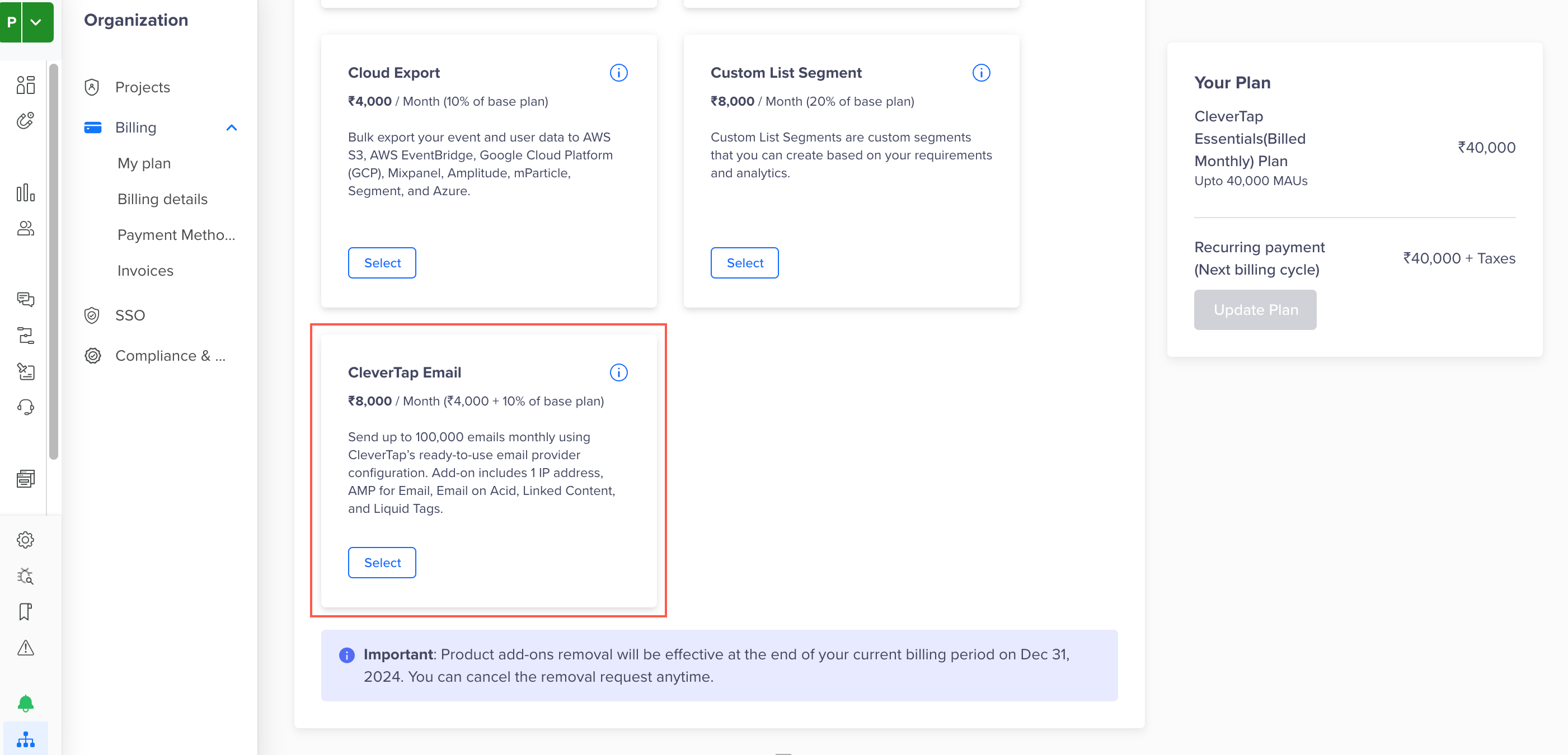
    <p>The Promotions Add-on is now available with the CleverTap Essentials Plan. With this add-on, you can use the Promotions feature to deliver loyalty points, discount coupons, and partner vouchers at scale, without needing external systems.</p>
    <p>To enable the Promotions Add-on from the CleverTap dashboard, purchase the add-on, configure your loyalty wallets, coupons, partner voucher settings, and start running reward-based campaigns across apps, websites, and POS systems.</p>
    <p>For more information, refer to <a href="https://docs.clevertap.com/docs/promo-campaigns" target="_blank">Promo Campaigns</a>.</p>
    <div class="release-note-image">
    <div style="text-align: center;">
 			<img src="https://files.readme.io/482444a7d4b516a9647b2a4655358166a86e2a826a733d4892eea7300c5906f1-image.png" alt="Promo Add-on" style="max-width: 100%; height: auto;" />
      <p class="caption">Promo Add-on</p>
    </div>
  </div>
  <hr/>
</div>
`}</HTMLBlock>

<HTMLBlock>{`
<div class="release-note article" data-category="campaigns" id="Advanced-Web-Pop-up-Builder">
  <div class="release-note-header">
    <div class="anchor-link-icon">
      <a href="#Advanced-Web-Pop-up-Builder"><i class="fa-light fa-anchor"></i></a>
    </div>
    <div>
      <img src="https://files.readme.io/370216d2a5ec47fd419bc47a95762d51295730db345b40f825b3de7115e6e667-Campaigns.svg" alt="Campaigns" class="release-note-heading-icon"/>
    </div>
    <h3 class="release-note-heading">Advanced Web Pop-up Builder</h3>
    <div class="badge new-feature">NEW FEATURE</div>
    <div class="badge private-beta">PRIVATE BETA</div>
  </div>
  <div class="release-note-body">
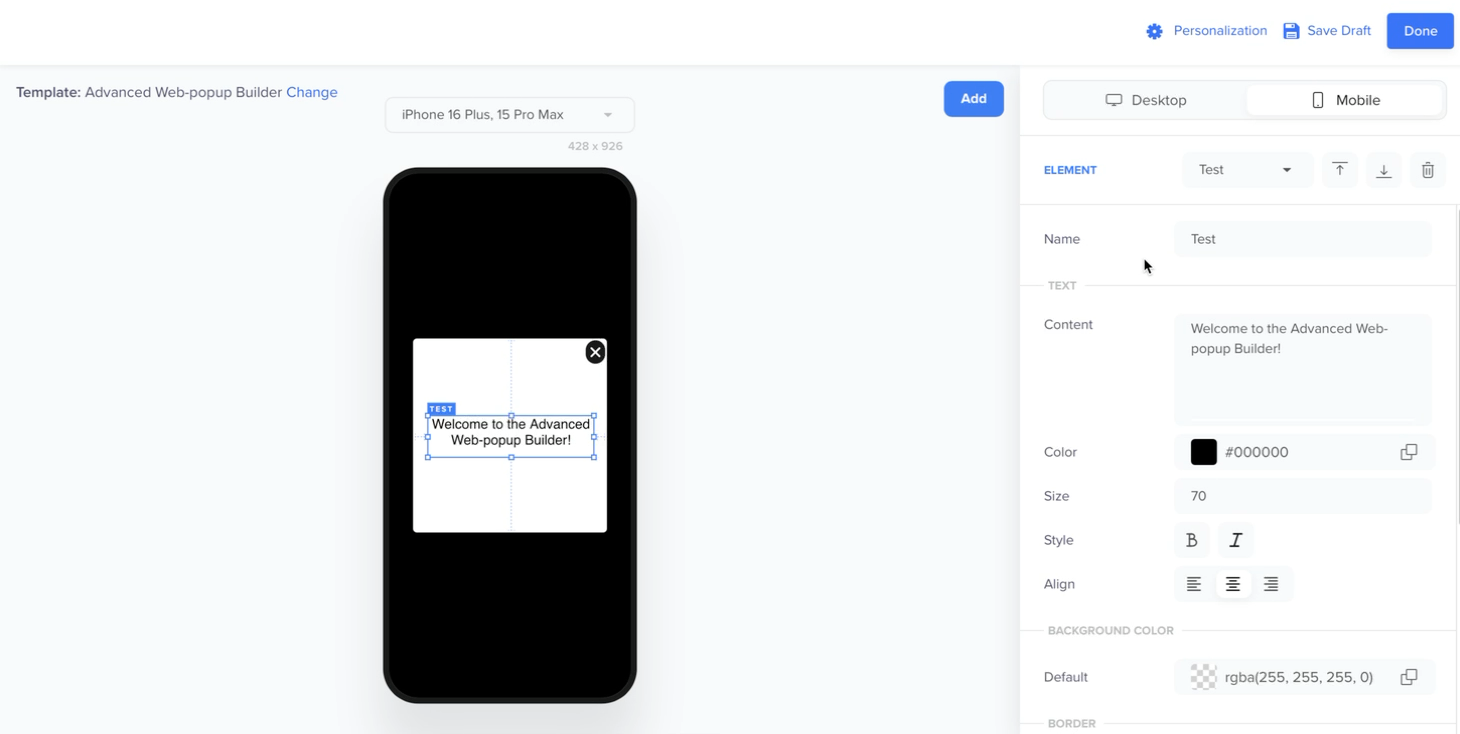
    <p>The Advanced Web Pop-up Builder lets you design and publish fully custom, on-brand web pop-ups without developer support. This feature includes a drag-and-drop editor, flexible layouts, advanced styling, custom backgrounds, animations, and device-specific designs with live previews.</p>
    <p>With this update, you can:</p>
    <p>
      <ul>
        <li>Launch campaigns faster with marketer autonomy</li>
        <li>Customize beyond standard templates with deeper styling options</li>
        <li>Experiment effortlessly through A/B testing</li>
        <li>Deliver consistent, responsive experiences across devices</li>
      </ul>
    </p>
 <div class="release-note-image">
    <div style="text-align: center;">
 			<img src="https://files.readme.io/5b1658e304b13c4612022e8966ead0b127665078c182bbada0c0d9354cf071fc-Advanced.png" alt="Advanced Web Pop-up Builder" style="max-width: 100%; height: auto;" />
      <p class="caption">Advanced Web Pop-up Builder</p>
    </div>
  </div>
    <p>For more information, refer to <a href="https://docs.clevertap.com/docs/advanced-web-pop-up-builder" target="_blank">Advanced Web Pop-up Builder</a>.</p>
  </div>
  <hr/>
</div>
`}</HTMLBlock>

## August

<HTMLBlock>{`
<div class="release-note article" data-category="Campaigns" id="Gamification-In-App-Templates">
  <div class="release-note-header">
    <div class="anchor-link-icon">
      <a href="#Gamification-In-App-Templates"><i class="fa-light fa-anchor"></i></a>
    </div>
    <div>
      <img src="https://files.readme.io/370216d2a5ec47fd419bc47a95762d51295730db345b40f825b3de7115e6e667-Campaigns.svg" alt="Campaigns" class="release-note-heading-icon"/>
    </div>
    <h3 class="release-note-heading">Gamification In-App Templates</h3>
    <div class="badge new-feature">NEW FEATURE</div>
    <div class="badge private-beta">PRIVATE BETA</div>
  </div>
  <div class="release-note-body">
    <p>Native Display now includes two pre-built gamification templates, Spin the Wheel and Scratch Card. These visual templates are available inside the Custom HTML Builder. These templates help you launch engaging, reward-based In-App experiences instantly.</p>
    <p>The templates are designed to boost engagement using proven methods like spin-to-win and scratch-to-reveal, while allowing marketers to customize prizes, CTAs, and visuals to match campaign goals. They also enable quicker experimentation with built-in event tracking and reduce bottlenecks by providing documented, extensible code within a familiar builder flow.</p>
    <p>For more information, refer to <a href="https://docs.clevertap.com/docs/in-app-editor#in-app-gamification-templates" target="_blank">Gamification Templates</a>.</p>
  </div>
  <hr/>
</div>
`}</HTMLBlock>

<HTMLBlock>{`
<div class="release-note article" data-category="campaigns" id="Enhanced-Generic-SMTP-Email-Integration-with-Deeper-Analytics">
  <div class="release-note-header">
    <div class="anchor-link-icon">
      <a href="#Enhanced-Generic-SMTP-Email-Integration-with-Deeper-Analytics"><i class="fa-light fa-anchor"></i></a>
    </div>
    <div>
      <img src="https://files.readme.io/370216d2a5ec47fd419bc47a95762d51295730db345b40f825b3de7115e6e667-Campaigns.svg" alt="Campaigns" " alt="Campaigns" class="release-note-heading-icon"/>
    </div>
    <h3 class="release-note-heading">Enhanced Generic SMTP Email Integration with Deeper Analytics</h3>
    <div class="badge enhancement">ENHANCEMENT</div>
    <div class="badge private-beta">PRIVATE BETA</div>                              
  </div>
  <div class="release-note-body">
    <p>Generic SMTP email integration now provides deeper insights into email campaigns, enabling better decision-making and performance analysis.

With this enhancement, you can:</p>
    <ul>
      <li>Track successful email delivery across User Profiles, Campaign Stats, Provider Stats, Exports, and Reports.</li>
      <li>Gain visibility into errors such as Soft Bounce, Hard Bounce, Spam, and Unsubscribed, with details available in Campaign Stats, Notification Failed Events, Exports, Reports, and Provider Stats.</li>
      <li>Analyze email performance and make data-driven decisions with precise performance metrics.</li>
 </ul>
<p>For more information, refer to <a href="https://docs.clevertap.com/docs/generic-smtp-v2-payload"target="_blank">Generic SMTP</a>.</p>
  </div>
  <hr/>
</div>
`}</HTMLBlock>

<HTMLBlock>{`
<div class="release-note article" data-category="campaigns" id="Generic-HTTP-Email-Integration">
  <div class="release-note-header">
    <div class="anchor-link-icon">
      <a href="#Generic-HTTP-Email-Integration"><i class="fa-light fa-anchor"></i></a>
    </div>
    <div>
      <img src="https://files.readme.io/370216d2a5ec47fd419bc47a95762d51295730db345b40f825b3de7115e6e667-Campaigns.svg" alt="Campaigns" " alt="Campaigns" class="release-note-heading-icon"/>
    </div>
    <h3 class="release-note-heading">Generic HTTP Email Integration</h3>
    <div class="badge new-feature">NEW FEATURE</div>
    <div class="badge private-beta">PRIVATE BETA</div>                              
  </div>
  <div class="release-note-body">
    <p>The new Generic HTTP Email integration makes connecting your email provider with CleverTap easy using just an API URL, key, and request body. It works with any provider that supports HTTP/HTTPS and allows you to add personalization, custom headers, and batch sends.

With this integration, you can:</p>
    <ul>
      <li>Track delivered, bounced, or unsubscribed events via HTTP callbacks.</li>
      <li>View delivery success or failure across campaign stats reports, exports, and user profiles.</li>
 </ul>
<p>For more information, refer to <a href="https://docs.clevertap.com/docs/generic-http"target="_blank">Generic HTTP</a>.</p>
  </div>
  <hr/>
</div>
`}</HTMLBlock>

<HTMLBlock>{`
<div class="release-note article" data-category="Campaigns" id="Domain-Whitelisting-for-Data-Ingestion-via-Web-SDK">
  <div class="release-note-header">
    <div class="anchor-link-icon">
      <a href="#Domain-Whitelisting-for-Data-Ingestion-via-Web-SDK"><i class="fa-light fa-anchor"></i></a>
    </div>
    <div>
      <img src="https://files.readme.io/370216d2a5ec47fd419bc47a95762d51295730db345b40f825b3de7115e6e667-Campaigns.svg" alt="Campaigns" " alt="Enhanced-Push-Notifications-for-Smarter,-Faster-Campaigns" class="release-note-heading-icon"/>
    </div>
    <h3 class="release-note-heading">Domain Whitelisting for Data Ingestion via Web SDK</h3> 
    <div class="badge enhancement">ENHANCEMENT</div>                       
  </div>
  <div class="release-note-body">
    <p>Domain Whitelisting for the Web SDK allows you to define a list of approved domains, ensuring that only trusted sources can send data into your CleverTap account. The following key capabilities are included in this release:</p>
    <ul>
      <li> <strong> Secure Your Data: </strong>Only trusted domains can send data to your CleverTap project</li>
      <li> <strong> Protect Campaigns: </strong>Prevent failures caused by unauthorized or malformed data</li>
      <li> <strong> Support Compliance: </strong>Meet audit requirements from security and compliance teams</li>
</ul>  
 <p> For more information, refer to <a href="https://docs.clevertap.com/docs/domain-whitelisting"target="_blank">Domain Whitelisting for Web SDK.</a></p>
  </div>
  <hr/>
</div>
`}</HTMLBlock>

<HTMLBlock>{`
<div class="release-note article" data-category="Campaigns" id="Enhanced-Push-Notifications-for-Smarter,-Faster-Campaigns">
  <div class="release-note-header">
    <div class="anchor-link-icon">
      <a href="#Improved-Push-Notifications-for-Smarter,-Faster-Campaigns"><i class="fa-light fa-anchor"></i></a>
    </div>
    <div>
      <img src="https://files.readme.io/370216d2a5ec47fd419bc47a95762d51295730db345b40f825b3de7115e6e667-Campaigns.svg" alt="Campaigns" " alt="Improved-Push-Notifications-for-Smarter,-Faster-Campaigns" class="release-note-heading-icon"/>
    </div>
    <h3 class="release-note-heading">Improved Push Notifications for Smarter, Faster Campaigns</h3>
    <div class="badge enhancement">ENHANCEMENT</div>
    <div class="badge private-beta">PRIVATE BETA</div>                              
  </div>
  <div class="release-note-body">
    <p>The Push Notification channel now includes key enhancements that make campaign creation easier and help you deliver higher-quality messages. 

These key enhancements allow you to:</p>
    <ul>
      <li> <strong> Work with Flexible Templates:</strong> Choose from Text over Image (Zero Bezel), Advanced (Basic), Auto Carousel, Timer, and Standard templates and define CTAs.</li>
      <li> <strong> Preview and Test your Notifications:</strong>  See real-time previews across Android/iOS versions and dark/light modes (collapsed and expanded states). Preview and Test your designs before sending.</li>
      <li> <strong> Design with More Control:</strong>  Use the redesigned WHAT section with structured left navigation for Content, Android and iOS options, and Post Action Webhook. Fine-tune media rendering with new Image Scaling options.</li>
 </ul>
<h3 class="release-note-heading">SDK Compatibility</h3>
                                
To access these enhancements, ensure that your app is integrated with the following SDK versions: </p>
   <ul> 
   <li> Android SDK v7.3.0 and above </li>
   <li> CT Push Templates SDK v2.1.0 and above </li>
   <li> iOS CTNotificationContent SDK v1.1.0 and above </li>
   </ul>
 <p> Campaigns with existing templates continue to work seamlessly. For more information, refer to <a href="https://docs.clevertap.com/docs/push-editor"target="_blank">Push Editor</a>, <a href= "https://developer.clevertap.com/docs/android-push-templates"target="_blank">Android Push Templates</a>, <a href= "https://developer.clevertap.com/docs/ios-rich-push-notifications-v2"target="_blank">iOS Rich Push Notifications</a>.</p>
  </div>
  <hr/>
</div>
`}</HTMLBlock>

## July

<HTMLBlock>{`
<div class="release-note article" data-category="Campaigns" id="Linked-Content-Support-on-Native-Display-Enhancement-Private-Beta">
  <div class="release-note-header">
    <div class="anchor-link-icon">
      <a href="#Linked-Content-Support-on-Native-Display-Enhancement-Private-Beta"><i class="fa-light fa-anchor"></i></a>
    </div>
    <div>
      <img src="https://files.readme.io/370216d2a5ec47fd419bc47a95762d51295730db345b40f825b3de7115e6e667-Campaigns.svg" alt="Campaigns" class="release-note-heading-icon"/>
    </div>
    <h3 class="release-note-heading">Linked Content Support on Native Display</h3>
    <div class="badge enhancement">ENHANCEMENT</div>
    <div class="badge private-beta">PRIVATE BETA</div>
  </div>
  <div class="release-note-body">
    <p>Native Display now supports Linked Content Personalization, letting you deliver real-time, dynamic content from external services. Create consistent, hyper-personalized experiences across all major channels with a simple, no-code setup.</p>
    <p>For more information, refer to <a href="https://docs.clevertap.com/docs/linked-content" target="_blank">Linked Content</a>.</p>
  </div>
  <hr/>
</div>
`}</HTMLBlock>

<HTMLBlock>{`
<div class="release-note article" data-category="security-project-settings" id="Link-Events-to-User-Properties">
  <div class="release-note-header">
    <div class="anchor-link-icon">
      <a href="#Link-Events-to-User-Properties"><i class="fa-light fa-anchor"></i></a>
    </div>
    <div>
      <img src="https://files.readme.io/01053ed2e833c5e6bb242a86b84f304b7499ff0b0a26f422c3cc846d70530658-Settings.svg" alt="Settings" />
    </div>
    <h3 class="release-note-heading">Link Events to User Properties</h3>
    <div class="badge new-feature">NEW FEATURE</div>
  </div>
  <div class="release-note-body">
    <p>The new capability to link events to user properties allows you to trigger campaigns, conversions, and exits when a user property changes. It also supports real-time, personalized messaging based on profile changes, enabling immediate responses to user behavior.

For example, a gaming app can link the Game Level Upgraded event to the Game Level user property to automatically trigger a reward campaign when the level increases.

The following key capabilities are included in this release:</p>
    <ul>
      <li>Link an event to a user property only if the user property is active.</li>
      <li>Discard linked events when these events are no longer needed</li>
    </ul>
    <p>For more information, refer to <a href="https://docs.clevertap.com/docs/schema#create-linked-event-for-user-property"target="_blank">Create Linked Events for User Properties</a>.</p>
  </div>
  <hr/>
</div>
`}</HTMLBlock>

<HTMLBlock>{`
<div class="release-note article" data-category="campaigns" id="Custom Templates for Advanced Web Personalization">
  <div class="release-note-header">
    <div class="anchor-link-icon">
      <a href="#Custom Templates for Advanced Web Personalization"><i class="fa-light fa-anchor"></i></a>
    </div>
    <div><img src="https://files.readme.io/370216d2a5ec47fd419bc47a95762d51295730db345b40f825b3de7115e6e667-Campaigns.svg" alt="Campaigns" /></div>
    <div><h3>Custom Templates for Advanced Web Personalization</h3></div>
    <div class="badge new-feature">NEW FEATURE</div>
  </div>
  <div class="release-note-body">
    <p>We have introduced two new templates under Advanced Web Personalization to help you deliver richer, more dynamic web campaigns. CleverTap customers can now use the following templates: </p>
    <ul>
      <li><strong>Custom HTML Templates:</strong> Use your HTML/CSS/JS code to design personalized Web Native Display campaigns, directly within a built-in code editor.</li>
      <li><strong>Custom JSON Templates:</strong> Dynamically render web content using JSON passed from your end when users meet campaign criteria.</li>
    </ul>
    <p>For more information, refer to <a href="https://docs.clevertap.com/docs/advanced-personalization#custom-templates" target="_blank">Custom Templates</a>.</p>
  </div>
  <hr>
</div>
`}</HTMLBlock>

<HTMLBlock>{`
<div class="release-note article" data-category="campaigns" id="Hyper-personalized Experiences With Support For Personalization In Push & Email">
  <div class="release-note-header">
    <div class="anchor-link-icon">
      <a href="#Hyper-personalized Experiences With Support For Personalization In Push & Email"><i class="fa-light fa-anchor"></i></a>
    </div>
    <div><img src="https://files.readme.io/370216d2a5ec47fd419bc47a95762d51295730db345b40f825b3de7115e6e667-Campaigns.svg" alt="Campaigns" /></div>
    <div><h3>Hyper-personalized Experiences With Support For Personalization In Push & Email</h3></div>
    <div class="badge new-feature">NEW FEATURE</div>
  </div>
  <div class="release-note-body">
    <p>You can now test personalized content for both Push Notifications and Email using test or internal profiles before launching your campaign. With this feature, you gain deeper insights into end-user experience, helping you debug potential errors. It provides seamless support for various personalization features such as @Personalization, Liquid Tags, Linked Content, and Constant Event Properties, so you can check if the peronsalization renders as intended for the end users.</p>
    <p>For more information, refer to <a href="https://docs.clevertap.com/docs/send-test-personalization-for-push" target="_blank">Send Test Personalization for Push</a> and <a href="https://docs.clevertap.com/docs/send-test-personalization-for-email" target="_blank">  Send Test Personalization for Email</a>.</p> 
  </div>
  <hr>
</div>
`}</HTMLBlock>

<HTMLBlock>{`
<div class="release-note article" data-category="segments" id="Real-Time-Segmentation-on-User-Property-Updates">
  <div class="release-note-header">
    <div class="anchor-link-icon">
      <a href="#Real-Time-Segmentation-on-User-Property-Updates"><i class="fa-light fa-anchor"></i></a>
    </div>
    <div>
      <img src="https://files.readme.io/04fe24c1114cef41af4a4e0224cab88f5be4c31160eca491d67942c689cb79c0-Segmentation.svg" alt="Segments" class="release-note-heading-icon"/>
    </div>
    <h3 class="release-note-heading">Real-Time Segmentation on User Property Updates</h3>
    <div class="badge enhancement">ENHANCEMENT</div>
  </div>
  <div class="release-note-body">
    <p>A change in user property immediately refreshes the segmentation in Product Experiences. This ensures precise personalization from the first app launch.</p>
    <p>With this update, you can:</p>
    <ul>
      <li>Detect property updates sent with <code>fetchVars</code> requests in real time.</li>
      <li>Deliver the correct variables immediately, without waiting for the previous 20-minute API ingestion window.</li>
    </ul>
    <p>For more information, refer to <a href="https://developer.clevertap.com/docs/ios-product-experiences" target="_blank">iOS Product Experiences</a> and <a href="https://developer.clevertap.com/docs/android-product-experiences" target="_blank">Android Product Experiences</a>.</p>
  </div>
  <hr/>
</div>
`}</HTMLBlock>

<HTMLBlock>{`
<div class="release-note article" data-category="analytics" id="Trends-Beta-Update">
  <div class="release-note-header">
    <div class="anchor-link-icon">
      <a href="#Trends-Beta-Update"><i class="fa-light fa-anchor"></i></a>
    </div>
    <div>
      <img src="https://files.readme.io/f57aa9f8ef374b2652d21d86c7251de0e10d2f8661a4828202bcced4cb299d5f-Analytics.svg" alt="Analytics" class="release-note-heading-icon"/>
    </div>
    <h3 class="release-note-heading">Trends Beta Update</h3>
    <div class="badge enhancement">ENHANCEMENT</div>
    <div class="badge private-beta">PRIVATE BETA</div>
  </div>
  <div class="release-note-body">
    <p>Analyze one or more events across multiple audience segments in a single view, making it easier to uncover trend patterns and opportunities.</p>
    <p>With this update, you can:</p>
    <ul>
      <li>Measure totals, uniques, or averages.</li>
      <li>Summarize event property sums or averages for deeper context.</li>
      <li>Visualize trends with line charts, bar charts, or number cards.</li>
      <li>Track changes over days, weeks, months, or years with standard compare windows.</li>
      <li>Change raw event data into clear, actionable insights, faster than ever.</li>
    </ul>
    <p>For more information, refer to <a href="https://docs.clevertap.com/docs/trends-v2" target="_blank">Trends Beta</a>.</p>
</div>
  <hr/>
</div>
`}</HTMLBlock>

<HTMLBlock>{`
<div class="release-note article" data-category="campaigns" id="Upload-HTML-ZIP-Email-Templates">
  <div class="release-note-header">
    <div class="anchor-link-icon">
      <a href="#Upload-HTML-ZIP-Email-Templates"><i class="fa-light fa-anchor"></i></a>
    </div>
    <div>
      <img src="https://files.readme.io/370216d2a5ec47fd419bc47a95762d51295730db345b40f825b3de7115e6e667-Campaigns.svg" alt="Campaigns" class="release-note-heading-icon"/>
    </div>
    <h3 class="release-note-heading">Upload HTML (.ZIP) to Create Email Templates</h3>
    <div class="badge private-beta">PRIVATE BETA</div>
    <div class="badge enhancement">ENHANCEMENT</div>
  </div>
  <div class="release-note-body">
    <p>You can now upload a ZIP file containing your custom HTML and referenced image assets to create email templates in CleverTap.</p>
    <p>This enhancement is ideal for teams using external design tools or working with agencies. CleverTap automatically converts the uploaded .ZIP file into a reusable email template and saves all associated assets to the Content Manager.</p>
    <p>There are two ways to upload custom html .ZIP file: either through the CMS or directly during campaign creation. For more information, refer to the following documents:</p>
    <ul>
      <li><a href="https://docs.clevertap.com/docs/content-manager-templates-upload-html#upload-html-templates-using-zip-file" target="_blank">Upload via CMS</a></li>
      <li><a href="https://docs.clevertap.com/docs/email-editor-upload-html-zip#upload-html-templates-using-zip-files" target="_blank">Upload through Campaign Creation</a></li>
    </ul>
  </div>
  <hr/>
</div>
`}</HTMLBlock>

## June

<HTMLBlock>{`
<div class="release-note article" data-category="data-and-integrations" id="Technology-Partner-Integrations">
  <div class="release-note-header">
    <div class="anchor-link-icon">
      <a href="#Technology-Partner-Integrations"><i class="fa-light fa-anchor"></i></a>
    </div>
    <div>
      <img src="https://files.readme.io/bf86621cc6be2995b3a9323ccfcaae0e172d6da76b2bfedc7983c5be75eb179d-Partners_Icon_Outlined.svg" alt="Data & Integrations" />
    </div>
    <div><h3>100+ Technology Partner Integrations Now Available</h3></div>
    <div class="badge new-feature">NEW FEATURE</div>
  </div>

  <div class="release-note-body">
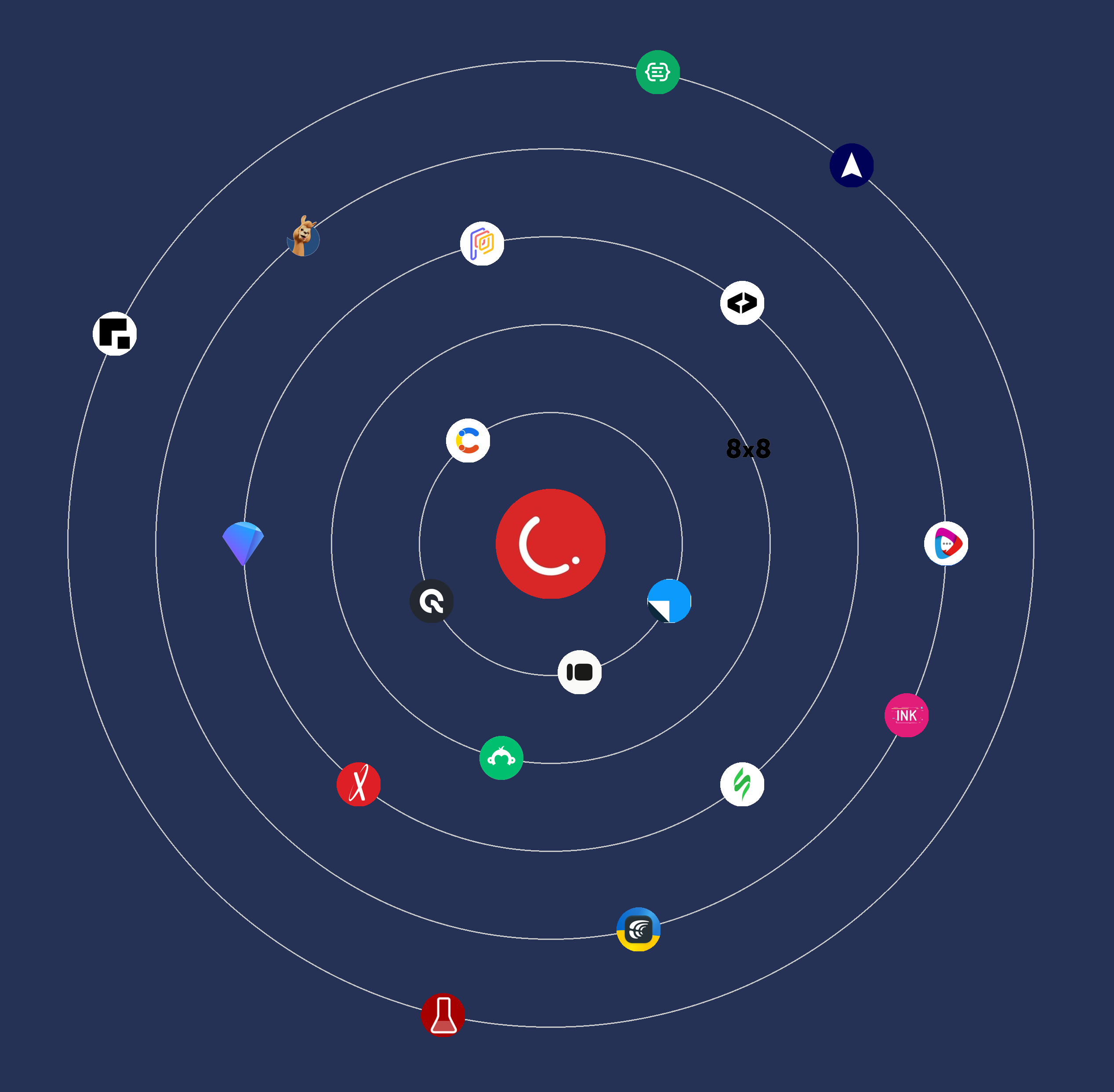
    <p>We’re excited to announce a significant expansion of the CleverTap Partner ecosystem, with over <strong>100+ technology integrations</strong>. These integrations are designed to help you personalize at scale, automate with ease, and deliver seamless omnichannel experiences across every stage of the customer journey.</p>

    <h4>Integration Summary</h4>
<p>Here’s a breakdown of key categories + notable partners to help you get started:</p>
    <ul>
      <li><strong>CRM Integrations</strong> → Leverage customer data with <strong>Leadsquared</strong>.</li>
      <li><strong>Localization</strong> → Deliver region/language-based experiences with <strong>Lokalise</strong>, <strong>Crowdin</strong>.</li>
      <li><strong>Dynamic Content</strong> → Auto-personalize creatives using <strong>Movable Ink</strong>, <strong>Litmus</strong>, <strong>Jasper.ai</strong>, <strong>Rocketium</strong>, <strong>SurveyMonkey</strong>.</li>
      <li><strong>Email Templates Management</strong> → Build emails faster with <strong>Stripo</strong>, <strong>Alpaco</strong>.</li>
      <li><strong>Direct Mail</strong> → Run physical + digital campaigns with <strong>Optilyz</strong>, <strong>Inkit</strong>.</li>
      <li><strong>Contextual Location</strong> → Trigger campaigns based on user location with <strong>Radar</strong>, <strong>Accuweather</strong>.</li>
      <li><strong>Payments</strong> → Power subscriptions & In-App purchases via <strong>Purchasely</strong>, <strong>Qonversion</strong>.</li>
      <li><strong>Workflow Automation</strong> → Automate tasks with <strong>Pipedream</strong>, <strong>SheetsDB</strong>, <strong>SheetLabs</strong>.</li>
    </ul>

    <h4>Value Proposition</h4>
    <ul>
      <li><strong>Expanding Campaign Reach</strong> → Integrate seamlessly with your martech stack.</li>
      <li><strong>Enhancing Personalization</strong> → Dynamically adapt campaigns based on users’ profiles, locations, and preferences.</li>
      <li><strong>Accelerating Time-to-Market</strong> → Leverage ready integrations without dev effort.</li>
    </ul>

    <h4>Availability</h4>
  <p>
  Refer to the 
  <a href="https://docs.clevertap.com/docs/technology-partners" target="_blank" rel="noopener">
    Technology Partners Directory
  </a> 
  to integrate these partners.
</p>
    <p>
      If you cannot find your required partner, submit your request to:
      <a href="mailto:integrations@clevertap.com">integrations@clevertap.com</a>
    </p>
    <div style="text-align: center;">
      <img src="https://files.readme.io/aceb603a9976fde9cfefd1c014780116fcffb6a351545441e13784d21f2353d8-clevertap_solar_system_1.png" alt="Technology Partner Integrations" style="max-width: 100%; height: auto;" />
      <div style="font-size: 14px; color: #555; margin-top: 8px;"><em>Technology Partner Integrations</em></p></div>
      <hr>
    </div>
  </div>
</div>
`}</HTMLBlock>

<HTMLBlock>{`
<div class="release-note article" data-category="analytics" id="Boards-2.0-Smarter-Dashboarding">
  <div class="release-note-header">
    <div class="anchor-link-icon">
      <a href="#Boards-2.0-Smarter-Dashboarding"><i class="fa-light fa-anchor"></i></a>
    </div>
    <div>
      <img src="https://files.readme.io/f57aa9f8ef374b2652d21d86c7251de0e10d2f8661a4828202bcced4cb299d5f-Analytics.svg" class="release-note-heading-icon"/>
    </div>
    <h3 class="release-note-heading">Boards 2.0: Smarter Dashboarding</h3>
    <div class="badge private-beta">PRIVATE BETA</div>
    <div class="badge enhancement">ENHANCEMENT</div>
  </div>
  <div class="release-note-body">
    <p>Boards 2.0 is now available in Private Beta, offering a faster, more flexible way to create dashboards with visuals from <a href="https://staging.docs.user.clevertap.net/docs/trends-v2" target="_blank">Trends 2.0</a> and <a href="https://staging.docs.user.clevertap.net/docs/funnels-v2" target="_blank">Funnels 2.0</a>.</p>
    <p>This revamped experience makes it easier to analyze, compare, and present insights with minimal friction.</p>
    <p>Boards 2.0 includes the following enhancements:</p>
    <ul>
      <li>Pin updated widgets: Trend Charts, Bar Charts, Number Tiles, and Funnels</li>
      <li>Compare data across different time periods</li>
      <li>Edit filters directly on individual charts</li>
      <li>Resize widgets with more layout flexibility</li>
      <li>Improved tooltips for deeper insights</li>
    </ul>
    <p>For more information, refer to <a href="https://docs.clevertap.com/docs/custom-boards-v2" target="_blank">Boards 2.0</a>.</p>
  </div>
  <hr/>
</div>
`}</HTMLBlock>

<HTMLBlock>{`
<div class="release-note article" data-category="campaigns" id="Notification-Failed-Event-for-WhatsApp-Analytics">
  <div class="release-note-header">
    <div class="anchor-link-icon">
      <a href="#Notification-Failed-Event-for-WhatsApp-Analytics"><i class="fa-light fa-anchor"></i></a>
    </div>
    <div><img src="https://files.readme.io/370216d2a5ec47fd419bc47a95762d51295730db345b40f825b3de7115e6e667-Campaigns.svg" alt="Campaigns" /></div>
    <div><h3>Notification Failed Event for WhatsApp Analytics</h3></div>
    <div class="badge new-feature">NEW FEATURE</div>
  </div>
  <div class="release-note-body">
    <p>Announcing a significant enhancement to our WhatsApp Analytics: the <strong>Notification Failed</strong> event that gives you more deeper insights into campaign errors. With this update, CleverTap captures a <em>Notification Failed</em> event, along with the reason for failure, enabling better targeting and resolution.</p>
    <ul>
      <li><strong>Improved Targeting:</strong> Target users through alternate channels when errors occur. For example, if users encounter soft bounce errors, you can re-target them via other channels.</li>
      <li><strong>Error Analysis:</strong> Analyze the root causes of errors to resolve issues and optimize future engagements.</li>
    </ul>
    <p>For more information, refer to <a href="https://docs.clevertap.com/docs/events#:~:text=Notification%20Failed,in%20the%20campaign" target="_blank">Notification Failed Event</a>.</p>
  </div>
  <hr>
</div>
`}</HTMLBlock>

<HTMLBlock>{`
<div class="release-note article" data-category="campaigns" id="App-Functions-for-Push-Primer-and-App-Rating">
  <div class="release-note-header">
    <div class="anchor-link-icon">
      <a href="#App-Functions-for-Push-Primer-and-App-Rating"><i class="fa-light fa-anchor"></i></a>
    </div>
    <div>
		<img src="https://files.readme.io/370216d2a5ec47fd419bc47a95762d51295730db345b40f825b3de7115e6e667-Campaigns.svg" alt="Campaigns" class="release-note-heading-icon"/>
    </div>
    <h3 class="release-note-heading">App Functions for Push Primer and App Rating</h3>
    <div class="badge private-beta">PRIVATE BETA</div>
    <div class="badge new-feature">NEW FEATURE</div>
  </div>
  <div class="release-note-body">
    <p>CleverTap has introduced <strong>App Functions</strong>, a new capability in In-App Campaigns that lets you trigger native system prompts directly from CleverTap.</p>
    <p>This release includes the following two System App Functions:</p>
    <ul>
      <li><strong>Request Push Permission</strong>: Prompt users with the native OS dialog.</li>
      <li> <strong>Request App Rating</strong>: Ask satisfied users to leave an in-app review.</li>
    </ul>
    <p>You can use these as standalone campaigns or as button actions in the Advanced In-app Builder. CleverTap automatically handles targeting logic, including cases where users have previously opted out.</p>
    <p><strong>Availability:</strong><li>Android SDK 7.4.0 and highher</li><li>iOS SDK 7.2.0 and higher</li></p>
    <p>For more information, refer to <a href="https://docs.clevertap.com/docs/app-functions" target="_blank">App Functions</a>.</p>
  </div>
  <hr/>
</div>
`}</HTMLBlock>

<HTMLBlock>{`
<div class="release-note article" data-category="security-project-settings" id="Import-Shopify-Historical-Data-to-CleverTap">
  <div class="release-note-header">
    <div class="anchor-link-icon">
      <a href="#Import-Shopify-Historical-Data-to-CleverTap"><i class="fa-light fa-anchor"></i></a>
    </div>
    <div><img src="https://files.readme.io/01053ed2e833c5e6bb242a86b84f304b7499ff0b0a26f422c3cc846d70530658-Settings.svg" alt="Settings" /></div>
    <div><h3>Import Shopify Historical Data to CleverTap</h3></div>
    <div class="badge new-feature">NEW FEATURE</div>
  </div>
  <div class="release-note-body">
    <p>CleverTap now supports importing historical user and order data from Shopify, making onboarding faster and smarter. Customers integrating via the Shopify Plugin can now upload existing profile and charged event data, eliminating the need to start from scratch.</p><p> With this update, you can:<li>Bring past user and order data into CleverTap from day one</li><li>Use historical data to segment and engage users instantly</li><li>Preserve key events for better analytics and decision-making</li></p>
    <p>For more information, refer to <a href="https://docs.clevertap.com/docs/shopify#import-existing-shopify-data-into-clevertap" target="_blank">Import Existing Shopify Data into CleverTap.</a></p>
  </div>
  <hr>
</div>
`}</HTMLBlock>

<HTMLBlock>{`
<div class="release-note article" data-category="campaigns" id="Marketing-Lite-API-for-WhatsApp-Direct">
  <div class="release-note-header">
    <div class="anchor-link-icon">
      <a href="#Marketing-Lite-API-for-WhatsApp-Direct"><i class="fa-light fa-anchor"></i></a>
    </div>
    <div><img src="https://files.readme.io/370216d2a5ec47fd419bc47a95762d51295730db345b40f825b3de7115e6e667-Campaigns.svg" alt="Campaigns" /></div>
    <div><h3>Marketing Lite API for WhatsApp Direct</h3></div>
    <div class="badge new-feature">NEW FEATURE</div>
  </div>
  <div class="release-note-body">
    <p>Marketing Lite API is now available to all WhatsApp Direct customers, offering a faster, simpler, and more cost-effective way to launch campaigns—especially in light of the new WhatsApp pricing model effective July 1, which charges per message instead of per conversation. This API requires no development effort, supports instant activation, and lets users control how long Meta retries delivery for both marketing and utility messages. Additionally, it offers advanced performance insights—including message reads, link clicks, and conversions—and has shown up to 9% higher delivery rates in India compared to Meta’s Cloud API for high-engagement campaigns. This improvement is driven by adaptive delivery optimization based on user responsiveness, ensuring faster and more reliable message delivery.</p>
    <p>For more information, refer to <a href="https://docs.clevertap.com/docs/whatsapp-marketing-messages-lite-api" target="_blank">Marketing Lite API for WhatsApp Direct.</a></p>
  </div>
  <hr>
</div>
`}</HTMLBlock>

<HTMLBlock>{`
<div class="release-note article" data-category="security-project-settings" id="Branded-Domain-Support-SMS-WhatsApp">
  <div class="release-note-header">
    <div class="anchor-link-icon">
      <a href="#Cart-Recovery-with-the-Enhanced-Shopify-Plugin">
        <i class="fa-light fa-anchor"></i>
      </a>
    </div>
    <div>
      <img src="https://files.readme.io/01053ed2e833c5e6bb242a86b84f304b7499ff0b0a26f422c3cc846d70530658-Settings.svg" alt="Settings" class="release-note-heading-icon"/>
    </div>
    <h3 class="release-note-heading">Cart Recovery with the Enhanced Shopify Plugin</h3>
    <div class="badges">
      <div class="badge enhancement">ENHANCEMENT</div>
    </div>
  </div>

  <div class="release-note-body">
    <p>
      We have rolled out a powerful update to the Shopify Plugin, making abandoned cart recovery faster and easier to set up.
CleverTap now auto-syncs your product catalog and cart data in a structured format using new Catalog Sync and Cart Tracking toggles, requiring no developer work. 
    </p>
    <p>
      With this update, you get:<li><b>Automated Catalog Sync</b>: Keep product data fresh with daily updates.</li><li><b>Smarter Personalization</b>: Use <a href="https://docs.clevertap.com/docs/liquid-tags" target="_blank">Liquid Tags</a> to dynamically insert product information.</li><li><b>Time Savings</b>: Eliminate manual setup and integration hassles.</li><li><b>Higher Conversions</b>: Launch personalized, multi-product cart recovery campaigns that convert.</li>
    </p>
    <p>
      For more information, refer to 
      <a href="https://docs.clevertap.com/docs/shopify#cart-abandonment-use-case" target="_blank">Cart Abandonment Use Case</a>.
    </p>
  </div>
  <hr/>
</div>
`}</HTMLBlock>

<HTMLBlock>{`
<div class="release-note article" data-category="content-manager" id="Reusable-Content-Blocks">
  <div class="release-note-header">
    <div class="anchor-link-icon">
      <a href="#Reusable-Content-Blocks"><i class="fa-light fa-anchor"></i></a>
    </div>
    <div><img src="https://files.readme.io/0ed57ff4730974458d74d2a34ec4cf285aa5e84f59075a6b32550b9d1fd60ae8-Content_Manager.svg" alt="Content Manager" /></div>
    <div><h3>Introducing Reusable Content Blocks for Greater Efficiency</h3></div>
    <div class="badge new-feature">NEW FEATURE</div>
  </div>
  <div class="release-note-body">
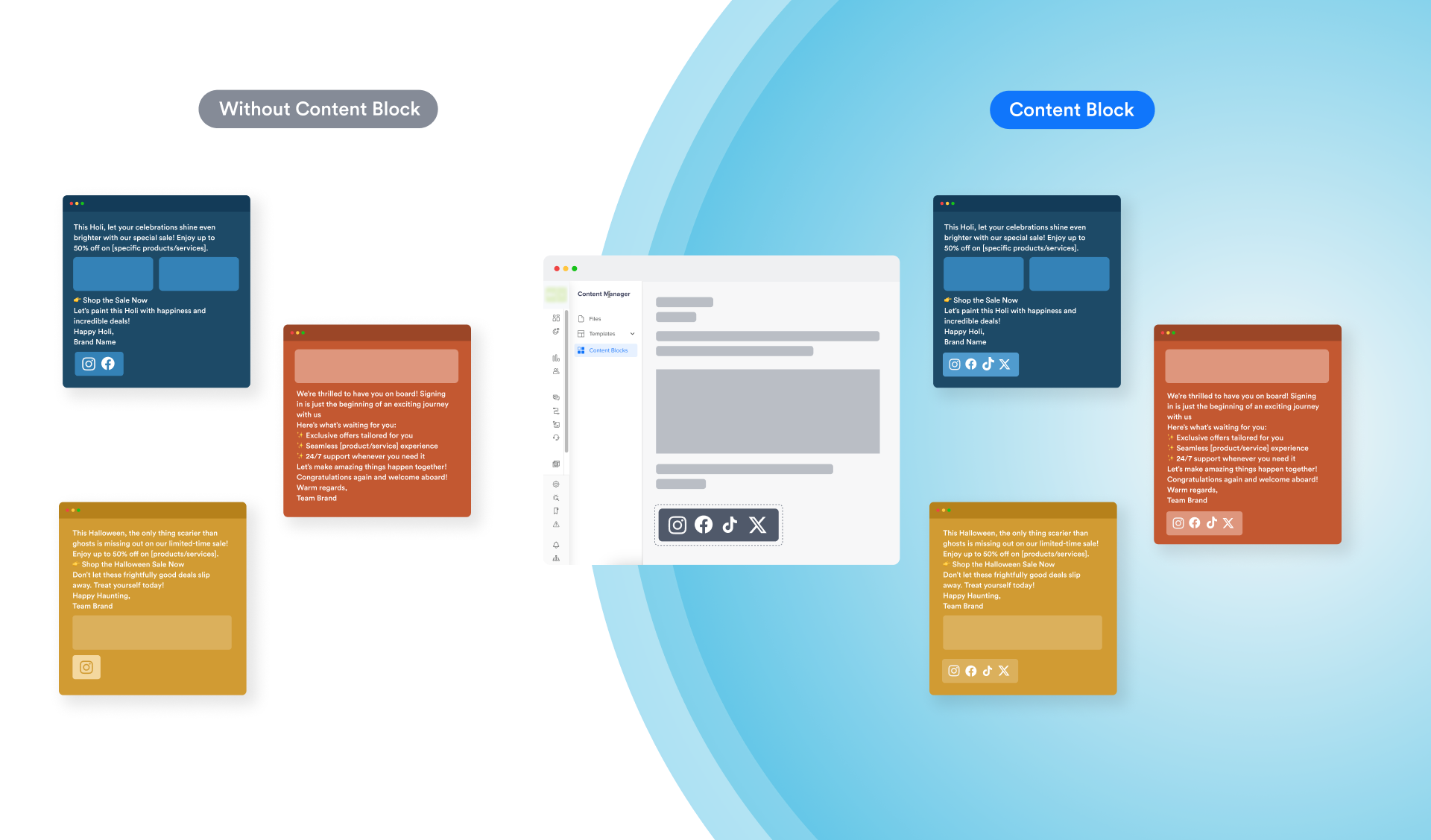
    <p>We are excited to introduce Content Blocks in CleverTap’s Content Manager. Content Blocks are reusable snippets for standardized elements, such as footers, logos, or disclaimers.</p>
  <div style="text-align: center;">
  <img src="https://files.readme.io/686373549b6ac569fd3abb3ab7bafddabdd0b37236d60ce08b551e2a559309e1-image.png" alt="Footer Standardization with Content Blocks" />
  <p class="caption" style="margin-top: 8px;"><em>Footer Standardization with Content Blocks</em></p>
</div>
    <p>These blocks are designed to simplify the reuse of content across email campaigns, saving you valuable time. They help you maintain consistent messaging and standardize your brand communication.</p>
    <p>For more information, refer to <a href="https://docs.clevertap.com/docs/content-blocks" target="_blank">Content Blocks</a> and <a href="https://developer.clevertap.com/docs/content-blocks-api" target="_blank">Content Block APIs</a>.</p>
  </div>
  <hr>
</div>
`}</HTMLBlock>

<HTMLBlock>{`
<div class="release-note article" data-category="campaigns" id="Banner-Ads-InApps">
  <div class="release-note-header">
    <div class="anchor-link-icon">
      <a href="#Banner-Ads-InApps"><i class="fa-light fa-anchor"></i></a>
    </div>
    <div>
      <img src="https://files.readme.io/370216d2a5ec47fd419bc47a95762d51295730db345b40f825b3de7115e6e667-Campaigns.svg" alt="Campaigns" class="release-note-heading-icon"/>
    </div>
    <h3 class="release-note-heading">Banner Ads Support in In-Apps</h3>
    <div class="badge enhancement">ENHANCEMENT</div>
    <div class="badge beta">BETA</div>
  </div>
  <div class="release-note-body">
    <p>You can now create no-code <b>Banner Ads</b> using the Advanced In-App Builder. This non-intrusive format appears as a header or footer in your app without blocking usage.</p>
    <p>For more information, refer to <a href="https://docs.clevertap.com/docs/advanced-in-app-builder#banners" target="_blank">Banners</a>.</p>
  </div>
  <hr/>
</div>
`}</HTMLBlock>

## May

<HTMLBlock>{`
<div class="release-note article" data-category="campaigns" id="Branded-Domain-Support-SMS-WhatsApp">
  <div class="release-note-header">
    <div class="anchor-link-icon">
      <a href="#Branded-Domain-Support-SMS-WhatsApp">
        <i class="fa-light fa-anchor"></i>
      </a>
    </div>
    <div>
      <img src="https://files.readme.io/370216d2a5ec47fd419bc47a95762d51295730db345b40f825b3de7115e6e667-Campaigns.svg" alt="Campaigns" class="release-note-heading-icon"/>
    </div>
    <h3 class="release-note-heading">Branded Domain Support for SMS and WhatsApp Campaigns</h3>
    <div class="badges">
      <div class="badge enhancement">ENHANCEMENT</div>
      <div class="badge private-beta">PRIVATE BETA</div>
    </div>
  </div>

  <div class="release-note-body">
    <p>
      You can now deliver trustworthy, branded short links with real-time click tracking without any effort.
    </p>
    <p>
      CleverTap’s new link-shortening feature lets you create on-brand short URLs inside SMS and WhatsApp campaigns. With each click tracked in real time, you gain visibility into who clicked, when, and from which campaign message. This release also eliminates TRAI compliance overhead by using only whitelisted domains, ensuring seamless delivery across regulated markets.
    </p>
    <p>
      For more information, refer to 
      <a href="https://docs.clevertap.com/docs/branded-domain" target="_blank">Branded Domain</a>.
    </p>
  </div>
  
  <hr/>
</div>
`}</HTMLBlock>

<HTMLBlock>{`
<div class="release-note article" data-category="campaigns" id="Elevate-Your-Marketing-Strategy-with-TikTok-Remarketing">
  <div class="release-note-header">
    <div class="anchor-link-icon">
      <a href="#Elevate-Your-Marketing-Strategy-with-TikTok-Remarketing"><i class="fa-light fa-anchor"></i></a>
    </div>
    <div>
      <img src="https://files.readme.io/370216d2a5ec47fd419bc47a95762d51295730db345b40f825b3de7115e6e667-Campaigns.svg" alt="Campaigns" class="release-note-heading-icon"/>
    </div>
      <h3 class="release-note-heading">Elevate Your Marketing Strategy with TikTok Remarketing</h3>
    <div class="badge new-feature">NEW FEATURE</div>
  </div>
  <div class="release-note-body">
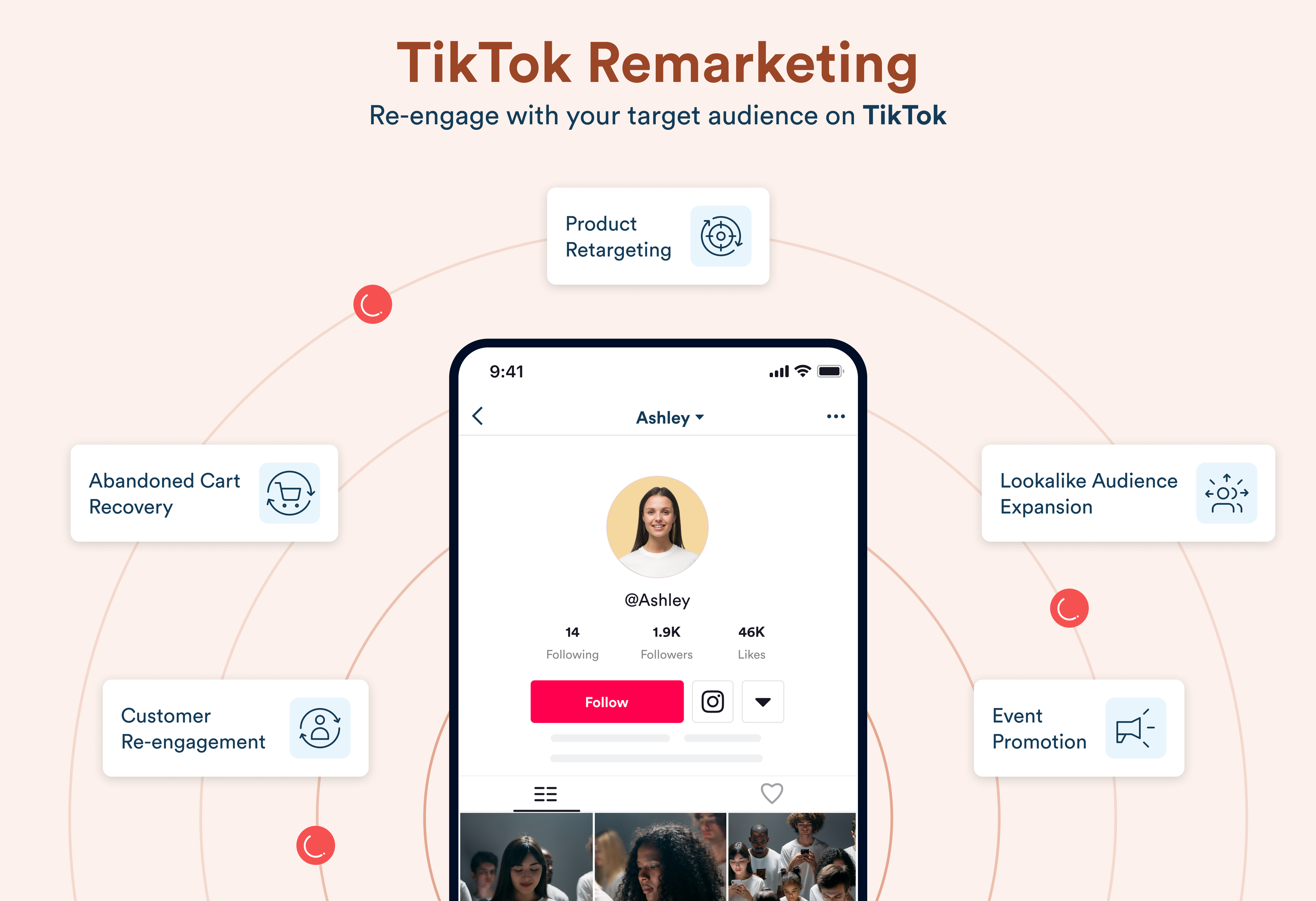
    <p>We are excited to announce that CleverTap now supports TikTok as a remarketing channel. This integration empowers our customers to leverage CleverTap’s powerful segmentation capabilities to upload user data into TikTok Audiences, enabling advanced retargeting campaigns.</p>
   <div style="text-align: center;">
  <img src="https://files.readme.io/8989db3a6e9d984763aac232b75f7cee3e0cf1b269109c2653bf85970623f078-image.png" alt="TikTok Remarketing" />
  <p class="caption" style="margin-top: 8px;"><em>TikTok Remarketing</em></p>
</div>
    <p>Maximize your reach with targeted TikTok ads by:</p>
    <ul>
      <li><strong>Retargeting Campaigns:</strong> Reach users who have previously engaged with your app or website, increasing conversion rates by connecting with them on TikTok, a frequently used platform.</li>
      <li><strong>Abandoned Cart Recovery:</strong> Remind users who abandoned their carts with personalized TikTok ads, encouraging them to complete their purchases.</li>
      <li><strong>Lapsed User Re-engagement:</strong> Reignite interest among users who have not interacted with your app or service recently, capturing their attention through TikTok ads.</li>
      <li><strong>Cross-platform Campaigns:</strong> Boost user engagement by combining TikTok with other channels like Push or Email to create cohesive multi-channel remarketing strategies.</li>
      <li><strong>Lookalike Audience Expansion:</strong> Identify converted user behaviors to create lookalike audiences, targeting potential new customers with similar characteristics.</li>
    </ul>
    <p>For more information, refer to <a href="https://docs.clevertap.com/docs/tiktok-remarketing" target="_blank">TikTok Remarketing</a>.</p>
  </div>
  <hr/>
</div>
`}</HTMLBlock>

<HTMLBlock>{`
<div class="release-note article" data-category="analytics" id="Smarter-Profile-Merging">
  <div class="release-note-header">
    <div class="anchor-link-icon">
      <a href="#Smarter-Profile-Merging"><i class="fa-light fa-anchor"></i></a>
    </div>
    <div>
      <img src="https://files.readme.io/f57aa9f8ef374b2652d21d86c7251de0e10d2f8661a4828202bcced4cb299d5f-Analytics.svg" alt="Analytics" class="release-note-heading-icon"/>
    </div>
    <h3 class="release-note-heading">Smarter Profile Merging for Cross-Device Insights</h3>
    <div class="badge enhancement">ENHANCEMENT</div>
    <div class="badge beta">BETA</div>
  </div>
  <div class="release-note-body">
    <p>We are excited to introduce enhanced Anonymous-to-Identified Profile Merging. This update ensures that anonymous events from secondary devices are seamlessly merged into identified user profiles—giving you a complete view of customer behavior across devices.</p>
    <p>Key benefits of this enhancement:</p>
    <ul>
      <li><strong>Full Event Transfer:</strong> Anonymous events from new or secondary devices are merged into the user’s main profile upon login.</li>
      <li><strong>Segmentation & Funnels:</strong> Merged events are instantly available in segmentation, funnels, and campaigns for end-to-end visibility.</li>
      <li><strong>No Event Limits (Limited Time):</strong> No cap on how many anonymous events can be merged for a limited period.</li>
      <li><strong>Historical Accuracy:</strong> Pre-existing data remains unchanged to ensure consistency.</li>
    </ul>
  </div>
  <hr/>
</div>
`}</HTMLBlock>

## April

<HTMLBlock>{`
<div class="release-note article" data-category="analytics" data-tag="Analytics" id="Bookmarks-in-New-Analytics">
  <div class="release-note-header">
    <div class="anchor-link-icon">
      <a href="#Bookmarks-in-New-Analytics"><i class="fa-light fa-anchor"></i></a>
    </div>
    <div>
      <img src="https://files.readme.io/f57aa9f8ef374b2652d21d86c7251de0e10d2f8661a4828202bcced4cb299d5f-Analytics.svg" alt="Analytics" class="release-note-heading-icon" />
    </div>
    <div>
      <h3 class="release-note-heading">Bookmarks in New Analytics</h3>
    </div>
    <div class="badges">
      <div class="badge enhancement">ENHANCEMENT</div>
      <div class="badge private-beta">PRIVATE BETA</div>
    </div>
  </div>
  <div class="release-note-body">
    <p>We’re excited to introduce the Bookmarks feature across the all-new Analytics pages, including Trends, Funnels, and Flows. This feature lets you save your analysis views with all filters and settings applied, so you can return to them anytime without setting them up again. With editable bookmarks, you can easily refine your insights as your analysis goals evolve.</p>
    
    <p>For more information, refer to
      <a href="https://docs.clevertap.com/docs/flows-v2#bookmark-a-flow-analysis" target="_blank">Bookmarks in Flows</a>, 
      <a href="https://docs.clevertap.com/docs/funnels-v2#bookmark-a-funnel-analysis" target="_blank">Bookmarks in Funnels</a>, and
      <a href="https://docs.clevertap.com/docs/trends-v2#bookmark-a-trend-analysis" target="_blank">Bookmarks in Trends</a>
    </p>
  </div>
  <hr />
</div>
`}</HTMLBlock>

<HTMLBlock>{`
<div class="release-note article" data-category="campaigns" id="Web-Visual-Editor-Personalization">
  <div class="release-note-header">
    <div class="anchor-link-icon">
      <a href="#Web-Visual-Editor-Personalization"><i class="fa-light fa-anchor"></i></a>
    </div>
    <div>
      <img src="https://files.readme.io/370216d2a5ec47fd419bc47a95762d51295730db345b40f825b3de7115e6e667-Campaigns.svg" alt="Campaigns" class="release-note-heading-icon"/>
    </div>
    <h3 class="release-note-heading">Web Visual Editor: More Control, Better Personalization</h3>
    <div class="badges">
      <div class="badge enhancement">ENHANCEMENT</div>
      <div class="badge private-beta">PRIVATE BETA</div>
    </div>
  </div>

  <div class="release-note-body">
    <p>We have rolled out powerful enhancements to the Web Visual Editor, giving marketers greater control to personalize website elements without writing code. Key enhancements include:</p>
    <ul>
      <li><b>Mobile + Desktop Preview:</b> Optimize content for any device with responsive previews.</li>
      <li><b>Inline Editor Selection:</b> Choose how you want to edit page elements, right on the webpage.</li>
      <li><b>Insert & Clone Elements:</b> Easily add or clone sections for more dynamic layouts.</li>
      <li><b>Event & Profile Property Personalization:</b> Use event and profile properties to deliver hyper-personalized experience to users.</li>
      <li><b>Change Logs:</b> Track, undo, or delete changes with full visibility.</li>
    </ul>
    <p>For more information, refer to <a href="https://docs.clevertap.com/docs/advanced-personalization" target="_blank">Advanced Personalization.</a></p>
  </div>
  <hr/>
</div>
`}</HTMLBlock>

<HTMLBlock>{`
<div class="release-note article" data-category="journeys" id="Web-Native-Display-Journeys">
  <div class="release-note-header">
    <div class="anchor-link-icon">
      <a href="#Web-Native-Display-Journeys"><i class="fa-light fa-anchor"></i></a>
    </div>
    <div>
      <img src="https://files.readme.io/51dc269788d03bb7bc0482fbc020414bedd96b6c778ac37b71884095493b93c8-Journeys.svg" alt="Journeys" />
    </div>
    <div><h3>Web Native Display in Journeys</h3></div>
    <div class="badge enhancement">ENHANCEMENT</div>
  </div>
  <div class="release-note-body">
    <p><strong>Web Native Display</strong> is now integrated into Journeys, empowering marketers to deliver personalized omnichannel experiences. Until now, these campaigns ran standalone. With this release, you can re-engage users who drop off before key actions and achieve use cases such as Abandoned Checkouts or Purchase journey drop-offs, by using Web Native Display channel in journeys.</p>
    <p>For more information, refer to <a href="https://docs.clevertap.com/docs/journey-concepts#types-of-engagement-nodes" target="_blank">Types of Engagement Nodes</a>.</p>
  </div>
</div>
`}</HTMLBlock>

<HTMLBlock>{`
<div class="release-note article" data-category="campaigns" id="Reminders-Timely-Personalized-Nudges">
  <div class="release-note-header">
    <div class="anchor-link-icon">
      <a href="#Reminders-Timely-Personalized-Nudges"><i class="fa-light fa-anchor"></i></a>
    </div>
    <div>
      <img src="https://files.readme.io/370216d2a5ec47fd419bc47a95762d51295730db345b40f825b3de7115e6e667-Campaigns.svg" alt="Campaigns" class="release-note-heading-icon"/>
    </div>
    <h3 class="release-note-heading">Reminders – Timely Actions with Personalized Nudges</h3>
    <div class="badges">
      <div class="badge new-feature">NEW FEATURE</div>
    </div>
  </div>

  <div class="release-note-body">
    <p>Introducing <b>Reminders</b>, a powerful feature that helps you boost engagement by sending timely, personalized messages that prompt users to take action before or after important dates. Whether it’s completing a task, meeting a deadline, or returning to the app, Reminders ensure users stay on track, improving productivity, time management, and campaign effectiveness.</p>
    <p>For more information, refer to <a href="https://docs.clevertap.com/docs/reminders" target="_blank">Reminders</a>.</p>
  </div>
  <hr/>
</div>
`}</HTMLBlock>

<HTMLBlock>{`
<div class="release-note article" data-category="campaigns" id="Dynamic-Personalization-for-Linked-Content">
  <div class="release-note-header">
    <div class="anchor-link-icon">
      <a href="#Dynamic-Personalization-for-Linked-Content"><i class="fa-light fa-anchor"></i></a>
    </div>
    <div>
      <img src="https://files.readme.io/370216d2a5ec47fd419bc47a95762d51295730db345b40f825b3de7115e6e667-Campaigns.svg" alt="Campaigns" class="release-note-heading-icon"/>
    </div>
    <h3 class="release-note-heading">Dynamic Personalization for Linked Content</h3>
    <div class="badges">
      <div class="badge enhancement">ENHANCEMENT</div>
      <div class="badge private-beta">PRIVATE BETA</div>
    </div>
  </div>

  <div class="release-note-body">
    <p>We are excited to introduce Dynamic Personalization for Linked Content, which allows you to embed dynamic user data directly within your linked content responses. This removes the need for extra configuration or custom formatting, letting you deliver highly personalized content with minimal effort.</p>

    <ul>
      <li><b>Inline Personalization:</b> Personalization attributes are now supported directly in the linked content response, enabling customization at runtime.</li>
      <li><b>Localization:</b> Combine with external translation platforms to automatically serve content in the user’s preferred language without needing extra logic.</li>
    </ul>

    <p>For more information, refer to <a href="https://docs.clevertap.com/docs/linked-content#using-personalization-in-linked-content-response" target="_blank">Using Personalization in Linked Content Response</a>.</p>
  </div>
  <hr/>
</div>
`}</HTMLBlock>

<HTMLBlock>{`
<div class="release-note article" data-category="campaigns" id="Email-Click-Heatmap">
  <div class="release-note-header">
    <div class="anchor-link-icon">
      <a href="#Email-Click-Heatmap"><i class="fa-light fa-anchor"></i></a>
    </div>
    <div>
      <img src="https://files.readme.io/370216d2a5ec47fd419bc47a95762d51295730db345b40f825b3de7115e6e667-Campaigns.svg" alt="Campaigns" class="release-note-heading-icon"/>
    </div>
    <h3 class="release-note-heading">Email Click Heatmap</h3>
    <div class="badges">
      <div class="badge new-feature">NEW FEATURE</div>
      <div class="badge beta">BETA</div>
    </div>
  </div>
  <div class="release-note-body">
    <p>We are excited to introduce <b>Click Heatmap</b>, an advanced visual tool that maps user engagement onto your email layout, enabling you to see precisely which links and CTAs receive the most interaction within the actual design.</p>
    <p>This enhancement helps you instantly identify high-performing CTAs, understand link-level performance with unique and total clicks, and optimize content placement with color-coded insights.</p>
    <p>The heatmap supports multivariate and AMP/HTML campaigns, allowing you to compare engagement across versions using a simple dropdown.</p>
    <p>For more information, refer to <a href="https://docs.clevertap.com/docs/email-campaign-stats-heatmap#click-map" target="_blank">Click Heatmap</a>.</p>
  </div>
  <hr/>
</div>
`}</HTMLBlock>

<HTMLBlock>{`
<div class="release-note article" data-category="campaigns" id="Unique-Email-Engagement-Stats">
  <div class="release-note-header">
    <div class="anchor-link-icon">
      <a href="#Unique-Email-Engagement-Stats"><i class="fa-light fa-anchor"></i></a>
    </div>
    <div>
      <img src="https://files.readme.io/370216d2a5ec47fd419bc47a95762d51295730db345b40f825b3de7115e6e667-Campaigns.svg" alt="Campaigns"/>
    </div>
    <h3 class="release-note-heading">Unique Email Engagement Stats</h3>
    <div class="badges">
      <div class="badge enhancement">ENHANCEMENT</div>
      <div class="badge beta">BETA</div>
    </div>
  </div>
  <div class="release-note-body">
    <p>We are excited to introduce <b>Unique Email Engagement Stats</b>. This enhancement allows you to switch from <i>Total</i> to <i>Unique</i> metrics in your email campaign stats, helping you track campaigns more precisely and accurately.</p>
    <p>By tracking unique metrics like opens or clicks, marketers can measure how many individual users engaged with an email, eliminating duplicates and providing a clearer view of audience engagement.</p>
    <p>With this enhancement, you can now track <b>Unique Sent, Delivered, Views, Clicks, and CTR</b>, enabling deeper insights and more personalized strategies.</p>
    <p>For more information, refer to <a href="https://docs.clevertap.com/docs/email-campaign-stats-uniquestats" target="_blank">Email Campaign Stats</a> and <a href="https://docs.clevertap.com/docs/campaign-reports" target="_blank">Campaign Reports</a>.</p>
  </div>
  <hr/>
</div>
`}</HTMLBlock>

<HTMLBlock>{`
<div class="release-note article" data-category="campaigns" id="RCS-Business-Messaging-on-CleverTap">
  <div class="release-note-header">
    <div class="anchor-link-icon">
      <a href="#RCS-Business-Messaging-on-CleverTap"><i class="fa-light fa-anchor"></i></a>
    </div>
    <div>
      <img src="https://files.readme.io/370216d2a5ec47fd419bc47a95762d51295730db345b40f825b3de7115e6e667-Campaigns.svg" alt="Campaigns"/>
    </div>
    <h3 class="release-note-heading">RCS Business Messaging on CleverTap</h3>
    <div class="badges">
      <div class="badge enhancement">ENHANCEMENT</div>
      <div class="badge beta">BETA</div>
    </div>
  </div>
  <div class="release-note-body">
    <p>We are excited to launch <b>RCS Business Messaging</b> for customers in India. This feature enables brands to deliver rich, interactive, and two-way messaging experiences directly via the native messaging app on Android.</p>
    <p>
    <div style="text-align: center;">
  	<img src="https://files.readme.io/ba3510d2df54555813c3530132e9a966f43c6542351932a24034f60d90f87e81-RCS_Graphic.png" alt="RCS Business Messaging on CleverTap" />
  <p class="caption" style="margin-top: 8px;"><em>RCS Business Messaging</em></p>
</div>
    <p>For more information, refer to <a href="https://docs.clevertap.com/docs/rcs" target="_blank">RCS</a>.</p>
  </div>
  <hr/>
</div>
`}</HTMLBlock>

<HTMLBlock>{`
<div class="release-note article" data-category="segments" id="Segment-Prioritization-Drag-Drop">
  <div class="release-note-header">
    <div class="anchor-link-icon">
      <a href="#Segment-Prioritization-Drag-Drop"><i class="fa-light fa-anchor"></i></a>
    </div>
    <div>
      <img src="https://files.readme.io/04fe24c1114cef41af4a4e0224cab88f5be4c31160eca491d67942c689cb79c0-Segmentation.svg" alt="Segments"/>
    </div>
    <h3 class="release-note-heading">Segment Prioritization Now Supports Drag-and-Drop</h3>
    <div class="badges">
      <div class="badge enhancement">ENHANCEMENT</div>
      <div class="badge beta">BETA</div>
    </div>
  </div>
  <div class="release-note-body">
    <p>You can now <b>drag and drop segments</b> to reorder user segments from the CleverTap dashboard and define their priority. This ensures that users always see the most relevant variable value when they qualify for multiple segments.</p>
    <p>For more details, refer to <a href="https://docs.clevertap.com/docs/remote-config" target="_blank">Remote Config</a>.</p>
  </div>
  <hr/>
</div>
`}</HTMLBlock>

<HTMLBlock>{`
<div class="release-note article" data-category="segments" id="NextGen-Segment-Builder">
  <div class="release-note-header">
    <div class="anchor-link-icon">
      <a href="#NextGen-Segment-Builder"><i class="fa-light fa-anchor"></i></a>
    </div>
    <div>
      <img src="https://files.readme.io/04fe24c1114cef41af4a4e0224cab88f5be4c31160eca491d67942c689cb79c0-Segmentation.svg" alt="Segments"/>
    </div>
    <h3 class="release-note-heading">NextGen Segment Builder – Smarter, More Flexible Segmentation</h3>
    <div class="badges">
      <div class="badge enhancement">ENHANCEMENT</div>
      <div class="badge beta">BETA</div>
    </div>
  </div>
  <div class="release-note-body">
    <p>We are excited to launch the <b>NextGen Segment Builder</b>. This powerful update brings unmatched flexibility to segmentation, allowing marketers to craft highly personalized user segments with ease.</p>
    <p>With this enhancement, you can combine rules and groups of rules with <b>AND/OR</b> operators, customize logic across events, behaviors, and properties, use <b>User Buckets</b>, add <b>Multi-Triggers</b> to Live Segments, and easily <b>Clone</b> and <b>Bulk Delete</b> segments.</p>
    <p>For more information, refer to <a href="https://docs.clevertap.com/docs/segmentation" target="_blank">NextGen Segment Builder</a>.</p>
  </div>
  <hr/>
</div>
`}</HTMLBlock>

## March

<HTMLBlock>{`
<div class="release-note article" data-category="campaigns" id="iOS-iPadOS-WebPush-Safari">
  <div class="release-note-header">
    <div class="anchor-link-icon">
      <a href="#iOS-iPadOS-WebPush-Safari"><i class="fa-light fa-anchor"></i></a>
    </div>
    <div>
      <img src="https://files.readme.io/370216d2a5ec47fd419bc47a95762d51295730db345b40f825b3de7115e6e667-Campaigns.svg" alt="Campaigns" />
    </div>
    <h3 class="release-note-heading">Reach iOS and iPadOS Users with Web Push on Safari</h3>
    <div class="badge new-feature">NEW FEATURE</div>
  </div>
  <div class="release-note-body">
    <p>Web Push is now fully supported on iOS and iPadOS Safari, powered by VAPID integration. You can now re-engage high-value Apple users with timely, personalized push notifications without needing an app.</p>
    <p>For more information, refer to <a href="https://developer.clevertap.com/docs/web-push#iosipados-web-push-configurations" target="_blank">iOS/iPadOS Web Push Configurations</a>.</p>
  </div>
  <hr/>
</div>
`}</HTMLBlock>

<HTMLBlock>{`
<div class="release-note article" data-category="campaigns" id="WebPush-SoftPrompt-BellIcon">
  <div class="release-note-header">
    <div class="anchor-link-icon">
      <a href="#WebPush-SoftPrompt-BellIcon"><i class="fa-light fa-anchor"></i></a>
    </div>
    <div>
      <img src="https://files.readme.io/370216d2a5ec47fd419bc47a95762d51295730db345b40f825b3de7115e6e667-Campaigns.svg" alt="Campaigns" />
    </div>
    <h3 class="release-note-heading">Web Push Soft Prompt Customization and New Bell Icon Prompt</h3>
    <div class="badge new-feature">NEW FEATURE</div>
  </div>
  <div class="release-note-body">
    <p>Introducing two major enhancements to <b>Web Push Soft Prompts</b>. You can now customize the web soft prompt to match your brand’s tone and look. You can also add a <b>Bell Icon</b> to your website, giving users a persistent, convenient way to subscribe to web push notifications anytime.</p>
    <p>These updates offer greater flexibility and boost user opt-in rates for push notifications.</p>
    <p>For more information, refer to <a href="https://docs.clevertap.com/docs/setup-web-push#soft-prompt" target="_blank">Soft Prompt</a>.</p>
  </div>
  <hr/>
</div>
`}</HTMLBlock>

<HTMLBlock>{`
<div class="release-note article" data-category="campaigns" id="Event-Personalization-24H-Live-Campaigns">
  <div class="release-note-header">
    <div class="anchor-link-icon">
      <a href="#Event-Personalization-24H-Live-Campaigns"><i class="fa-light fa-anchor"></i></a>
    </div>
    <div>
      <img src="https://files.readme.io/370216d2a5ec47fd419bc47a95762d51295730db345b40f825b3de7115e6e667-Campaigns.svg" alt="Campaigns" />
    </div>
    <h3 class="release-note-heading">Event Personalization Beyond 24 Hours for Live Behavior Campaigns</h3>
    <div class="badge enhancement">ENHANCEMENT</div>
  </div>
  <div class="release-note-body">
    <p>You can now apply Event Personalization to <i>Live Action</i> and <i>Date time</i> campaigns with a delay of more than 24 hours. You can create highly personalized push campaigns based on event properties to create custom-tailored notifications, driving better targeting and relevance.</p>
    <p>It also extends the reach of event-triggered communications hours to increase engagement rates and conversions.</p>
    <p>For example, streaming applications can now engage users with personalized messages, even days after their last session, ensuring continued engagement.</p>
    <p>For more information, refer to <a href="https://docs.clevertap.com/docs/create-message-push" target="_blank">Create Push Notification</a>.</p>
  </div>
  <hr/>
</div>
`}</HTMLBlock>

## February

<HTMLBlock>{`
<div class="release-note article" data-category="analytics" id="Flows-2.0">
  <div class="release-note-header">
    <div class="anchor-link-icon">
      <a href="#Flows-2.0"><i class="fa-light fa-anchor"></i></a>
    </div>
    <div>
      <img src="https://files.readme.io/f57aa9f8ef374b2652d21d86c7251de0e10d2f8661a4828202bcced4cb299d5f-Analytics.svg" alt="Analytics" />
    </div>
    <div>
      <h3>Flows 2.0</h3>
    </div>
    <div class="badge enhancement">ENHANCEMENT</div>
    <div class="badge private-beta">PRIVATE BETA</div>
  </div>

  <div class="release-note-body">
    <p>
      We are excited to introduce the new <b>Flows</b>. The enhanced Flows experience enables you to visualize all user paths from a selected event, making the analysis faster, more intuitive, and more comprehensive.
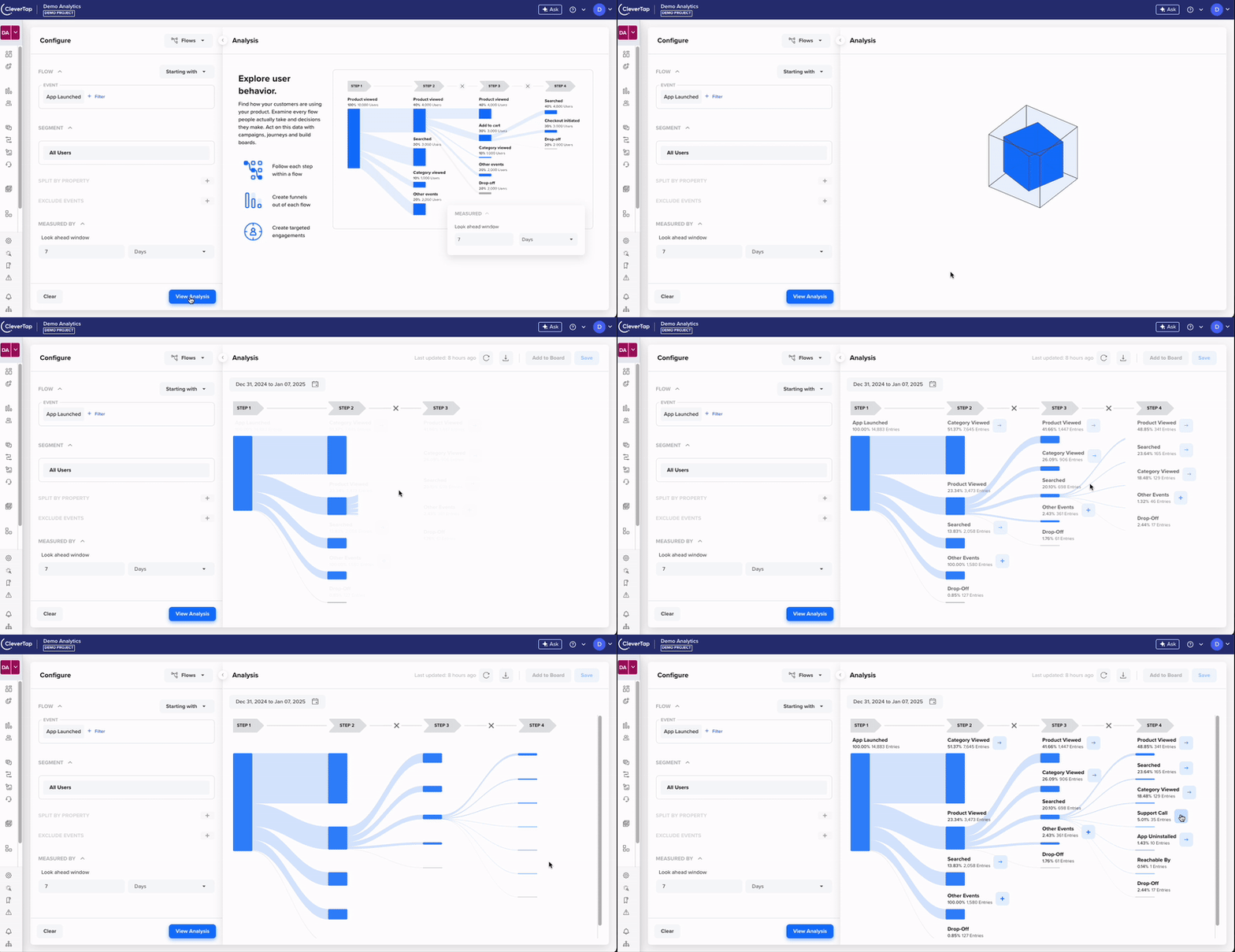
    </p>
    <div style="text-align: center;">
  <img src="https://files.readme.io/233f86e9210bd94d1fb8f3eab939963e27f5cbc3462f3d56c35dc08b84a201b9-Flows_1.gif" alt="Flows 2.0 UI" />
  <p class="caption" style="margin-top: 8px;"><em>Flows 2.0</em></p>
</div>
    <p>
      For more information, refer to
      <a href="https://docs.clevertap.com/docs/flows-v2" target="_blank">Flows 2.0</a>.
    </p>
  </div>
  <hr>
</div>
`}</HTMLBlock>

<HTMLBlock>{`
<div class="release-note article" data-category="campaigns" id="Reminders-Timely-Actions">
  <div class="release-note-header">
    <div class="anchor-link-icon">
      <a href="#Reminders-Timely-Actions"><i class="fa-light fa-anchor"></i></a>
    </div>
    <div>
      <img src="https://files.readme.io/370216d2a5ec47fd419bc47a95762d51295730db345b40f825b3de7115e6e667-Campaigns.svg" alt="Campaigns" />
    </div>
    <div>
      <h3>Reminders – Timely Actions with Personalized Nudges</h3>
    </div>
    <div class="badge new-feature">NEW FEATURE</div>
    <div class="badge private-beta">PRIVATE BETA</div>
  </div>

  <div class="release-note-body">
    <p>Introducing <b>Reminders</b>, a powerful feature that helps you boost engagement by sending timely, personalized messages that prompt users to take action before or after important dates. Whether it’s completing a task, meeting a deadline, or returning to the app, Reminders ensure users stay on track, improving productivity, time management, and campaign effectiveness.</p>
    <p>For more information, refer to <a href="https://docs.clevertap.com/docs/reminders" target="_blank">Reminders</a>.</p>
  </div>
  <hr>
</div>
`}</HTMLBlock>

<HTMLBlock>{`
<div class="release-note article" data-category="content-manager" id="Organize-Content-Manager">
  <div class="release-note-header">
    <div class="anchor-link-icon">
      <a href="#Organize-Content-Manager"><i class="fa-light fa-anchor"></i></a>
    </div>
    <div>
      <img src="https://files.readme.io/0ed57ff4730974458d74d2a34ec4cf285aa5e84f59075a6b32550b9d1fd60ae8-Content_Manager.svg" alt="Content Manager" />
    </div>
    <div><h3>Organize Content with Content Manager</h3></div>
    <div class="badge new-feature">NEW FEATURE</div>
  </div>
  <div class="release-note-body">
    <p><strong>Content Manager</strong> is now available on the CleverTap dashboard. This powerful new feature enables you to efficiently manage and organize all your digital content, including media files, folders, and email templates, within a single, centralized location.</p>
    <p>For more information, refer to <a href="https://docs.clevertap.com/docs/content-manager" target="_blank">Content Manager</a>.</p>
  </div>
  <hr>
</div>
`}</HTMLBlock>

<HTMLBlock>{`
<div class="release-note article" data-category="campaigns" id="Group-Campaign-Reports-Tags">
  <div class="release-note-header">
    <div class="anchor-link-icon">
      <a href="#Group-Campaign-Reports-Tags"><i class="fa-light fa-anchor"></i></a>
    </div>
    <div>
      <img src="https://files.readme.io/370216d2a5ec47fd419bc47a95762d51295730db345b40f825b3de7115e6e667-Campaigns.svg" alt="Campaigns" />
    </div>
    <div><h3>Group Campaign Reports by Tags for Deeper Insights</h3></div>
    <div class="badge enhancement">ENHANCEMENT</div>
  </div>
  <div class="release-note-body">
    <p>CleverTap now provides Tag Group-wise campaign reports. This is available for Push, Web Push, Email, SMS, and WhatsApp campaigns sent via the <em>Target Users by Identity</em> API. With this enhancement, you can:</p>
    <ul>
      <li>Get granular insights with reports broken down by tag groups.</li>
      <li>Optimize campaign strategies by identifying high-performing tag groups.</li>
    </ul>
    <p>As a result, you can analyze and refine your messaging strategies effectively. For more information, see <a href="https://docs.clevertap.com/docs/campaign-reports#subscribe-to-reports" target="_blank">Subscribe to Reports</a>.</p>
  </div>
  <hr>
</div>
`}</HTMLBlock>

<HTMLBlock>{`
<div class="release-note article" data-category="campaigns" id="Message-Archiving-Multi-Cloud">
  <div class="release-note-header">
    <div class="anchor-link-icon">
      <a href="#Message-Archiving-Multi-Cloud"><i class="fa-light fa-anchor"></i></a>
    </div>
    <div><img src="https://files.readme.io/370216d2a5ec47fd419bc47a95762d51295730db345b40f825b3de7115e6e667-Campaigns.svg" alt="Campaigns" /></div>
    <div><h3>Message Archiving with Multi-Cloud Support</h3></div>
    <div class="badge new-feature">NEW FEATURE</div>
  </div>
  <div class="release-note-body">
    <p>The Message Archiving feature now fully supports <strong>Google Cloud Platform (GCP)</strong>, <strong>Azure Blob</strong>, and <strong>AWS S3 buckets</strong>. Customers can store copies of outgoing messages across various channels in real time. This allows seamless integration with multiple cloud storage platforms, offering flexibility and improved data management.</p>
    <ul>
      <li><strong>Google Cloud Platform (GCP) Bucket:</strong> Archive outgoing messages directly to your GCP bucket in real time.</li>
      <li><strong>Azure Blob:</strong> Effortlessly store message copies in Azure Blob storage.</li>
      <li><strong>AWS S3 Bucket:</strong> Store message archives reliably in your AWS S3 bucket.</li>
    </ul>
    <div style="text-align: center;">
  <img src="https://files.readme.io/e4b66d18ba25fdd9c90ef6497e34617a6c55a36340d8f5793cd037326bdaaf69-Message_Archiving_with_Multi-Cloud_Support_New_Feature.jpg" alt="Message Archiving with Multi-Cloud Support" />
  <p class="caption" style="margin-top: 8px;"><em>Message Archiving with Multi-Cloud Support</em></p>
</div>
    <p>This feature is available as a paid add-on. For more details, refer to <a href="https://docs.clevertap.com/docs/message-archiving" target="_blank">Message Archiving</a>.</p>
  </div>
  <hr>
</div>
`}</HTMLBlock>

<HTMLBlock>{`
<div class="release-note article" data-category="campaigns" id="Email-Delivery-Tracking">
  <div class="release-note-header">
    <div class="anchor-link-icon">
      <a href="#Email-Delivery-Tracking"><i class="fa-light fa-anchor"></i></a>
    </div>
    <div><img src="https://files.readme.io/370216d2a5ec47fd419bc47a95762d51295730db345b40f825b3de7115e6e667-Campaigns.svg" alt="Campaigns" /></div>
    <div><h3>Email Delivery Tracking: Enhanced Campaign Insights</h3></div>
    <div class="badge enhancement">ENHANCEMENT</div>
    <div class="badge private-beta">PRIVATE BETA</div>
  </div>
  <div class="release-note-body">
    <p>
      CleverTap now offers Email Delivery Tracking, providing deeper visibility into campaign performance beyond just sent emails.
      With this enhancement, you can now track actual deliveries to users' inboxes, measure delivery rates, analyze engagement based on delivered emails,
      and gain insights into errors affecting end user delivery. This feature is currently in Private Beta for customers using SendGrid and Infobip (Advanced Email) providers.
    </p>
    <p>For more details, refer to <a href="https://docs.clevertap.com/docs/email-campaign-stats-delivered" target="_blank">Campaign Stats</a> and <a href="https://docs.clevertap.com/docs/email-provider-operations-delivered#view-provider-stats" target="_blank">Provider Stats</a>.</p>
  </div>
  <hr>
</div>
`}</HTMLBlock>

<HTMLBlock>{`
<div class="release-note article" data-category="campaigns" id="Emoji-Support-Web-Push">
  <div class="release-note-header">
    <div class="anchor-link-icon">
      <a href="#Emoji-Support-Web-Push"><i class="fa-light fa-anchor"></i></a>
    </div>
    <div><img src="https://files.readme.io/370216d2a5ec47fd419bc47a95762d51295730db345b40f825b3de7115e6e667-Campaigns.svg" alt="Campaigns" /></div>
    <div><h3>Emoji Support for Web Push Notification</h3></div>
    <div class="badge enhancement">ENHANCEMENT</div>
  </div>
  <div class="release-note-body">
    <p>
      You can now personalize your notifications and make them fun by adding emojis in the improved Web Push Editor.
      All message customization options, such as Scribe, Personalization, and Emojis, are accessible below the text fields,
      making it easier to create engaging notifications.
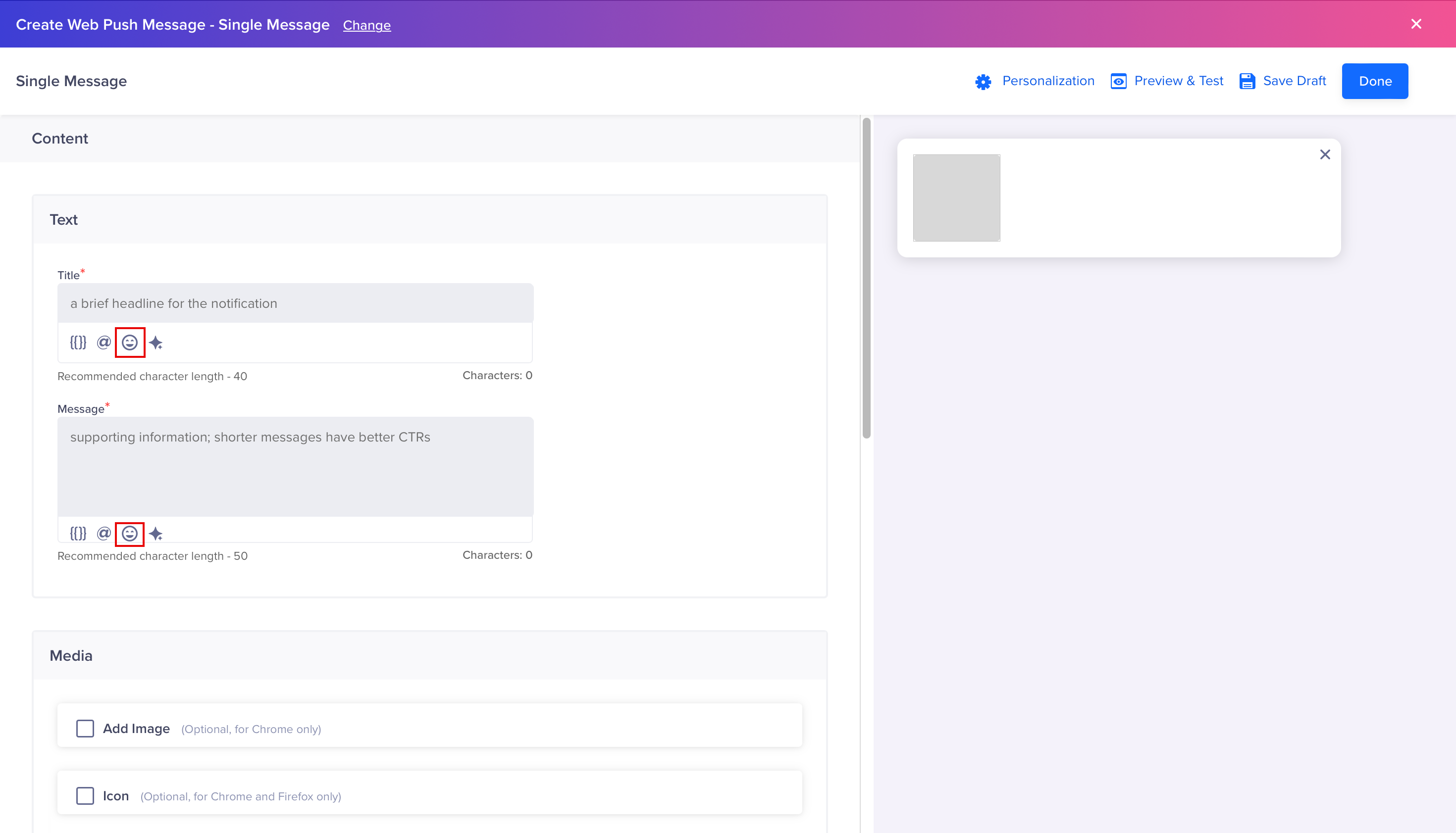
    </p>
    <div style="text-align: center;">
  <img src="https://files.readme.io/d6d84e856b1b3fbbb667311ee22af4a6f8cea0fef43525fed5f35a416cee59da-image.png" alt="Emoji-enabled Web Push UI" />
  <p class="caption" style="margin-top: 8px;"><em>Emoji Support for Web Push Notification</em></p>
</div>
    <p>For more information, refer to <a href="https://docs.clevertap.com/docs/create-message-web-push#web-push-editor" target="_blank">Web Push Editor</a>.</p>
  </div>
  <hr>
</div>
`}</HTMLBlock>

<HTMLBlock>{`
<div class="release-note article" data-category="campaigns" id="Scribe-Web-Push">
  <div class="release-note-header">
    <div class="anchor-link-icon">
      <a href="#Scribe-Web-Push"><i class="fa-light fa-anchor"></i></a>
    </div>
    <div><img src="https://files.readme.io/370216d2a5ec47fd419bc47a95762d51295730db345b40f825b3de7115e6e667-Campaigns.svg" alt="Campaigns" /></div>
    <div><h3>Scribe for Web Push: Emotionally Intelligent Campaigns Made Easy</h3></div>
    <div class="badge enhancement">ENHANCEMENT</div>
  </div>
  <div class="release-note-body">
    <p>
      Scribe for CleverTap Web Push is here to transform your campaign messaging.
      With Scribe, you can easily and quickly create emotionally resonant web push messages.
      You can also analyze and refine their tone to better connect with your audience and test multiple variations to maximize campaign effectiveness.
      This feature is now available to all customers with access to Scribe as part of their Billing Plan.
    </p>
    <p>For more information, refer to <a href="https://docs.clevertap.com/docs/scribe#create-a-web-push-notification-using-scribe" target="_blank">Scribe</a>.</p>
  </div>
  <hr>
</div>
`}</HTMLBlock>

<HTMLBlock>{`
<div class="release-note article" data-category="journeys" id="Unsaved-Changes-Journey-Canvas">
  <div class="release-note-header">
    <div class="anchor-link-icon">
      <a href="#Unsaved-Changes-Journey-Canvas"><i class="fa-light fa-anchor"></i></a>
    </div>
    <div><img src="https://files.readme.io/51dc269788d03bb7bc0482fbc020414bedd96b6c778ac37b71884095493b93c8-Journeys.svg" alt="Journeys" /></div>
    <div><h3>Prevent Accidental Data Loss with Unsaved Changes Prompt on Journey Canvas</h3></div>
    <div class="badge enhancement">ENHANCEMENT</div>
  </div>
  <div class="release-note-body">
    <p>
      We have introduced an <strong>"Unsaved Changes"</strong> prompt to help prevent accidental loss of work on the Journey canvas.
      This feature ensures that users are alerted before navigating away without saving changes. Also, it reduces the risk of unintentional data loss.
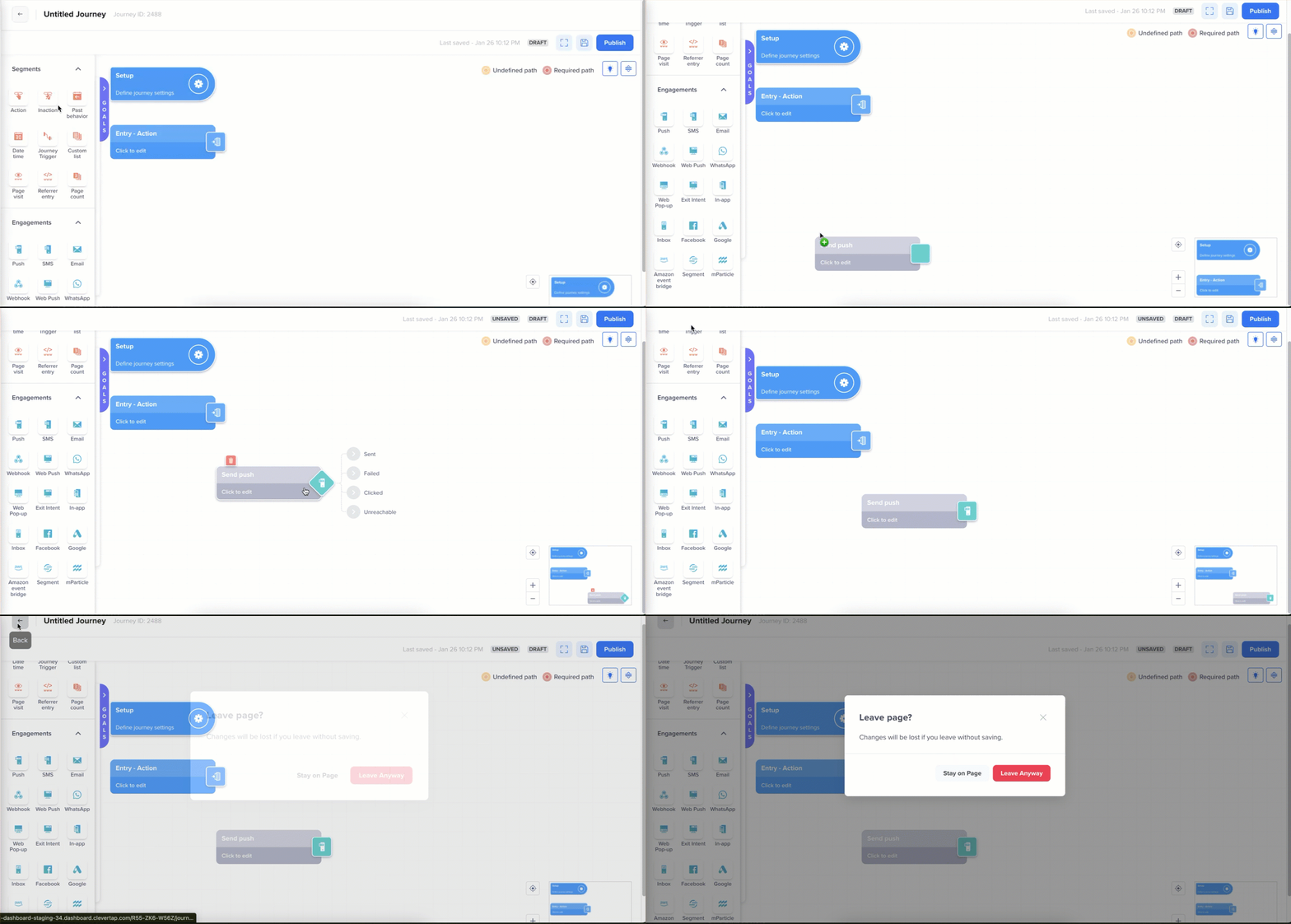
    </p>
    <div style="text-align: center;">
  <img src="https://files.readme.io/23aaaad32d048a865e65b4bb6c55e2da4f44f37421f3bc26b26c23123142e809-Unsaved_Changes_Prompt-20250206-131047.gif" alt="Save Changes" />
  <p class="caption" style="margin-top: 8px;"><em>Save Changes</em></p>
</div>
    <p>For more details, refer to <a href="https://docs.clevertap.com/docs/journey-states#draft-state" target="_blank">Draft State</a>.</p>
  </div>
  <hr>
</div>
`}</HTMLBlock>

<HTMLBlock>{`
<div class="release-note article" data-category="journeys" id="Journey-List-Columns">
  <div class="release-note-header">
    <div class="anchor-link-icon">
      <a href="#Journey-List-Columns"><i class="fa-light fa-anchor"></i></a>
    </div>
    <div><img src="https://files.readme.io/51dc269788d03bb7bc0482fbc020414bedd96b6c778ac37b71884095493b93c8-Journeys.svg" alt="Journeys" /></div>
    <div><h3>Addition of New Columns on the Journey List Page</h3></div>
    <div class="badge enhancement">ENHANCEMENT</div>
  </div>
  <div class="release-note-body">
    <p>We have added new columns to the Journey List page: <em>Created By</em>, <em>Created On</em>, <em>Published By</em>, and <em>Published On</em>. These additions provide users with more comprehensive information at a glance.</p>
    <p>This simplifies tracking and auditing of journeys, allowing for better collaboration and visibility across teams and various roles using the CleverTap dashboard for publishing Journeys.</p>
    <p>For more details, refer to <a href="https://docs.clevertap.com/docs/journeys-list" target="_blank">Journey List</a>.</p>
  </div>
  <hr>
</div>
`}</HTMLBlock>

<HTMLBlock>{`
<div class="release-note article" data-category="journeys" id="Journey-Description">
  <div class="release-note-header">
    <div class="anchor-link-icon">
      <a href="#Journey-Description"><i class="fa-light fa-anchor"></i></a>
    </div>
    <div><img src="https://files.readme.io/51dc269788d03bb7bc0482fbc020414bedd96b6c778ac37b71884095493b93c8-Journeys.svg" alt="Journeys" /></div>
    <div><h3>Adding Descriptions for Journey</h3></div>
    <div class="badge enhancement">ENHANCEMENT</div>
    <div class="badge private-beta">PRIVATE BETA</div>
  </div>
  <div class="release-note-body">
    <p>We are excited to announce that you can now add a description or summary while publishing a journey. This new feature allows you to provide additional context and insights to your internal users.</p>
    <div style="text-align: center;">
  <img src="https://files.readme.io/ca82e80342401ea4b991fee118fd63bb122ce9f4e03e485833d9520568599b71-Add_Journey_Description-20250206-155958.gif" alt="Add Journey Description" />
  <p class="caption" style="margin-top: 8px;"><em>Add Journey Description</em></p>
</div>
    <p>You can update this description only when editing the published journey.</p>
    <p>For more information, refer to <a href="https://docs.clevertap.com/docs/add-a-journey-description#publish-journeys" target="_blank">Publish Journeys</a>.</p>
  </div>
  <hr>
</div>
`}</HTMLBlock>

## January

<HTMLBlock>{`
<div class="release-note article" data-category="campaigns" id="Email-Add-on-Essentials">
  <div class="release-note-header">
    <div class="anchor-link-icon">
      <a href="#Email-Add-on-Essentials"><i class="fa-light fa-anchor"></i></a>
    </div>
    <div><img src="https://files.readme.io/370216d2a5ec47fd419bc47a95762d51295730db345b40f825b3de7115e6e667-Campaigns.svg" alt="Campaigns" /></div>
    <div><h3>Email Add-on for CleverTap Essentials Plan</h3></div>
    <div class="badge new-feature">NEW FEATURE</div>
  </div>
  <div class="release-note-body">
    <p>The Email Add-on is now available with the CleverTap Essentials Plan. With this add-on, you can use CleverTap as your Email Service Provider (ESP), eliminating the need for third-party integrations.</p>
    <p>To enable the Email add-on from the CleverTap dashboard, purchase the add-on, set up your email preferences, and warm up your dedicated IP to ensure the best possible deliverability.</p>
    <div style="text-align: center;">
  <img src="https://files.readme.io/fdf055c4de60720e01da16e73a883ac275845e8884b53a8f46ac757370e3da03-image.png" alt="Email Add-on for CleverTap Essentials Plan" />
  <p class="caption" style="margin-top: 8px;"><em>Email Add-on for CleverTap Essentials Plan</em></p>
</div>
    <p>For more information, refer to <a href="https://docs.clevertap.com/docs/email-add-on-for-clevertap-essentials-plan" target="_blank">Email Add-on</a>.</p>
  </div>
  <hr>
</div>
`}</HTMLBlock>

<HTMLBlock>{`
<div class="release-note article" data-category="journeys" id="DND-in-Journeys">
  <div class="release-note-header">
    <div class="anchor-link-icon">
      <a href="#DND-in-Journeys"><i class="fa-light fa-anchor"></i></a>
    </div>
    <div><img src="https://files.readme.io/51dc269788d03bb7bc0482fbc020414bedd96b6c778ac37b71884095493b93c8-Journeys.svg" alt="Journeys" /></div>
    <div><h3>DND in Journeys</h3></div>
    <div class="badge enhancement">ENHANCEMENT</div>
  </div>
  <div class="release-note-body">
    <p>The updated DND feature sends notifications delayed by DND at their original scheduled time instead of right after the DND period ends. For example, a message was scheduled for 10 AM but was postponed due to a DND setup between Friday at 9 PM and Monday at 9 AM. The message will now be sent on Tuesday at 10 AM and not immediately after DND ends at 9 AM on Monday. This ensures a more controlled and user-friendly notification delivery experience.</p>
    <div style="text-align: center;">
  <img src="https://files.readme.io/6484ade9dd9a326b59d5028ee3e318bccc100934a463a0294fd65492907ba7ea-DND_in_Journeys.png" alt="DND in Journeys" />
  <p class="caption" style="margin-top: 8px;"><em>DND in Journeys</em></p>
</div>
    <p>For more information, refer to <a href="https://docs.clevertap.com/docs/setup-journey#dnd-and-timezone" target="_blank">DND and Timezone</a>.</p>
  </div>
  <hr>
</div>
`}</HTMLBlock>

<HTMLBlock>{`
<div class="release-note article" data-category="journeys" id="Journey-Throttling">
  <div class="release-note-header">
    <div class="anchor-link-icon">
      <a href="#Journey-Throttling"><i class="fa-light fa-anchor"></i></a>
    </div>
    <div><img src="https://files.readme.io/51dc269788d03bb7bc0482fbc020414bedd96b6c778ac37b71884095493b93c8-Journeys.svg" alt="Journeys" /></div>
    <div><h3>Introducing Throttling in Journeys</h3></div>
    <div class="badge enhancement">ENHANCEMENT</div>
  </div>
  <div class="release-note-body">
    <p>You can now set throttling limits from the Journey Setup. This allows smoother regulation of message delivery rates during large-scale engagements.</p>
    <div style="text-align: center;">
  <img src="https://files.readme.io/a952feef88184d47da95cbeb1d8d8b7aef29b46eb2886a34a49c59bfba54c0a6-Set_Up_Throttle_Limits_from_Journeys.gif" alt="Set Up Throttle Limits from Journeys" />
  <p class="caption" style="margin-top: 8px;"><em>Set Up Throttle Limits from Journeys</em></p>
</div>
    <p>With this enhancement, you can:</p>
    <ul>
      <li>Control message delivery rates directly within the Journey, ensuring more efficient communication.</li>
      <li>Prevent system overload and maintain optimal app and web performance, even during high-volume campaigns.</li>
    </ul>
    <p>For more information, refer to <a href="https://docs.clevertap.com/docs/messaging-frequency-caps#throttle" target="_blank">Throttling in Journeys</a>.</p>
  </div>
  <hr>
</div>
`}</HTMLBlock>

<HTMLBlock>{`
<div class="release-note article" data-category="campaigns" id="Automated-Shopify-Catalog-Sync">
  <div class="release-note-header">
    <div class="anchor-link-icon">
      <a href="#Automated-Shopify-Catalog-Sync"><i class="fa-light fa-anchor"></i></a>
    </div>
    <div><img src="https://files.readme.io/370216d2a5ec47fd419bc47a95762d51295730db345b40f825b3de7115e6e667-Campaigns.svg" alt="Campaigns" /></div>
    <div><h3>Automated Shopify Catalog Sync for Enhanced Personalization</h3></div>
    <div class="badge new-feature">NEW FEATURE</div>
    <div class="badge private-beta">PRIVATE BETA</div>
  </div>
  <div class="release-note-body">
    <p>Introducing the Catalog Sync feature that simplifies product data management. The Catalog Sync toggle automates the synchronization of product data between your users’ Shopify and CleverTap accounts. This ensures daily catalog updates while also eliminating manual effort and errors.</p>
    <p>For more information, refer to <a href="https://docs.clevertap.com/docs/shopify#catalog-sync" target="_blank">Catalog Sync</a>.</p>
  </div>
  <hr>
</div>
`}</HTMLBlock>

<HTMLBlock>{`
<div class="release-note article" data-category="product-experiences" id="Create-Variables-Dashboard">
  <div class="release-note-header">
    <div class="anchor-link-icon">
      <a href="#Create-Variables-Dashboard"><i class="fa-light fa-anchor"></i></a>
    </div>
    <div><img src="https://files.readme.io/d7de531a1060998537a4e71a078198cf28076d99e1aed3e3c1bdcb5509e29d95-Product_experiences.svg" alt="Product Experiences" /></div>
    <div><h3>Create Variables from the Dashboard</h3></div>
    <div class="badge enhancement">ENHANCEMENT</div>
  </div>
  <div class="release-note-body">
    <p>You can now create variables to use in Product Experiences directly from the Dashboard, removing the need to sync them from the code. This allows you to integrate Product Experiences and build a proof of concept quickly. You can then share these variables with the developers to add the backend code later. It is a game-changer that saves you time and accelerates your workflow!</p>
    <p><strong>Note:</strong> Creating File type variables is currently not supported from the dashboard.</p>
    <p>For more information, refer to <a href="https://docs.clevertap.com/docs/remote-config#create-variables-from-the-dashboard" target="_blank">Create Variables from Dashboard</a>.</p>
  </div>
  <hr>
</div>
`}</HTMLBlock>

<HTMLBlock>{`
<div class="release-note article" data-category="product-experiences" id="User-Property-Personalization">
  <div class="release-note-header">
    <div class="anchor-link-icon">
      <a href="#User-Property-Personalization"><i class="fa-light fa-anchor"></i></a>
    </div>
    <div><img src="https://files.readme.io/d7de531a1060998537a4e71a078198cf28076d99e1aed3e3c1bdcb5509e29d95-Product_experiences.svg" alt="Product Experiences" /></div>
    <div><h3>Personalize User Properties in Product Experiences</h3></div>
    <div class="badge enhancement">ENHANCEMENT</div>
  </div>
  <div class="release-note-body">
    <p>All customers using Product Experiences can now personalize their variable values using User Properties. For example, the text content on a product carousel can be personalized based on the user's profile data, such as their name and membership validity.</p>
    <p>For more information, refer to <a href="https://docs.clevertap.com/docs/remote-config#user-profile-personalization" target="_blank">User Profile Personalization</a>.</p>
  </div>
  <hr>
</div>
`}</HTMLBlock>

<HTMLBlock>{`
<style>
  nav#hub-sidebar { display: none; }
  
  #content-head h1 {
    font-weight: 500 !important;
    font-size: 35px !important;
  }
  
   .rm-Guides .content-body, .rm-Guides #content-head .col-xs-9 {
      max-width: 100%;
      width: 1000px;
  }
  
  .release-heading-container {
    display: flex;
    align-items: center;
    gap: 5px;
  }
  
  .release-note-heading{
  }
  
  .release-note-body img{
    border: 1px solid rgb(0,0,0,0.2)
  }
  
  .filters h3 {
  margin-bottom: 12px;
  font-size: 20px;
}

.filter-options {
  display: flex;
  flex-wrap: wrap;
  gap: 20px;
  align-items: center;
}

.filter-option {
  flex: 0 0 calc(33.33% - 14px);
  color: #4A4C4C;
  display: flex;
  align-items: center;
  gap: 10px;
  font-size: 16px;
  white-space: nowrap;
}

  .filter-option:hover{
  	cursor:pointer;
    color:#191919;
  }

.filter-option img {
  width: 16px;
  height: 16px;
  color:#4A4C4C;
}

 .filter-option img:hover {
  fill:red;
}

.content-manager {
	display: flex;
  align-items: center;
  gap: 8px;
}

.badges {
  display: flex;
  gap: 4px;
  flex-wrap: wrap;
  align-items: center;
}
  
.badge {
    font-size: 12px;
    font-weight: 700;
    color: white;
  	padding:0px 4px;
    border-radius: 5px;
    display: inline-block;
		min-width: max-content
}
  
  .anchor-link-icon {
  margin-left: -23px;
  opacity: 0;
  transition: opacity 0.3s ease;
}

/* Show the anchor icon on hover */
.release-note-header:hover .anchor-link-icon {
  opacity: 1;
}
 
 .anchor-link-icon{
  	margin-left:-23px;
  }
.anchor-link-icon-inline {
  display: flex;
  align-items: center;
  font-size: 1.2em;
}
  
.release-note-header{
  display:flex;
  gap:8px;
  align-items: center;
 }
  
.private-beta {
    background-color: #B0B0B0;
}
  
.beta {
    background-color: #9E9E9E;
}
  
.new-feature {
    background-color: #4CAF50;
}
  
.enhancement {
    background-color: #2962FF;
}
  
.update {
    background-color: #673AB7;
}
  
/* Hide all articles by default */
.article {
  display: none;
}

/* Show all articles if no filters are checked */
body:not(:has(.filters input:checked)) .article {
  display: block;
}
  
* .rm-Guides a.suggestEdits {
    display: none;
  }

/* Show matching articles */
  body:has(#filter-campaigns:checked) .article[data-category="campaigns"],
	body:has(#filter-promotions:checked) .article[data-category="promotions"],
	body:has(#filter-conversations:checked) .article[data-category="conversations"],
	body:has(#filter-analytics:checked) .article[data-category="analytics"],
	body:has(#filter-segments:checked) .article[data-category="segments"],
	body:has(#filter-journeys:checked) .article[data-category="journeys"],
	body:has(#filter-data-and-integrations:checked) .article[data-category="data-and-integrations"],
	body:has(#filter-product-experiences:checked) .article[data-category="product-experiences"],
	body:has(#filter-content-manager:checked) .article[data-category="content-manager"],
	body:has(#filter-security-project-settings:checked) .article[data-category="security-project-settings"]{
  display: block;
}
  
</style>
`}</HTMLBlock>